


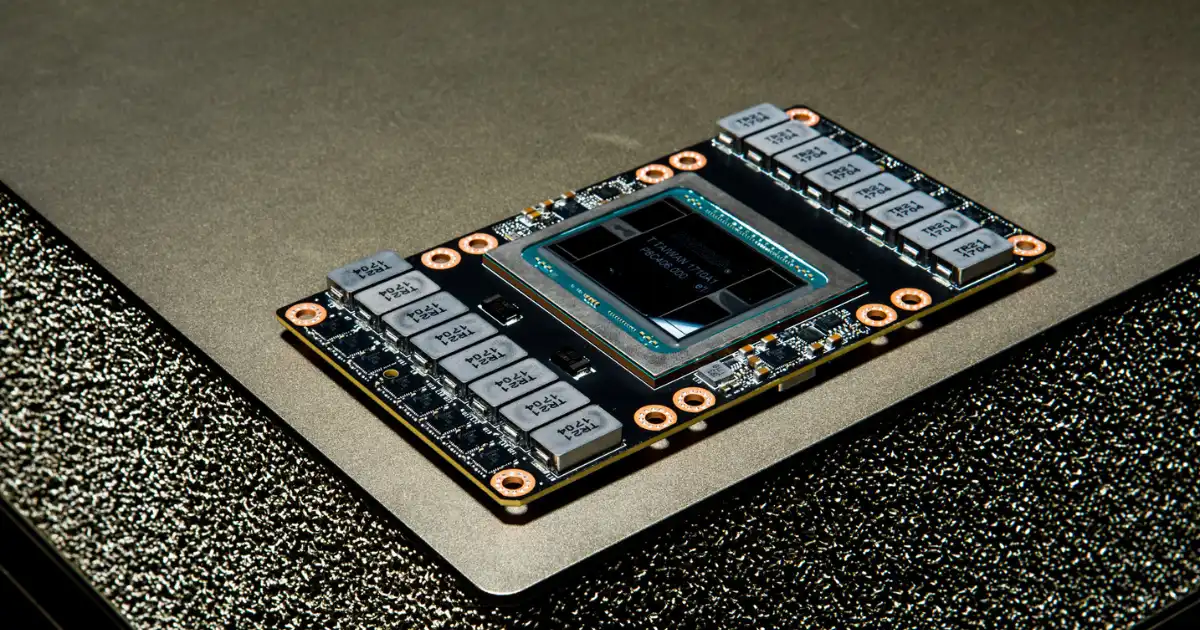
Most people first encounter GPUs through a simple idea: “they are faster than CPUs for AI.” That explanation is technically true, but it hides the real reason GPUs became the backbone of modern AI systems .How Does Gpu Chip Architecture Support Ai?
In real systems, performance is not about raw speed. It is about how efficiently hardware moves data, keeps thousands of tiny compute units busy, and avoids starvation from memory delays. When you understand that, GPU architecture starts to look less like a graphics tool and more like a carefully designed machine for large-scale math repetition.
What often gets missed is this: AI did not “choose” GPUs because they were powerful. GPUs became dominant because their architecture accidentally matched the structure of neural network computation better than anything else available at scale.
This article breaks down how that actually works in practice, what happens inside the chip during AI workloads, and why things still break even on the most advanced hardware.
What a GPU Actually Is in Real Systems
A GPU in a real system is not just a “fast processor.” It is a massively parallel math engine designed to keep thousands of simple execution lanes busy at the same time. In modern data centers, a GPU behaves more like a compute cluster on a single chip than a traditional processor.
Originally, GPUs were built for rendering graphics, where the same operation is repeated across millions of pixels. That model turned out to be extremely useful for AI, where the same kind of matrix operations are repeated across huge tensors.
What changed over time is that GPUs stopped being specialized graphics hardware and became general-purpose parallel compute engines. The moment CUDA and similar programming models appeared, GPUs effectively became programmable math factories.
Why CPUs struggle with AI workloads
CPUs are excellent at complex decision-making. They have deep pipelines, large caches, and strong single-thread performance. But they are not designed to run tens of thousands of identical operations at once.
AI workloads, especially neural networks, do not need complex branching logic most of the time. They need repeated linear algebra operations at massive scale. A CPU can do this, but it does it with a small number of powerful cores. That means most of its silicon sits underused during AI training.
The real bottleneck is not compute ability. It is parallel throughput. CPUs are like highly skilled specialists. GPUs are like a warehouse full of workers doing simple repetitive tasks in parallel.
Where GPUs naturally fit in modern computing
GPUs fit perfectly wherever workloads can be broken into many identical operations. AI training, image processing, simulations, and large matrix multiplications all fall into this category.
In modern AI systems, the GPU is not just an accelerator. It is the main compute engine. CPUs mostly orchestrate tasks, move data, and handle system logic. The heavy lifting happens on the GPU.
The Real Reason GPUs Accelerate AI
At the core of AI is linear algebra. Every layer in a neural network eventually reduces to matrix multiplications and vector operations. That is where GPUs shine.
A single matrix multiplication in AI is not small. It often involves billions or trillions of operations repeated across batches of data. The structure of these operations is predictable and repetitive, which is exactly what GPUs are built for.
AI workloads as large-scale math problems
When you strip away the abstraction, training a neural network is just repeated multiplication and accumulation of large matrices. Each layer transforms input data into another representation using learned weights.
The key insight is that these operations are independent across many elements. That independence is what allows parallel execution. Instead of waiting for one calculation to finish before starting another, GPUs run thousands at the same time.
Parallel processing in practical terms
In practice, parallelism means dividing work into small chunks called threads. Each thread performs the same instruction on different pieces of data.
Inside a GPU, these threads are grouped and scheduled in warps or wavefronts. If one group stalls, the scheduler switches to another instantly. This hides latency and keeps compute units busy.
What makes GPUs effective is not just the number of cores. It is how well they hide memory delays and keep pipelines full. That is where real performance comes from.
Inside GPU Chip Architecture
A GPU is built from repeating units called streaming multiprocessors or compute units depending on the vendor. Each of these contains many smaller execution lanes.
Think of it like this. A CPU core is a full workstation. A GPU core is more like a small arithmetic unit. You do not get a few powerful units. You get thousands of simple ones working together.
Inside each compute unit are execution pipelines, schedulers, registers, and shared memory. These components work together to process instructions in parallel.
How work is actually distributed inside a GPU
When an AI workload is launched, the CPU sends a kernel to the GPU. That kernel is split into blocks, and each block is assigned to a compute unit.
Inside that unit, threads are grouped and executed in lockstep. This means many operations happen simultaneously using the same instruction but different data.
The important detail is scheduling. GPUs rely on hiding delays by switching between thread groups. If one group is waiting on memory, another immediately takes its place. This keeps utilization high.
Why parallel lanes matter more than clock speed
People often look at GPU performance in terms of clock speed or TFLOPS. In real systems, those numbers matter far less than memory throughput and lane utilization.
A GPU with high clock speed but poor memory access patterns will underperform a lower clock GPU with better architecture. What matters is how many execution lanes stay busy at once and how rarely they stall.
Tensor Cores and Why They Changed Everything
The introduction of tensor cores fundamentally changed AI computing. Before tensor cores, GPUs executed matrix multiplication using general-purpose arithmetic units. It worked, but it was inefficient.
Tensor cores are specialized hardware units designed specifically for matrix multiplication at extremely high throughput. They do not handle general computation. They are built for one thing: multiply and accumulate small matrices extremely fast.
Mixed precision in real workloads (FP16, BF16, FP8)
One of the biggest shifts was moving from 32-bit precision to lower precision formats like FP16 and BF16. AI models do not always need full precision during training.
By reducing precision, GPUs can pack more operations into the same silicon area and increase throughput significantly. Modern tensor cores even support FP8 in some workloads, pushing efficiency further.
In real-world training systems, this is often the difference between a model training in days versus weeks.
What actually happens during matrix multiplication acceleration
Instead of computing each multiplication step-by-step, tensor cores take small matrix tiles and process them in fused operations. This reduces instruction overhead and increases data reuse inside fast on-chip memory.
The real gain is not just speed. It is reduced memory movement. Data stays closer to compute units, which dramatically improves efficiency.
Memory Is the Real Bottleneck
If there is one thing that surprises engineers new to GPU systems, it is this: GPUs are almost always memory-bound, not compute-bound.
Modern GPUs can perform massive amounts of arithmetic, but they often wait for data to arrive from memory. That delay is what limits real performance.
Why memory bandwidth often limits performance
AI workloads involve constantly reading and writing large tensors. If memory cannot feed data fast enough, compute units sit idle.
This is why technologies like HBM (High Bandwidth Memory) exist. They provide extremely fast access compared to traditional GDDR memory. But even HBM has limits when models become large enough.
Bandwidth, not compute, is often the real ceiling in production systems.
What happens when data can’t keep up with compute
When memory cannot supply data fast enough, the GPU scheduler tries to hide latency by switching tasks. But eventually, all execution lanes run out of work.
At that point, utilization drops even if the GPU is technically powerful. This is one of the most common inefficiencies in real AI workloads.
Training vs Inference
Training and inference are both AI workloads, but they stress GPUs in very different ways.
Why training is extremely GPU-heavy
Training involves forward passes, backward passes, gradient calculations, and weight updates. That is essentially two or three times the computation of inference.
It is also highly memory-intensive because intermediate activations must be stored for backpropagation.
This is why training clusters are often built around massive multi-GPU setups. A single GPU is rarely enough for modern models.
Why inference is about latency, not just speed
Inference is different. The model is already trained, so the system only performs forward passes.
Here, the key metric is latency and throughput per request. Efficient inference systems often rely on batching to keep GPUs busy, but this introduces trade-offs between speed and responsiveness.
In real systems, inference optimization is often about balancing utilization and user experience rather than maximizing raw compute.
Multi-GPU Systems and Scaling Reality
Modern AI does not run on a single GPU. It runs on clusters of GPUs connected through high-speed interconnects like NVLink or PCIe.
These systems allow multiple GPUs to act like a unified compute pool, but only under ideal conditions.
Why one GPU is never enough for modern AI
Model sizes have grown beyond the memory capacity of a single GPU. Even if compute is sufficient, memory is not.
This forces model parallelism or data parallelism across multiple GPUs. Each GPU handles part of the workload or part of the model.
Communication bottlenecks people underestimate
The biggest scaling problem is not compute. It is communication.
GPUs constantly need to exchange gradients or activations. If interconnect bandwidth is not fast enough, GPUs spend more time waiting than computing.
This is why distributed training efficiency rarely scales linearly. Adding more GPUs does not guarantee proportional speedup.
Where GPU Architecture Starts to Fail
Even the most advanced GPUs have limits that show up quickly in real-world workloads.
Memory capacity is often the first constraint. Then comes bandwidth. Then power and heat. Finally, interconnect scaling.
Another subtle issue is utilization inefficiency. Many workloads do not perfectly map to GPU architecture, which leaves parts of the chip underused.
Power consumption is also becoming a serious constraint. High-end GPUs draw hundreds of watts each, and data centers must balance performance with cooling and energy limits.
What GPU Architecture Will Look Like Next
Future GPU design is moving in a few clear directions.
Chiplet-based designs are becoming more common, allowing manufacturers to scale compute without building a single massive monolithic chip.
Memory systems are evolving toward tighter integration between compute and memory, reducing data movement costs. HBM is already a step in that direction, but future systems will push further.
We are also seeing more AI-specific hardware paths inside GPUs. Instead of general acceleration, chips are becoming more specialized for transformer-style workloads.
Efficiency is becoming more important than raw speed. The next generation of GPUs will likely focus on doing more work per watt rather than simply increasing compute density.
You Might Be Interested In
- 11 Ai Thumbnail Tools For CTR Lifts
- Ai For Seo Content Briefs: Step-by-step Workflow
- How To Summarize Podcasts With Ai?
- Top 5 Ai Intellectual Property Rights Policies
- How Does Software Performance Monitoring Improve Reliability?
Conclusion
GPU performance in AI is not about raw specifications on paper. It is about how well the architecture handles parallel execution, memory movement, and workload structure.
In real systems, the difference between a fast GPU and a slow one often comes down to how well it keeps its compute units fed with data and how efficiently it reduces memory bottlenecks.
Once you understand that, GPU architecture stops being abstract. It becomes a very practical question of data flow, scheduling, and system balance.
And that is where real AI performance actually comes from.
FAQs
What AI chip architecture actually means in simple terms
AI chip architecture is essentially the way a processor is designed to handle the specific type of computation used in artificial intelligence workloads, especially deep learning. Instead of focusing on general-purpose tasks like traditional CPUs, these architectures are optimized around repetitive linear algebra operations such as matrix multiplications and tensor transformations.
In real systems, this means the chip is built less like a “decision-maker” and more like a “data processing engine.” Everything from compute layout to memory placement is tuned to keep data flowing smoothly into parallel math units without interruptions. The goal is not flexibility, but sustained throughput for very specific workloads.
Why normal CPUs struggle with AI workloads
CPUs struggle with AI workloads because they are designed for versatility rather than extreme parallelism. They handle a wide variety of tasks very efficiently, but AI models require doing the same mathematical operation across massive datasets simultaneously, which CPUs are not structurally optimized for.
In practice, this creates a mismatch. Even high-end CPUs end up underutilized during AI workloads because they cannot process enough operations in parallel or feed data fast enough to keep up with demand. This is why AI systems quickly move toward GPUs or specialized accelerators once workloads become non-trivial in size.
How AI chips are different in real-world design
AI chips are fundamentally different because they prioritize parallel computation and memory bandwidth over general-purpose flexibility. Instead of a few powerful cores, they contain many smaller compute units designed to work simultaneously on matrix operations.
What I’ve seen in real architectures is that almost every design decision revolves around reducing data movement and increasing compute density. Memory is placed closer to compute, interconnects are widened, and specialized tensor units are added to accelerate exactly the type of math neural networks rely on.
Core building blocks of AI chip architecture
AI chip architecture is built on a few key components that work together to maximize performance for machine learning workloads. The compute units handle raw mathematical operations, tensor or matrix cores accelerate dense linear algebra, memory systems ensure fast data delivery, and interconnects move data between different parts of the chip or across multiple chips.
The important thing in real systems is how tightly these blocks are balanced. A fast compute unit is useless if memory cannot feed it quickly, and high memory bandwidth is wasted if compute resources are underutilized. The entire architecture is about minimizing imbalance between these components.
How data actually moves inside an AI chip
Data movement inside an AI chip follows a carefully staged pipeline designed to keep compute units busy at all times. Input data is first loaded from high-level memory into faster on-chip caches, then broken into smaller tiles that fit efficiently into compute units, and finally processed through tensor cores where matrix operations are performed.
The result is temporarily stored in fast local memory before being written back or passed to the next layer of the model. In real workloads, the efficiency of this pipeline determines overall performance more than raw compute power. If any stage slows down, especially memory access, the entire system starts underperforming.
