


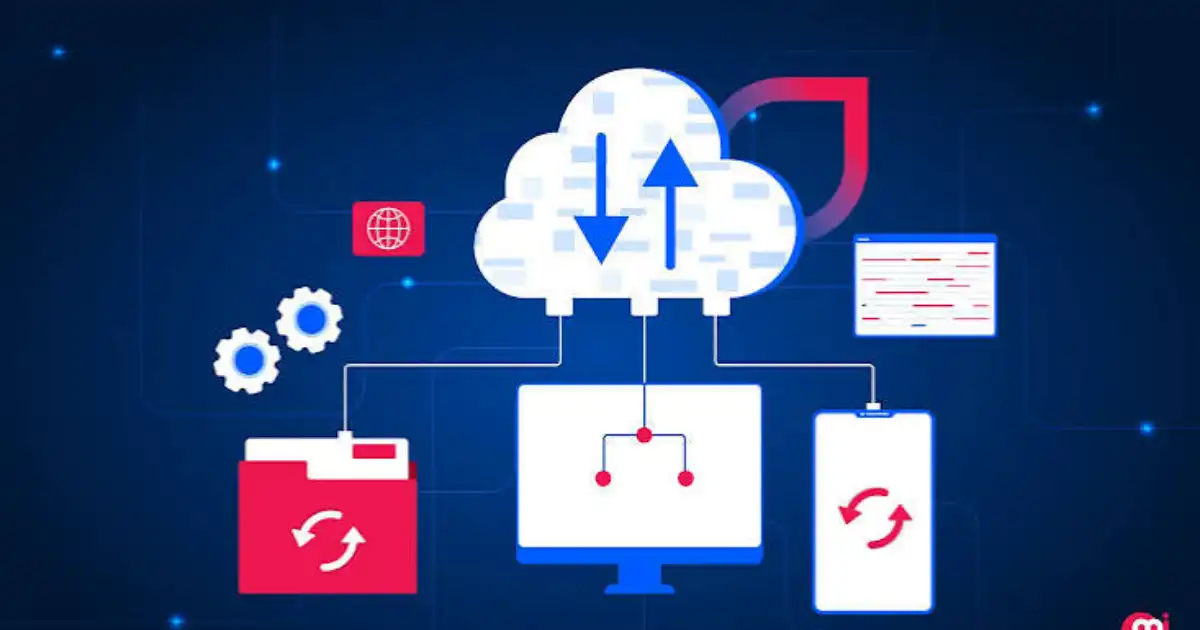
Aging servers, rising infrastructure costs, unexpected downtime, and limited capacity can make IT increasingly difficult to manage. As a business grows, adding another physical server or upgrading existing hardware is not always the simplest answer. The same problem appears when employees need reliable access to applications and data from different locations.
This is where cloud migration services can become useful. They help businesses move applications, data, servers, databases, and other workloads from traditional infrastructure into a cloud environment such as AWS, Microsoft Azure, or Google Cloud.
The benefits of cloud migration can include greater scalability, stronger resilience, easier remote access, improved security capabilities, and less day-to-day infrastructure maintenance. But migration is not automatically cheaper or better for every workload. The real value depends on choosing what to migrate, how to migrate it, and how the environment is managed afterward.
What Are Cloud Migration Services?
Cloud migration is the process of moving IT workloads from an existing environment, such as an on-premises data center, into a cloud platform. A workload might be an application, database, server, storage system, or collection of services that support a business operation.
Professional cloud migration services go considerably further than copying files or moving a server to someone else’s data center. A proper migration starts by understanding what the business already has, how its systems depend on each other, what information is sensitive, and what the business expects to achieve.
What Do Cloud Migration Services Include?
Depending on the project, services may include a cloud readiness assessment, migration planning, data migration, application migration, infrastructure configuration, security setup, testing, deployment, and post-migration optimization.
This planning matters because moving a poorly designed workload into the cloud does not automatically make it better. In my experience, the most successful migrations begin with understanding the existing environment rather than immediately deciding that everything should move.
What Are the Benefits of Cloud Migration Services?
The benefits of cloud migration are not limited to replacing physical servers. When migration is planned properly, it can change how a company operates and manages its technology.
Reduce IT Infrastructure Costs
Cloud migration can reduce the need to purchase and maintain physical servers, networking equipment, storage systems, and other data-center infrastructure. Businesses may also spend less on hardware replacement, physical space, cooling, power, and some routine maintenance.
However, the idea that cloud is always cheaper is one of the most common misconceptions. Cloud resources still cost money, and poorly managed environments can become expensive. Unused virtual machines, excessive storage, unnecessary data transfers, and over-provisioned resources can quickly increase monthly bills.
The practical goal is not simply to spend less. It is to use infrastructure more efficiently and pay for resources that actually support the business.
Scale Resources as the Business Grows
Traditional infrastructure usually requires businesses to purchase enough hardware to handle expected demand. If traffic suddenly increases, that hardware may not be enough. If demand falls, expensive capacity can sit unused.
Cloud infrastructure provides more flexibility. Resources can often be increased or reduced based on workload requirements, and some services support automatic scaling.
For example, an online retailer may experience a large increase in traffic during a seasonal sale. Instead of permanently purchasing enough physical hardware for the busiest day of the year, its cloud environment can be designed to handle temporary increases in demand.
Improve Business Flexibility and Agility
Cloud environments can make it faster to provision computing resources, storage, databases, and other infrastructure. A development team that needs a test environment may be able to create one much faster than a team waiting for physical hardware to be purchased, delivered, installed, and configured.
This flexibility can also help businesses respond to changing priorities. New applications can be tested, additional capacity can be introduced, and infrastructure can be adjusted without rebuilding the entire physical environment.
Strengthen Security and Compliance
Major cloud platforms provide extensive security capabilities, including encryption, identity and access management, monitoring, logging, security policies, and multi-factor authentication.
But cloud migration itself does not make an organization secure. Cloud security follows a shared responsibility model. The provider secures the underlying cloud infrastructure, while the customer remains responsible for many aspects of its own data, identities, applications, permissions, and configurations.
A storage bucket with incorrect permissions can still expose sensitive information, even when the underlying cloud platform has strong security controls. Professional migration teams therefore consider security during planning instead of treating it as something to fix after deployment.
Improve Backup and Disaster Recovery
A major advantage of properly designed cloud infrastructure is the ability to build more flexible backup and disaster recovery arrangements.
Data can be backed up automatically, replicated to different locations, and restored when necessary. Depending on the architecture, applications can also be designed with redundancy and failover capabilities.
The business benefit is straightforward. If a server failure, hardware problem, or other major incident occurs, the organization may be able to restore critical services more quickly instead of waiting for a damaged physical system to be repaired or replaced.
Improve Application Performance
Cloud migration can improve performance when applications are moved to appropriately sized and properly designed infrastructure. Businesses can use load balancing, modern computing resources, caching, optimized storage, and geographically distributed infrastructure where appropriate.
But migration does not guarantee better performance. An application with inefficient code, poor database design, or unnecessary network dependencies can remain slow after moving to the cloud.
Performance improvements come from good architecture and optimization, not from the word “cloud” appearing on the infrastructure diagram.
Increase Employee Productivity and Collaboration
Cloud-based applications and infrastructure can make it easier for employees and distributed teams to access the systems they need from different locations.
This can be particularly useful for businesses with remote or hybrid employees. Instead of depending heavily on access to a specific office network or physical server, employees can work with appropriately secured cloud-based applications and services.
Cloud access also reduces some infrastructure-related interruptions for IT teams, allowing them to spend less time dealing with physical hardware problems.
Simplify IT Management
Maintaining physical infrastructure involves hardware monitoring, upgrades, replacement planning, capacity management, and other routine responsibilities. Moving appropriate workloads to the cloud can reduce some of this operational burden.
This does not mean the IT workload disappears. Someone still needs to manage identities, security, configurations, costs, applications, backups, and performance.
The difference is that internal teams can spend less time maintaining physical infrastructure and more time working on systems that directly support business objectives.
Accelerate Innovation and Time to Market
Cloud platforms provide access to technologies that can be difficult or expensive to build from scratch in a traditional environment. These include containers, serverless computing, analytics services, DevOps tooling, artificial intelligence, and machine learning capabilities.
A business can use these services to experiment and deploy new capabilities without necessarily building an entire physical infrastructure stack first.
This is where cloud migration can become more than an infrastructure project. A company can use migration as an opportunity to modernize selected applications rather than simply moving old systems unchanged.
Improve Business Continuity and Availability
Cloud environments can be designed with redundancy, high availability, and failover mechanisms. Critical workloads may be distributed across multiple availability zones or, when justified, different geographic regions.
This can reduce the impact of individual infrastructure failures. However, availability is an architectural decision. A poorly designed cloud application can still experience downtime.
Professional planning helps identify which systems actually require high availability and where additional resilience is worth the cost.
Support Global Business Expansion
Cloud providers operate infrastructure across multiple geographic regions, allowing businesses to deploy applications closer to customers in different markets.
This can simplify expansion for companies that need to serve users in multiple countries or regions. It may also help reduce latency and provide infrastructure options that would be difficult to establish independently.
Support Sustainability
Cloud migration can contribute to more efficient resource utilization when workloads are appropriately sized and infrastructure is shared at scale.
Instead of every organization maintaining its own physical capacity, cloud providers operate large infrastructure environments and allocate resources across many customers. The environmental outcome still depends on workload design, utilization, provider efficiency, and how resources are managed.
How Do Cloud Migration Services Deliver These Benefits?
The practical cloud migration process usually starts with a readiness assessment. The provider examines servers, applications, databases, dependencies, security requirements, performance needs, and business priorities.
Migration planning then determines which workloads should move first, which strategy should be used, what dependencies exist, and how downtime will be controlled.
During data and application migration, workloads are transferred and configured according to their specific requirements. Security controls, permissions, encryption, monitoring, and compliance requirements are addressed as part of the process.
Testing is essential before final cutover. Teams need to confirm that applications work correctly, data is complete, integrations function properly, and performance is acceptable.
After migration, optimization continues. Costs, security, resource usage, and performance should be monitored and adjusted. This prevents the common “move everything first and figure it out later” approach.
What Are the Main Cloud Migration Strategies?
There is no single cloud migration strategy that works for every application.
Businesses commonly use six approaches:
Rehost
Rehosting, often called “lift and shift,” moves a workload to the cloud with minimal changes. It can be useful when speed is more important than modernization.
Replatform
Replatforming involves making limited improvements during migration without completely redesigning the application.
Refactor
Refactoring means redesigning or rebuilding an application so it can take better advantage of cloud-native capabilities.
Repurchase
Repurchasing replaces an existing system with a cloud-based product or SaaS application.
Retain
Some workloads are better left where they are. Regulatory requirements, technical limitations, cost, or business priorities may make migration unnecessary for now.
Retire
Applications that are obsolete or no longer used can simply be removed instead of consuming resources during migration.
Most businesses use a combination of these approaches rather than forcing every workload through the same process.
What Are the Challenges of Cloud Migration?
Cloud migration has real risks. The initial project can require spending on assessment, planning, implementation, data transfer, testing, application changes, and specialist expertise.
Security is another concern. Incorrect permissions, exposed services, weak identity controls, or poor configurations can create vulnerabilities. Legacy applications can also be difficult to migrate because they may depend on outdated operating systems, databases, or tightly connected systems.
Data migration can become complicated when datasets are large or applications depend on them continuously. Poor planning can also create downtime or operational disruption.
There is a skills challenge as well. Internal teams may need training in cloud architecture, security, automation, and cost management.
Finally, unexpected cloud costs are possible. A migration provider should explain how resources will be monitored and optimized after deployment, not just how quickly workloads can be moved.
How Much Do Cloud Migration Services Cost?
There is no reliable universal price for cloud migration cost because every environment is different. The number of workloads, data volume, application complexity, migration strategy, security requirements, compliance obligations, and required downtime all affect the project.
A simple application with limited data may require relatively little work. A large business with interconnected legacy applications and strict availability requirements can require considerably more planning and testing.
It is also important to separate the initial migration cost from ongoing cloud operating costs. Businesses should consider total cost of ownership, including compute, storage, networking, licenses, support, security, and management.
The right question is not simply “How much will migration cost?” It is “What will the complete cost and expected business value look like over several years?”
When Should a Business Consider Cloud Migration?
A business may have a strong reason to investigate migration when:
- Servers are aging or approaching replacement.
- Hardware maintenance is becoming expensive.
- Infrastructure cannot scale easily.
- Downtime is affecting operations.
- Disaster recovery needs improvement.
- Employees need secure remote access.
- The company is growing quickly.
- IT teams spend too much time maintaining infrastructure.
- Legacy systems are limiting modernization.
- The business is expanding into new markets.
That does not mean migration should happen immediately. A readiness assessment can reveal that some workloads should move, others should be modernized, and some should remain on-premises.
How to Choose the Right Cloud Migration Service Provider
Choosing a cloud migration service provider should involve more than comparing hourly rates. Look for practical experience with environments similar to yours and a clear methodology for assessment, migration, security, testing, and support.
Experience with AWS, Azure, or Google Cloud is important, but platform knowledge alone is not enough. The provider should also understand security, compliance, application dependencies, backup, disaster recovery, and cost management.
Ask direct questions before signing a project:
- What similar workloads have you migrated?
- How will you minimize or manage downtime?
- How will data be protected during migration?
- How will cloud costs be controlled afterward?
- What testing will happen before cutover?
- What post-migration support is included?
A provider that cannot explain these areas clearly may not be ready to manage a complex migration.
Cloud Migration vs. Staying On-Premises
| Factor | On-Premises | Cloud |
|---|---|---|
| Infrastructure | Business-owned | Cloud provider |
| Scalability | Hardware-dependent | More flexible |
| Maintenance | Mostly internal | More provider-managed |
| Upfront infrastructure investment | Often higher | Often lower |
| Resource provisioning | Usually slower | Usually faster |
| Global deployment | More complex | Generally easier |
This comparison is not an argument that cloud always wins. Some businesses need on-premises infrastructure because of compliance requirements, specialized hardware, latency considerations, existing investments, or specific operational needs.
Hybrid environments can also make sense when certain workloads benefit from remaining on-premises while others move to the cloud.
You Might Be Interested In
- How Do Cloud Migration Services Support Remote Teams?
- How Do Cloud Migration Services Improve Business Continuity?
- What Are Common Mistakes In Cloud Migration Services?
- How Do Cloud Migration Services Improve Business Agility?
- How Do Cloud Migration Services Reduce Operational Risks?
Conclusion
Cloud migration is not simply about moving servers from a company’s building to a cloud provider. The real value comes from creating infrastructure that can scale with the business, improve resilience, support employees, strengthen security, and reduce unnecessary infrastructure management.
At the same time, migration has costs, risks, and technical limitations. Cloud migration services are most valuable when they begin with a realistic assessment of the existing environment and business goals.
Before deciding what to migrate, how to migrate it, or which cloud platform to use, businesses should determine whether the expected technical and financial benefits actually justify the move.
FAQs
What are the main benefits of cloud migration services?
The main benefits of cloud migration services can include greater scalability, improved flexibility, better disaster recovery, stronger security capabilities, easier remote access, and more efficient IT operations. Businesses can provision resources more quickly, support changing workloads, and reduce some of the maintenance associated with physical servers and data centers. Depending on the environment and how it is managed, cloud migration can also help control infrastructure costs.
However, these benefits are not automatic. A poorly planned migration can create higher cloud bills, security problems, or performance issues. The actual benefits depend on choosing the right workloads, using an appropriate migration strategy, designing the cloud environment correctly, and continuously monitoring costs, security, and performance after migration.
Is cloud migration cheaper than on-premises infrastructure?
Cloud migration can be cheaper than maintaining on-premises infrastructure in some situations, but it is not automatically more affordable. Businesses may reduce spending on physical servers, hardware replacement, data-center space, power, cooling, and certain maintenance activities. Cloud pricing can also allow organizations to pay for resources based on actual usage instead of purchasing large amounts of hardware upfront.
The complete financial picture is more important than comparing a cloud bill with the purchase price of a server. Compute resources, storage, data transfer, software licenses, support, security tools, and management can all contribute to cloud costs. Poorly configured or unused resources can make cloud infrastructure surprisingly expensive, so businesses should evaluate total cost of ownership and expected ROI before migrating.
How long does cloud migration take?
The time required for cloud migration depends heavily on the size and complexity of the existing IT environment. A small business with a few straightforward applications and limited data may complete migration relatively quickly. A larger organization with interconnected applications, large databases, legacy systems, strict security requirements, and limited downtime tolerance may need several months or longer.
The migration strategy also affects the timeline. Rehosting a relatively simple workload usually requires less work than refactoring an application for cloud-native infrastructure. Assessment, dependency mapping, data transfer, testing, security configuration, user acceptance testing, and final cutover all need to be considered when creating a realistic migration schedule.
Is cloud migration secure?
Cloud migration can provide access to strong security capabilities such as encryption, identity and access management, multi-factor authentication, logging, monitoring, and automated security controls. Major cloud providers invest heavily in protecting their underlying infrastructure, giving businesses access to security capabilities that may be difficult or expensive to build independently.
However, moving to the cloud does not automatically make a business secure. Cloud security follows a shared responsibility model, meaning the provider secures certain parts of the infrastructure while the customer remains responsible for areas such as identities, permissions, applications, data, and configurations. Incorrect access settings or poorly secured applications can still expose sensitive information, which is why security needs to be built into the migration process from the beginning.
What does a cloud migration service provider do?
A cloud migration service provider helps a business plan, execute, and optimize its move from existing infrastructure to a cloud environment. The work can include assessing current servers and applications, identifying dependencies, selecting suitable migration strategies, planning the migration sequence, transferring data, configuring cloud infrastructure, implementing security controls, and testing workloads before deployment.
A good provider’s involvement should not end when the application is successfully running in the cloud. Post-migration work can include performance monitoring, resource optimization, cost management, security reviews, backup configuration, and troubleshooting. This ongoing support is important because a cloud environment can require continuous adjustment as workloads, usage patterns, and business requirements change.
