


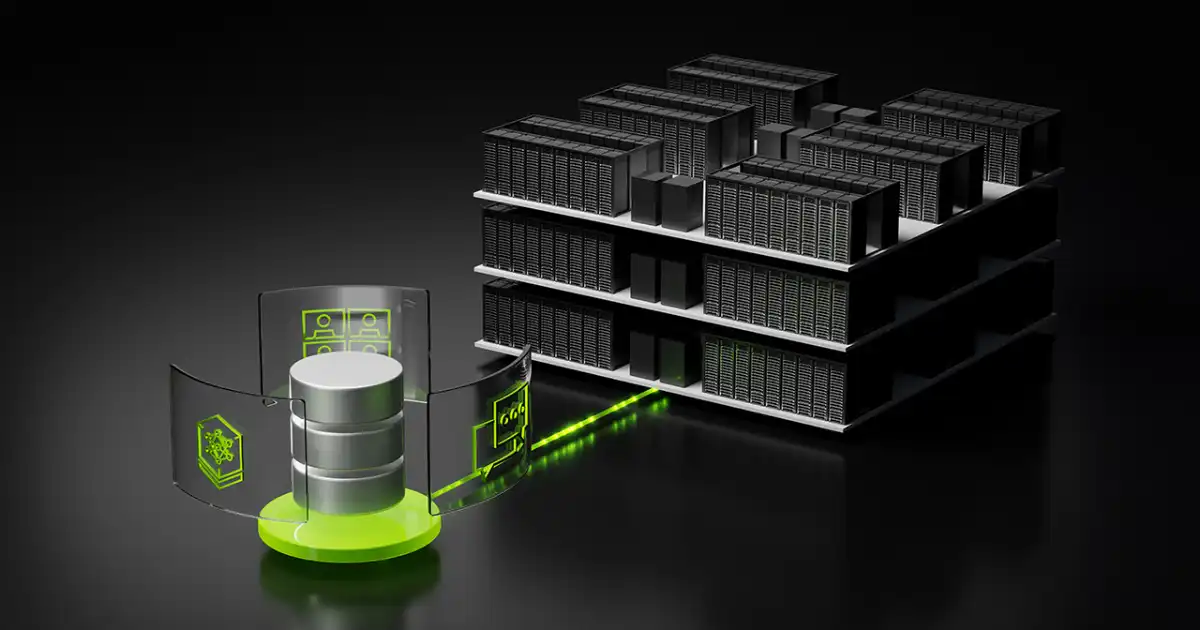
AI systems don’t fail because GPUs are weak. They fail because data can’t keep up.
In real production environments, storage is usually the quiet culprit behind slow training jobs, underutilized GPUs, and unpredictable inference latency. Everyone likes to talk about GPUs, model size, and fancy architectures, but the reality is simpler: if your data doesn’t reach the GPU fast enough, everything else just sits idle burning money.
I’ve seen setups where companies spent millions on GPU clusters, only to realize their storage layer was feeding data like a clogged pipe. The GPUs were ready. The network was fine. But the storage system couldn’t push data fast enough to keep the pipeline full. That’s the kind of failure that doesn’t show up in architecture diagrams, but shows up in invoices.
AI storage architecture is what sits between raw data and compute. It decides how fast data moves, how reliably it scales, and whether your expensive compute actually does useful work or just waits. In modern AI workloads, especially large model training and real-time inference, storage is no longer a backend concern. It is part of the performance system.
Understanding how this layer works is not optional anymore. If you are dealing with AI at scale, storage design becomes just as important as model design or GPU selection.
What is AI Storage Architecture?
AI storage architecture is the structured system that stores, organizes, and delivers data to AI workloads at high speed and at scale. But that definition doesn’t really help unless you connect it to what actually happens in real systems.
In practice, it is everything between your raw datasets and the GPUs doing the computation. That includes how data is stored on disks, how it is distributed across nodes, how it is fetched during training, and how quickly it can be streamed into memory.
A typical AI system is not reading one file at a time. It is reading millions of small samples, images, embeddings, logs, or tokenized text chunks in parallel. That means storage is not just about capacity. It is about throughput, parallelism, and consistency under load.
What most people get wrong is thinking storage is a passive layer. It is not. It actively shapes how fast your training runs, how stable your inference pipeline is, and how efficiently your GPUs are used.
In real-world AI clusters, storage architecture is designed around one question: how do we keep GPUs busy 100% of the time without starving them for data?
That single requirement drives everything else. It influences whether you use object storage or file systems, how you distribute data shards, and how aggressively you cache datasets closer to compute.
So when we talk about AI storage architecture, we are really talking about a performance-critical data delivery system disguised as storage.
Why AI Systems Need Specialized Storage
Traditional storage systems were never built for AI workloads. They were built for predictable access patterns, business applications, and human-paced queries. AI breaks all of that immediately.
AI workloads are extremely data-hungry. A single training job can read terabytes or even petabytes of data repeatedly. And it does this in a highly parallel way, with hundreds or thousands of GPU workers pulling data simultaneously.
This is where systems usually break.
The GPU is fast. Extremely fast. But it is also impatient. If data does not arrive at the expected speed, the GPU just waits. That waiting time is pure waste. In large clusters, even a 10% GPU idle time translates into massive financial loss.
Then there is the pipeline issue. Data is not just stored and read. It is transformed, augmented, tokenized, shuffled, cached, and streamed. Each step adds pressure on storage systems.
In my experience, the biggest bottleneck is not raw disk speed. It is contention. Too many workers trying to read small files at once from a system that was optimized for fewer, larger requests.
Another issue is scale mismatch. Storage systems might look fine at small scale, but when you increase training workers from 8 to 256 GPUs, everything changes. Metadata servers get overloaded. Network congestion appears. Latency spikes unpredictably.
AI also introduces unique patterns like random sampling across massive datasets. That destroys the assumptions of sequential read optimization that traditional storage relies on.
So specialized AI storage exists because general-purpose storage cannot guarantee one thing AI needs most: consistent, high-throughput, parallel data delivery without starving GPUs.
How AI Storage Architecture Works in Practice
In a real AI system, data does not flow in a simple straight line. It moves through multiple layers that are designed to balance speed, scale, and cost.
It usually starts with data ingestion. Raw data comes from logs, databases, sensors, or external datasets. At this stage, the system cleans, formats, and partitions data into chunks that can be efficiently processed later.
Next comes the storage layer. This is where data is placed into object stores, distributed file systems, or hybrid architectures. The key goal here is not just storage, but distribution. Data is split across multiple nodes so it can be accessed in parallel.
When training starts, compute nodes request data slices. This is where things get interesting. Instead of one machine reading a file, hundreds of workers are simultaneously pulling different shards of the dataset.
To prevent bottlenecks, systems use caching layers. Frequently accessed data is stored closer to GPUs, often in local NVMe drives or memory caches. This reduces repeated hits on central storage.
During training, data is continuously streamed into preprocessing pipelines. It gets augmented, tokenized, or normalized before reaching the GPU. The goal is to ensure GPUs never wait.
Inference works slightly differently. Instead of bulk reads, it focuses on low-latency access to embeddings, feature stores, or model context data. Here, storage is optimized for speed and predictability rather than throughput.
The important thing to understand is that AI storage is not a single system. It is a pipeline of storage layers working together. If any layer slows down, everything above it suffers immediately.
Core Components of AI Storage Systems
AI storage architecture is made up of several tightly connected components that each handle a different responsibility.
At the base level, you have storage systems: object storage, file systems, and block storage. These are responsible for holding raw and processed data.
Above that sits the compute layer, which includes CPU nodes, GPU clusters, and distributed training frameworks. This layer constantly pulls data and depends heavily on storage speed.
Networking is another critical piece. Even if your storage is fast, poor network design can choke throughput. High-speed interconnects like InfiniBand or high-bandwidth Ethernet are often used to avoid this.
Then you have data management systems. These handle dataset versioning, sharding, replication, and metadata tracking. In large AI systems, metadata can become a bottleneck on its own.
Finally, there is the security layer. It handles access control, encryption, and compliance. While often overlooked in performance discussions, it still affects latency and throughput when not designed properly.
In real systems, the weakest of these components defines the ceiling of performance. You don’t get to pick the fastest part and ignore the rest. The system runs at the speed of its slowest dependency.
Types of Storage Used in AI
AI systems typically use a combination of storage types rather than relying on just one.
Object storage is the most common for large-scale datasets. It is highly scalable and cost-efficient, making it ideal for training data that does not change frequently. Think S3-style systems.
File storage is used when applications need a hierarchical structure or when legacy training pipelines expect POSIX-style access. It is easier to integrate but harder to scale efficiently under extreme load.
Block storage is typically used for high-performance workloads where low latency is important. It behaves like a raw disk attached to compute nodes, making it useful for databases or intermediate processing layers.
Distributed storage systems combine multiple nodes into a single logical storage pool. These are common in AI clusters because they allow parallel access from many GPUs at once.
In practice, most production AI systems use a hybrid approach. Object storage for durability, file storage for compatibility, and block or distributed storage for performance-critical paths.
Where Things Actually Break
This is the part that rarely shows up in architecture diagrams but shows up quickly in production.
The most common issue is GPU starvation. The GPUs are ready to compute, but data arrives too slowly. You see high-cost compute sitting idle while storage tries to catch up.
Another problem is slow or uneven data pipelines. Some workers get data faster than others, leading to load imbalance. This causes training instability and inefficient resource usage.
Scaling issues also appear unexpectedly. A system that works fine with 16 GPUs may completely degrade at 128 GPUs due to metadata overload or network saturation.
Cost explosion is another hidden failure. Teams often compensate for slow storage by overprovisioning compute or caching layers, which drives costs up without solving the root problem.
I’ve seen systems where adding more GPUs made performance worse because storage could not keep up. That is one of the most counterintuitive failures in AI infrastructure.
At scale, storage is not just a bottleneck. It becomes the limiting factor that defines how far your AI system can grow.
Cloud vs On-Prem AI Storage
Cloud storage gives you scalability and simplicity. You can scale storage almost instantly, integrate with managed services, and avoid hardware maintenance. It works well for teams that want flexibility over optimization.
On-prem storage gives you control and performance tuning. You can design the system specifically for your workload, optimize network topology, and reduce long-term cost at scale.
The trade-off is complexity. On-prem systems require engineering effort to design, maintain, and scale properly.
In real deployments, hybrid models are common. Training might happen on cloud storage, while high-performance inference or caching layers run on-prem for latency control.
There is no universal winner. The right choice depends on workload consistency, budget, and performance sensitivity.
Future of AI Storage Architecture
AI storage is evolving quickly because model sizes and data demands are growing faster than traditional systems can handle.
LLM-scale systems are pushing storage toward massive parallelism, where millions of small reads must be handled efficiently without bottlenecks.
Vector databases are becoming central to AI systems, especially for retrieval-augmented generation. Storage is no longer just about files, but about embeddings and semantic retrieval.
GPU direct storage is emerging as a way to bypass CPU bottlenecks entirely, allowing GPUs to pull data directly from storage devices.
Edge AI is also changing storage design. Instead of centralized data centers, storage is being pushed closer to devices, requiring lightweight and distributed architectures.
The direction is clear. Storage is becoming more integrated with compute rather than sitting below it as a passive layer.
You Might Be Interested In
- What Are Gpu Cores Explained Simply?
- How Do Ai Automation Workflows Improve Efficiency?
- Why Is User Interface Development Important For Applications?
- Saml Vs Oidc: Which One Enterprises Actually Ask For And Why
- Best 5 Aiot Solutions For Sustainable Energy Management
Conclusion
AI storage architecture is not just about where data lives. It is about how efficiently that data moves through a system that depends on constant, high-speed feeding of GPUs.
In real-world AI systems, performance is rarely limited by compute. It is limited by how well storage, networking, and pipelines are designed to keep that compute busy.
Once you’ve seen a large training job stall because of a storage bottleneck, you stop thinking of storage as a background system. It becomes a core part of AI performance engineering.
The systems that scale well are not just the ones with faster GPUs. They are the ones where data flows smoothly, predictably, and in parallel without interruption.
FAQs
Why is storage important for AI workloads?
Storage is critical for AI because modern models are extremely data-hungry, and training or inference only moves as fast as the data pipeline allows. GPUs can process enormous amounts of data per second, but they cannot do anything useful if data arrives late or inconsistently. In practice, this means storage becomes the silent limiter of performance in many AI systems.
In real deployments, I’ve seen teams assume their slow training was a compute problem when it was actually storage bandwidth or metadata contention. If storage cannot keep up, GPUs sit idle, pipelines become uneven, and overall training efficiency drops sharply. So storage is not just infrastructure support, it is a direct performance factor in AI workloads.
What type of storage is best for AI?
There is no single “best” storage type for AI because different parts of the system have different needs. Object storage is commonly used for large-scale datasets because it is highly scalable and cost-effective. File storage is often used when compatibility or structured directory access is required, especially in legacy pipelines. Block storage is used when low-latency, high-performance access is needed for databases or intermediate compute steps.
In most real-world AI systems, the best approach is not choosing one type, but combining them. Object storage handles bulk data, distributed file systems handle parallel training access, and local or block storage acts as a fast cache layer near GPUs. The real optimization comes from how these layers work together, not from relying on a single storage technology.
How does storage affect GPU performance?
Storage directly controls how efficiently GPUs are used during training and inference. GPUs are extremely fast, but they depend entirely on a steady stream of data. If storage is slow or inconsistent, GPUs end up waiting, which leads to underutilization. This is often called GPU starvation, and it is one of the most expensive inefficiencies in AI systems.
In production environments, even small delays in data loading can scale into large performance losses when multiplied across hundreds of GPUs. I’ve seen cases where improving storage throughput by just 20–30% led to noticeably faster training times without changing any model or hardware. In short, storage doesn’t just support GPU performance, it defines how fully that GPU investment is actually used.
What is the biggest bottleneck in AI storage systems?
The biggest bottleneck in AI storage systems is usually not raw disk speed, but contention and coordination under scale. When hundreds or thousands of workers try to access data at the same time, metadata servers, network links, and small-file read patterns often become the real limitation. This is where systems that look fine in small tests start to fail in production.
Another major bottleneck is uneven data distribution. If data is not properly sharded or cached, some nodes get overloaded while others sit idle. That imbalance leads to wasted compute and unpredictable training performance. In practice, most AI storage failures are not about storage capacity, but about how well the system handles parallel access under real workload pressure.
Is cloud or on-prem better for AI storage?
Cloud storage is usually better for flexibility and speed of setup. It allows teams to scale quickly, experiment without heavy infrastructure investment, and integrate managed services for storage, compute, and networking. This makes it attractive for early-stage projects or workloads that are not yet fully optimized.
On-prem storage, on the other hand, offers tighter control over performance and cost at scale. You can fine-tune network topology, storage hierarchy, and caching strategies specifically for your workloads. In real-world large-scale AI deployments, many teams end up using a hybrid model, where cloud handles elasticity and data storage while on-prem systems handle performance-critical training or inference workloads.
