


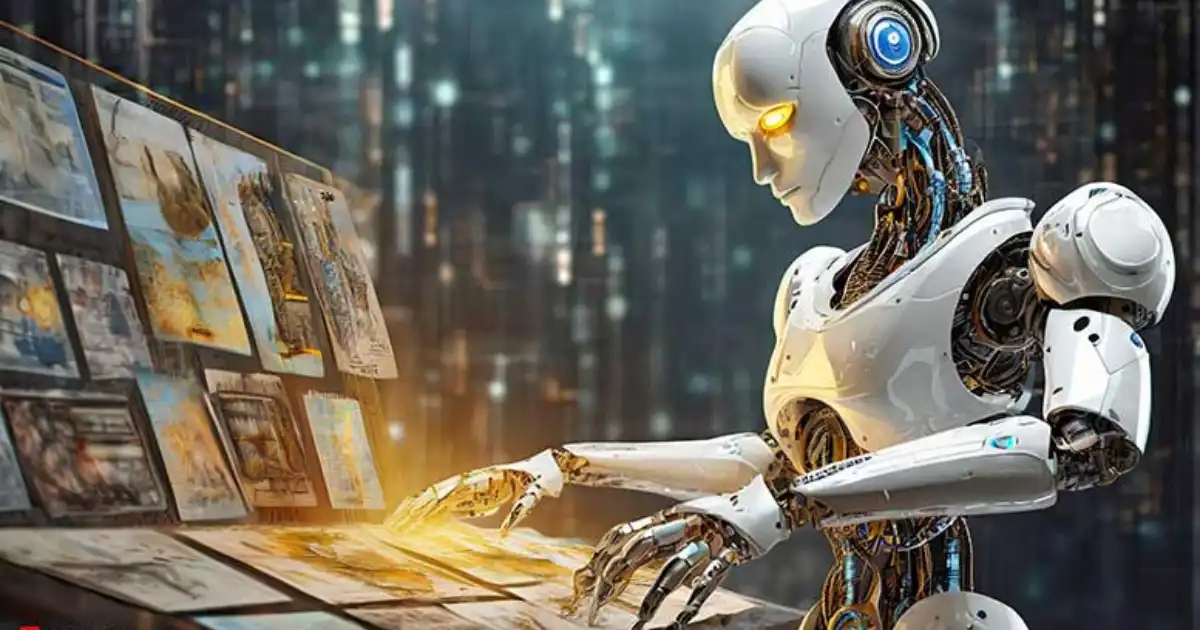
In today’s digital age, creating stunning visuals has never been easier thanks to AI. Whether you’re a graphic designer, content creator, or just someone who loves art, ai image generator free tools can help you bring your imagination to life. 9 Free Ai Image Generators To Try.
These tools use artificial intelligence to transform simple ideas or prompts into high-quality images, making creativity more accessible than ever. In this guide, we’ll explore nine of the best free AI art generators you can try today.
What Are AI Image Generators?
AI image generators are advanced software tools powered by artificial intelligence that create images from text prompts or existing visuals. They are designed to understand your descriptions and generate images that match your vision. Unlike traditional design software, AI image tools require no advanced skills—just a clear idea.
These tools are revolutionizing the way we produce visual content. With them, you can create unique artworks, social media graphics, marketing visuals, or even concept art for personal or professional projects. AI image generators can mimic painting styles, generate realistic portraits, or create abstract designs.
Benefits of Using AI Image Generators
Using AI image creation tools comes with multiple benefits:
-
Time-saving
Instead of spending hours designing, AI can generate complex visuals in minutes.
-
Accessibility
Anyone can create high-quality images, even without prior design knowledge.
-
Creativity booster
AI provides inspiration by generating multiple unique versions of an image.
-
Cost-effective
Many tools are free or affordable, removing the need for expensive design software.
-
Versatility
From realistic images to imaginative art, AI can handle a wide variety of styles.
These advantages make AI-powered image makers an essential tool for creators in the digital era.
1. DALL·E 3
DALL·E 3 is one of the most popular AI picture generators available today. Developed by OpenAI, it allows users to generate highly realistic images from simple text prompts.
-
Features
Text-to-image generation, style customization, and image editing.
-
Pros
Extremely high-quality output, supports detailed prompts.
-
Cons
Limited free usage; advanced features require a subscription.
DALL·E 3 is perfect for anyone looking to create professional-grade visuals quickly. Its AI understands complex prompts, allowing you to produce images that are both imaginative and accurate.
2. MidJourney
MidJourney is renowned for its artistic style and creative flexibility. Unlike DALL·E, it emphasizes stylistic interpretation, making it ideal for abstract art and creative projects.
-
Features
Artistic rendering, detailed prompt customization, community-driven inspiration.
-
Pros
Excellent for creative projects, strong artistic output.
-
Cons
Requires familiarity with prompt crafting for best results.
This tool is one of the best AI graphic generators for artists and designers seeking unique, stylized visuals.
3. Craiyon
Craiyon, formerly known as DALL·E Mini, is a free AI image generator perfect for casual users. It generates quick visuals from text prompts and is accessible through web browsers.
-
Features
Fast image generation, simple interface, wide range of styles.
-
Pros
Completely free, easy to use.
-
Cons
Lower resolution compared to premium tools.
Craiyon is ideal for experimenting with AI-generated visuals without committing to paid tools.
4. DeepAI
DeepAI is another excellent platform for generating images with AI. It supports multiple styles and allows for customization of output size and format.
-
Features
Image generation, style filters, and API integration for developers.
-
Pros
Highly customizable, free tier available.
-
Cons
Slightly slower than some competitors.
DeepAI is a great choice for those who want a versatile AI-powered image maker with extra control over their visuals.
5. Artbreeder
Artbreeder focuses on collaborative image creation. Users can combine different images or modify existing ones using AI sliders.
-
Features
Image blending, style editing, high-quality downloads.
-
Pros
Fun and interactive, great for portraits and characters.
-
Cons
Limited free downloads; some features behind a paywall.
Artbreeder stands out as a community-driven AI picture generator, perfect for experimenting and learning from others’ creations.
6. Runway ML
Runway ML is designed for professional content creators. It combines AI image generation with video editing tools, making it highly versatile.
-
Features
Image and video AI tools, text-to-image generation, real-time editing.
-
Pros
Professional-grade outputs, multiple creative tools.
-
Cons
Free tier has limitations; advanced features require subscription.
This tool is ideal for digital creators looking for an all-in-one solution that combines AI graphic generators with video content creation.
7. NightCafe Studio
NightCafe Studio is known for its wide variety of artistic styles. It supports both text-to-image and style transfer features.
-
Features
Multiple AI models, style transfer, community challenges.
-
Pros
Rich style options, user-friendly interface.
-
Cons
Some advanced styles require credits.
For anyone who loves experimenting with different artistic aesthetics, NightCafe Studio is a top choice among free AI art generators.
8. Fotor AI
Fotor AI offers a user-friendly platform for creating digital art and enhancing photos with AI. It’s especially useful for marketing visuals and social media content.
-
Features
AI image creation, photo enhancement, design templates.
-
Pros
Easy to use, integrates photo editing with AI art.
-
Cons
Free plan has limited daily creations.
Fotor AI works well for beginners who want an accessible AI-powered image maker to create both art and functional designs.
9. StarryAI
StarryAI allows users to generate NFT-ready images using AI. It focuses on creating high-resolution, collectible art pieces.
-
Features
NFT art generation, style customization, high-resolution downloads.
-
Pros
Perfect for NFT creators, free tier available.
-
Cons
Free usage has limitations on output resolution.
For artists interested in digital collectibles, StarryAI is one of the best AI image creation tools on the market.
Tips for Using Free AI Image Generators
-
Be Specific in Prompts
The more detail you provide, the better the AI can interpret your vision.
-
Experiment with Styles
Many tools allow you to select artistic styles; try different options to find what suits your project.
-
Combine Tools
Use multiple AI generators to enhance your images or add finishing touches.
-
Check Licensing
While most free AI image generators allow personal use, commercial use may require checking terms.
-
Optimize Images
Post-process your AI-generated images in photo editors if needed for higher quality.
These strategies help you maximize the potential of AI picture generators and create unique, professional visuals.
You Might Be Interested In
- How Does Security Information Management Improve Visibility?
- How Does Ai Data Centre Networking Work?
- Best 10 Use Cases Of Generative Ai In Healthcare Today
- What Is Vector Database Architecture And How Does It Work?
- Is Wombo Ai Safe To Use?
- Llm Jailbreak Taxonomy: The Patterns You Should Recognize
- How To Write Meta Titles With Ai?
- Why Did My Ai Post A Story On Snapchat?
- How To Use Ai Dungeon?
- Device Posture Checks: How Modern Access Decisions Are Made
Conclusion
AI technology has made it possible for anyone to create stunning visuals without needing advanced design skills. Tools like DALL·E 3, MidJourney, Craiyon, and Artbreeder provide endless possibilities for creativity, whether for personal projects, marketing, or professional content creation.
Using ai image generator free platforms, you can save time, experiment with styles, and produce high-quality images effortlessly.
By understanding the features and strengths of each AI tool, you can select the ones that best suit your needs. Remember to experiment with prompts, styles, and combinations to get the most out of these innovative tools.
AI-generated art is no longer a futuristic concept—it’s here, accessible, and incredibly powerful for everyone.
Faqs about Free Ai Image Generators
Are free AI image generators really free?
Many AI image generators offer free access, but the term “free” often comes with some limitations. For example, the free tier may restrict the number of images you can create per day, limit image resolution, or only allow access to certain styles. Despite these restrictions, free tools provide enough functionality for casual users, hobbyists, or anyone looking to experiment with AI-generated visuals.
Even with limitations, these free platforms are a great starting point for exploring AI art. They allow you to test different prompts, experiment with styles, and understand how AI interprets text-to-image conversion without any financial commitment. Upgrading to paid plans is only necessary if you need higher quality images or unlimited usage.
Can I use AI-generated images for commercial projects?
Whether you can use AI-generated images for commercial purposes depends on the platform’s licensing and terms of service. Some AI image generators explicitly allow free use for personal and commercial projects, while others restrict commercial usage unless you purchase a license. Always check the terms carefully to avoid potential copyright or legal issues, especially if you plan to sell or distribute the images.
Even when commercial use is allowed, it’s a good practice to review the AI tool’s guidelines regarding attribution. Some platforms may require giving credit to the AI tool used or the creators behind it. Being mindful of licensing ensures your AI-generated content is legally safe to use in professional or business contexts.
Which AI generator is best for realistic images?
For generating realistic images, DALL·E 3 is often considered the top choice because it excels at producing high-resolution, photo-realistic visuals that closely match detailed prompts. Its AI has been trained on a wide variety of images, allowing it to generate images that feel authentic and lifelike. MidJourney, on the other hand, leans more toward artistic or stylized interpretations, making it ideal for creative or abstract projects.
The best approach is to experiment with multiple AI image generators to determine which one aligns with your vision. Some tools may produce better results depending on the style, lighting, or subject matter, so testing several platforms can help you find the most suitable tool for realistic or highly detailed images.
Do I need design skills to use AI image generators?
No, you don’t need prior design experience to use AI image generators. The tools are designed to interpret text prompts and turn them into visuals automatically. All that’s required is a clear description of what you want the image to look like. The more detailed and specific your prompt, the better the AI can capture your vision.
However, basic knowledge of composition, color, or style can help you create more polished results. By experimenting with prompts and adjusting details, even beginners can produce impressive images. AI image generators effectively democratize creativity, allowing anyone to produce art without formal design training.
Can AI image generators replace traditional designers?
AI image generators are incredibly powerful, but they are not a full replacement for human designers. While AI can quickly create visuals from prompts, it lacks the intuition, creativity, and understanding of context that human designers bring to projects. Designers can interpret client needs, ensure brand consistency, and add nuanced touches that AI may not fully grasp.
That said, AI is an excellent complement to traditional design work. Designers can use AI-generated images as inspiration, concept art, or as a starting point to accelerate their workflow. By combining AI capabilities with human creativity, you can produce unique and high-quality visuals faster and more efficiently.
