


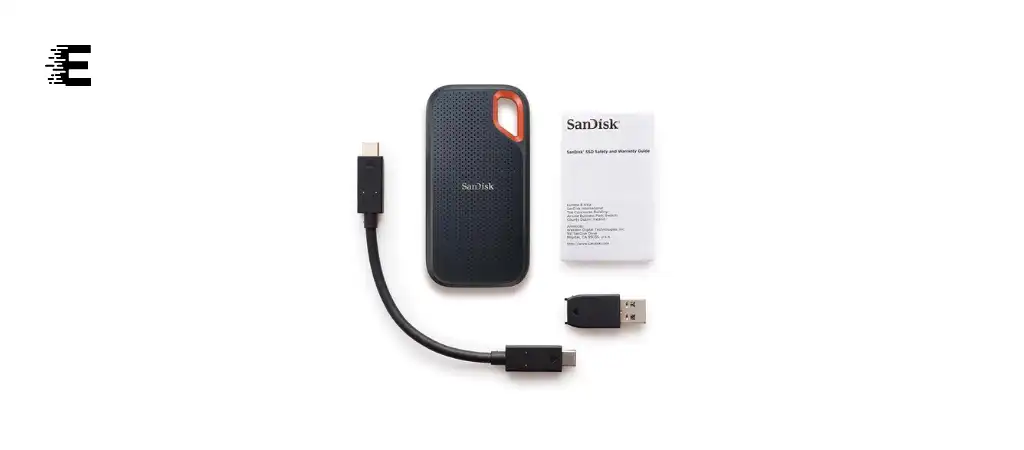
The SanDisk Extreme Portable SSD is a highly reliable and fast external solid-state drive that caters to both casual users and professionals who need robust and speedy storage solutions.
In this comprehensive review, we’ll delve into the key features, specifications, pros and cons, and answer some frequently asked questions to help you decide if this Best External SSD Drive is the right fit for your storage needs.
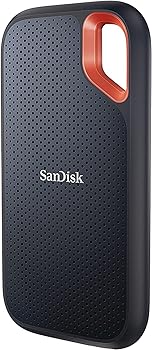
Key Features
-
High-Speed Performance
With read speeds of up to 1050MB/s and write speeds up to 1000MB/s, the SanDisk Extreme Portable SSD offers blazing-fast performance, making it ideal for transferring large files quickly.
-
Portable and Durable
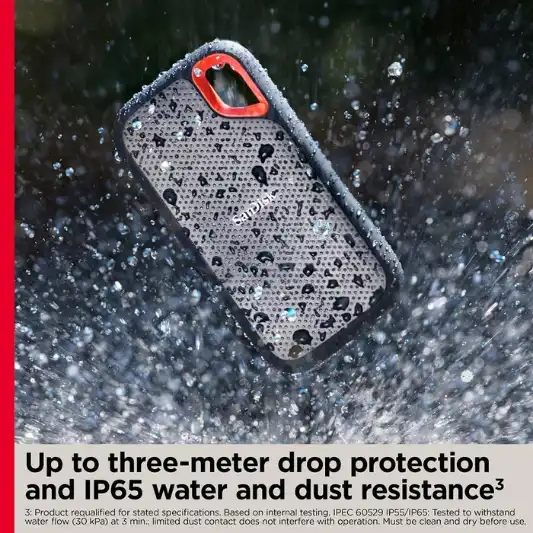
The drive is designed for portability and durability, featuring a compact form factor and robust build that includes IP65 water and dust resistance and up to 3-meter drop protection.
-
Secure Storage
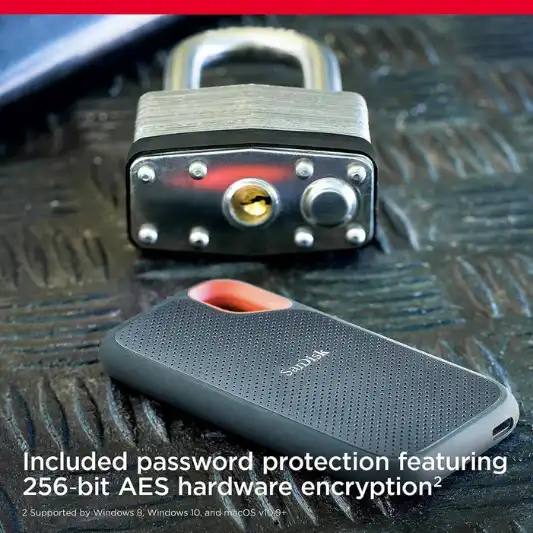
It includes password protection with 256-bit AES hardware encryption, ensuring that your private data remains secure.
-
Easy File Management
The SanDisk Memory Zone app allows for easy file management and automatic space freeing, simplifying the process of organizing and optimizing storage.
-
Versatile Connectivity
With USB 3.2 Gen 2 and USB-C compatibility, it supports a wide range of devices, including laptops, desktops, and tablets.
Specifications
| Specification | Details |
|---|---|
| Digital Storage Capacity | 1 TB |
| Hard Disk Interface | USB 3.2 |
| Connectivity Technology | USB |
| Brand | SanDisk |
| Special Feature | Water-resistant, dust-resistant, Portable |
| Hard Disk Form Factor | 2.5 cm |
| Hard Disk Description | Solid State Drive |
| Compatible Devices | Laptop, Desktop, Tablet |
| Color | Black |
| Read Speed | Up to 1050MB/s |
| Write Speed | Up to 1000MB/s |
| Drop Protection | Up to 3 meters |
| Water and Dust Resistance | IP65 |
| Encryption | 256-bit AES hardware encryption |
| Dimensions | 0.38 x 2.07 x 3.97 inches |
| Weight | 1.76 ounces |
| Warranty | 5-year limited warranty |
Pros and Cons
Pros:
- High-speed performance
- Durable and portable design
- Secure data encryption
- Easy to manage files with the Memory Zone app
- Versatile device compatibility
Cons:
- Slightly higher price point
- Requires compatible devices to reach maximum speed


Detailed Review
The SanDisk Extreme Portable SSD stands out in the crowded market of external storage devices due to its impressive performance and robust design. Whether you’re a photographer needing to store large RAW files, a video editor working with 4K footage, or a regular user wanting reliable and fast storage, this SSD delivers on all fronts.
Performance
The standout feature of this SSD is its speed. With read speeds up to 1050MB/s and write speeds up to 1000MB/s, it handles data transfers with ease. This is particularly beneficial for professionals who need to move large files quickly and efficiently. The NVMe technology under the hood ensures that performance is consistent, making it a reliable choice for heavy-duty tasks.
Durability
Durability is another strong suit of the SanDisk Extreme Portable SSD. With IP65 water and dust resistance, it can withstand harsh conditions, making it perfect for outdoor photographers or adventurers who need to carry their data with them. The added drop protection up to 3 meters adds an extra layer of security, ensuring your data is safe even if the drive takes a tumble.
Security
Security is a crucial aspect for any storage device, and SanDisk addresses this with 256-bit AES hardware encryption. This feature ensures that your sensitive data remains protected from unauthorized access. The inclusion of password protection further enhances the security, giving users peace of mind.
Portability
The compact and lightweight design of the SanDisk Extreme Portable SSD makes it easy to carry around. The carabiner loop is a thoughtful addition, allowing users to attach the drive to their backpack or belt loop, ensuring it is always within reach. Despite its small size, the SSD packs a punch in terms of storage capacity and performance.
Compatibility and Usability
Compatibility is rarely an issue with this SSD. It works seamlessly with a variety of devices, including laptops, desktops, and tablets, thanks to its USB 3.2 Gen 2 interface. The included USB-C cable ensures that it can connect to the latest devices without any adapters.
The SanDisk Memory Zone app simplifies file management, allowing users to easily organize and back up their files. This is particularly useful for those who frequently move data between different devices.
You Might Be Interested In
- WD My Passport SSD Review
- Kingston XS2000 Portable SSD Review
- HP P500 1TB USB-C Review
- Crucial X8 1TB Portable SSD Review
- Samsung T7 Touch Portable SSD Review
Highly Recommended – ⭐⭐⭐⭐⭐
If you’re looking for a high-speed, durable, and secure portable SSD, the SanDisk Extreme Portable SSD is an excellent choice. Its robust features and reliable performance make it a standout option for both professionals and casual users. Don’t wait any longer—enhance your storage experience with the SanDisk Extreme Portable SSD today!
Comparison of SanDisk Extreme Portable SSD with Similar Products
When considering a portable SSD, it’s essential to compare various options to ensure you get the best value for your needs. Below is a detailed comparison of the SanDisk Extreme Portable SSD with three other popular models: the Samsung T7 Touch Portable SSD, the WD My Passport SSD, and the Crucial X8 Portable SSD.
Comparison Table
| Feature | SanDisk Extreme Portable SSD | Samsung T7 Touch Portable SSD | WD My Passport SSD | Crucial X8 Portable SSD |
|---|---|---|---|---|
| Storage Capacity | 500GB, 1TB, 2TB | 500GB, 1TB, 2TB | 500GB, 1TB, 2TB | 500GB, 1TB, 2TB |
| Read Speed | Up to 1050MB/s | Up to 1050MB/s | Up to 1050MB/s | Up to 1050MB/s |
| Write Speed | Up to 1000MB/s | Up to 1000MB/s | Up to 1000MB/s | Up to 1000MB/s |
| Interface | USB 3.2 Gen 2, USB-C | USB 3.2 Gen 2, USB-C | USB 3.2 Gen 2, USB-C | USB 3.2 Gen 2, USB-C |
| Dimensions | 0.38 x 2.07 x 3.97 inches | 0.31 x 2.2 x 3.3 inches | 0.35 x 1.97 x 3.94 inches | 0.45 x 2.09 x 4.33 inches |
| Weight | 1.76 ounces | 2.00 ounces | 1.95 ounces | 3.53 ounces |
| Durability | IP65 water and dust resistance, up to 3-meter drop protection | N/A (no specific IP rating) | Shock-resistant, up to 1.98-meter drop protection | Aluminum unibody, up to 7.5-foot drop protection |
| Encryption | 256-bit AES hardware encryption | 256-bit AES hardware encryption, fingerprint scanner | 256-bit AES hardware encryption | 256-bit AES hardware encryption |
| Compatibility | Windows, Mac, Android | Windows, Mac, Android | Windows, Mac, Android | Windows, Mac, Android |
| Software | SanDisk Memory Zone, SanDisk Security | Samsung Portable SSD Software | WD Discovery, WD Security | Crucial Storage Executive |
| Price Range | $$ | $$$ | $$ | $$ |
| Warranty | 5 years | 3 years | 5 years | 3 years |
Detailed Comparison
Performance
All four SSDs offer similar high-speed performance with read speeds up to 1050MB/s and write speeds up to 1000MB/s. This ensures quick data transfer and smooth handling of large files, making any of these drives suitable for professional use.
Durability
- SanDisk Extreme Portable SSD: With an IP65 rating for water and dust resistance and up to 3-meter drop protection, it’s built to withstand harsh environments.
- Samsung T7 Touch Portable SSD: While it lacks specific IP ratings, it offers solid durability with a sleek metal design.
- WD My Passport SSD: Features shock resistance and drop protection up to 1.98 meters, making it durable for everyday use.
- Crucial X8 Portable SSD: Boasts an aluminum unibody for strength and can withstand drops up to 7.5 feet.
Security
- SanDisk Extreme Portable SSD: Provides 256-bit AES hardware encryption, ensuring robust data security.
- Samsung T7 Touch Portable SSD: Adds an extra layer of security with a built-in fingerprint scanner, alongside 256-bit AES encryption.
- WD My Passport SSD: Also features 256-bit AES hardware encryption and comes with WD Security software for added protection.
- Crucial X8 Portable SSD: Includes 256-bit AES hardware encryption but lacks additional biometric security features.
Compatibility and Usability
All four drives are compatible with Windows, Mac, and Android, making them versatile and easy to use across different devices. Each brand also provides dedicated software to manage files and ensure optimal performance.
- SanDisk Memory Zone: Simplifies file management and automatic space freeing.
- Samsung Portable SSD Software: Offers easy setup and management of the fingerprint security feature.
- WD Discovery and WD Security: Help manage backups and secure data with ease.
- Crucial Storage Executive: Provides tools for optimizing performance and managing the drive.
Portability and Design
- SanDisk Extreme Portable SSD: Compact and lightweight, with a carabiner loop for easy attachment to bags or belts.
- Samsung T7 Touch Portable SSD: Slightly larger but still very portable, with a sleek and stylish metal design.
- WD My Passport SSD: Slim and lightweight, designed for easy portability.
- Crucial X8 Portable SSD: Slightly heavier but offers a durable aluminum unibody design for extra protection.
Price and Warranty
- SanDisk Extreme Portable SSD: Generally falls into the mid-price range with a robust 5-year warranty.
- Samsung T7 Touch Portable SSD: Typically more expensive due to the added fingerprint scanner, with a 3-year warranty.
- WD My Passport SSD: Similar in price to the SanDisk, with a 5-year warranty.
- Crucial X8 Portable SSD: Competitively priced, with a 3-year warranty.
FAQs
Is the SanDisk Extreme Portable SSD compatible with both Mac and Windows?
Yes, the SanDisk Extreme Portable SSD is designed to be compatible with both Mac and Windows operating systems, making it a versatile choice for a wide range of users.
- Mac Compatibility: The SSD supports macOS versions starting from v10.9+. To enable full functionality, including the password protection feature, you might need to download additional software from the SanDisk website.
- Windows Compatibility: The SSD works seamlessly with Windows 8 and Windows 10. As with Mac, additional software may be required to utilize all security features.
This cross-platform compatibility ensures that you can use the drive with different devices without worrying about format issues. Whether you’re transferring files between your MacBook and a Windows desktop or using it with a tablet, the SanDisk Extreme Portable SSD provides seamless performance.
Can the SanDisk Extreme Portable SSD withstand rough conditions?
Absolutely. The SanDisk Extreme Portable SSD is engineered to endure tough environments, making it an excellent choice for outdoor enthusiasts and professionals who need reliable storage in challenging conditions.
- Water and Dust Resistance: With an IP65 rating, the drive is protected against low-pressure water jets and limited dust ingress. This means it can handle exposure to rain and dusty environments without compromising performance.
- Drop Protection: The SSD is rated to withstand drops from up to 3 meters (approximately 9.8 feet). This high level of impact resistance ensures that accidental drops won’t result in data loss or drive failure.
- Durable Build: The drive features a robust construction with a rubberized exterior that adds to its durability. It’s designed to absorb shocks and vibrations, further protecting the internal components.
These durability features make the SanDisk Extreme Portable SSD a reliable companion for photographers, videographers, and adventurers who often find themselves in rugged conditions.
How does the password protection feature work?
The password protection feature on the SanDisk Extreme Portable SSD ensures your data remains secure through advanced encryption technology.
- 256-bit AES Hardware Encryption: The SSD employs 256-bit AES hardware encryption, one of the most secure encryption standards available. This encryption method protects your data from unauthorized access, providing peace of mind that your sensitive information is safe.
- Setting Up Password Protection: To set up password protection, you’ll need to install the SanDisk Security software. This software allows you to create a strong password, which will be required to access the drive’s contents.
- Cross-Platform Security: The encryption and password protection work across both Windows and macOS. For Mac users, a software download is required to enable these features.
By using the password protection feature, you can ensure that even if your SSD is lost or stolen, your data will remain inaccessible to anyone without the password.
What is the actual usable storage capacity of the 1TB model?
The actual usable storage capacity of the 1TB SanDisk Extreme Portable SSD is slightly less than the advertised 1TB due to formatting and system files.
- Formatted Capacity: After formatting, the usable storage space typically amounts to around 930GB. This reduction is due to the way storage devices are marketed and the difference between binary (base-2) and decimal (base-10) systems used in storage measurement.
- System Files: Some space is also taken up by system files and the file system itself, which is necessary for the drive to function properly. This is a common occurrence with all storage devices and not unique to the SanDisk Extreme Portable SSD.
While the difference between the advertised and actual storage capacity might seem significant, the drive still offers ample space for storing large files such as high-resolution photos, videos, and project files.
Does the SanDisk Extreme Portable SSD require any special software for optimal performance?
While the SanDisk Extreme Portable SSD can be used out of the box without any additional software, installing specific SanDisk applications can enhance its functionality and ease of use.
- SanDisk Memory Zone App: This app helps you manage your files efficiently. It allows you to organize your data, back up files, and automatically free up space on your device. The Memory Zone app is available for download on both Android and iOS platforms.
- SanDisk Security Software: For utilizing the password protection and 256-bit AES hardware encryption features, the SanDisk Security software needs to be installed. This software is available for both Windows and macOS.
- Firmware Updates: Occasionally, SanDisk releases firmware updates for their SSDs to improve performance and add new features. Keeping your SSD’s firmware updated can ensure you’re getting the best performance and security.
