


The Samsung T7 Touch Portable SSD is a high-performance external storage device designed to meet the needs of a wide range of users, including gamers, students, and professionals. With its sleek design, robust security features, and impressive speed, the T7 Touch aims to provide a reliable and efficient solution for those who require portable storage.
This review will delve into the key features, specifications, pros and cons, detailed conclusions, FAQs, and an overall assessment of the Best External SSD Drive, the Samsung T7 Touch Portable SSD.

Key Features
-
Portable Storage
Light and pocket-sized, ideal for transferring large files on the go.
-
Incredible Speed
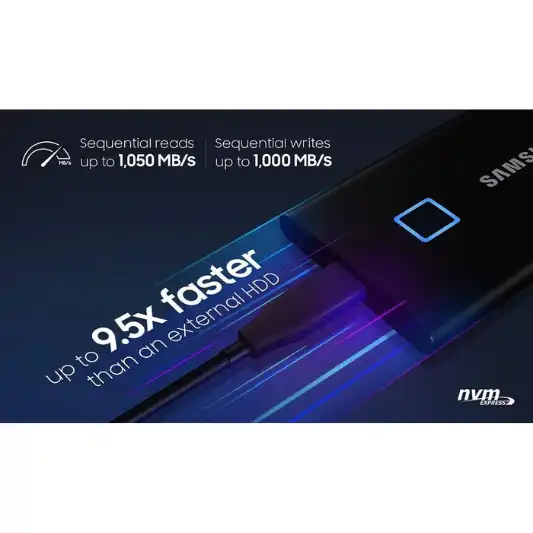
USB 3.2 Gen 2 interface with PCIe NVMe technology, offering read/write speeds of up to 1,050/1,000 MB/s.
-
Durability
Solid aluminum unibody construction, shock-resistant, can withstand falls up to 6 feet.
-
Security
Fingerprint sensor and password protection.
-
Thermal Management
Dynamic Thermal Guard technology to control heat.
-
Compatibility
Works with PC, Mac, Android devices, gaming consoles.
-
Easy Setup
Embedded software for password setup and firmware updates.
Specifications
| Feature | Details |
|---|---|
| Digital Storage Capacity | 1 TB |
| Hard Disk Interface | USB 3.2 |
| Connectivity Technology | USB |
| Brand | Samsung |
| Special Feature | Fingerprint |
| Hard Disk Form Factor | 0.3 Inches |
| Hard Disk Description | Solid State Hard Drive |
| Compatible Devices | Laptop, Gaming Console, Desktop, Smartphone |
| Installation Type | External Hard Drive |
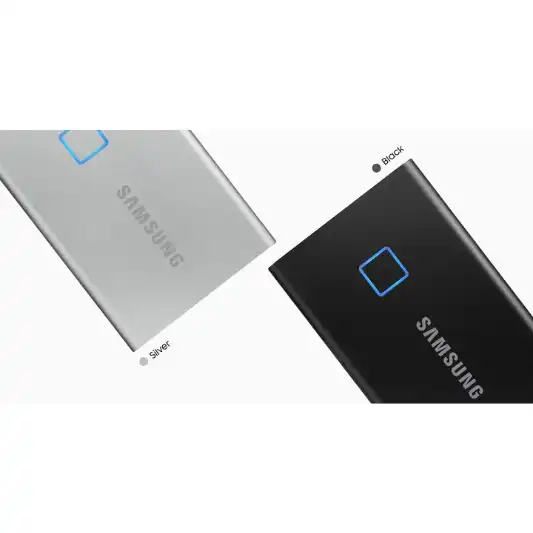
| Color | Black |
Pros and Cons
Pros
- Blazing fast transfer speeds
- Compact and lightweight design
- Robust security features
- Durable and shock-resistant
- Wide compatibility
Cons
- Higher price point compared to some competitors
- Limited color options
Detailed Review
Design and Build Quality
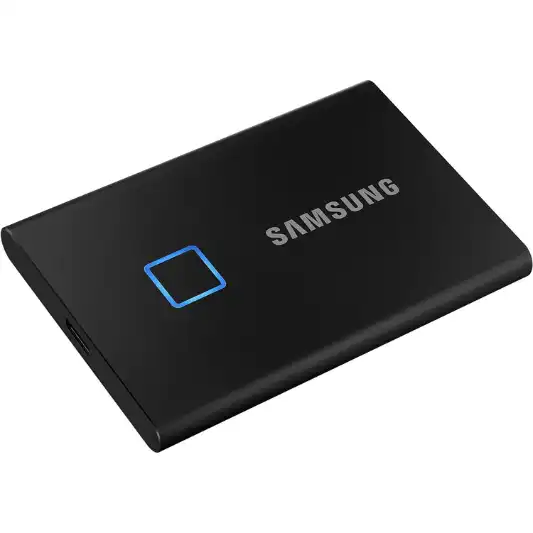
The Samsung T7 Touch Portable SSD is a marvel of modern design, featuring a sleek and compact form factor that easily fits into the palm of your hand. Constructed from a solid aluminum unibody, it not only looks premium but also offers exceptional durability. The device can withstand drops from up to 6 feet, making it an excellent choice for users who are constantly on the move and need a reliable storage solution that can handle the rigors of daily use.
Performance
Performance is where the T7 Touch truly shines. Leveraging the USB 3.2 Gen 2 interface and PCIe NVMe technology, it delivers read and write speeds of up to 1,050 MB/s and 1,000 MB/s, respectively. This makes transferring large files, such as high-resolution videos, massive game files, or extensive work projects, incredibly quick and efficient. Compared to traditional HDDs and even many other SSDs on the market, the T7 Touch’s performance is significantly superior, ensuring that users experience minimal downtime and maximum productivity.
Security
One of the standout features of the T7 Touch is its built-in fingerprint sensor, which adds an extra layer of security to your data. This, combined with password protection, ensures that your sensitive information is safeguarded against unauthorized access. The setup process for these security features is straightforward, and the included software provides an intuitive interface for managing your settings and updates.
Compatibility
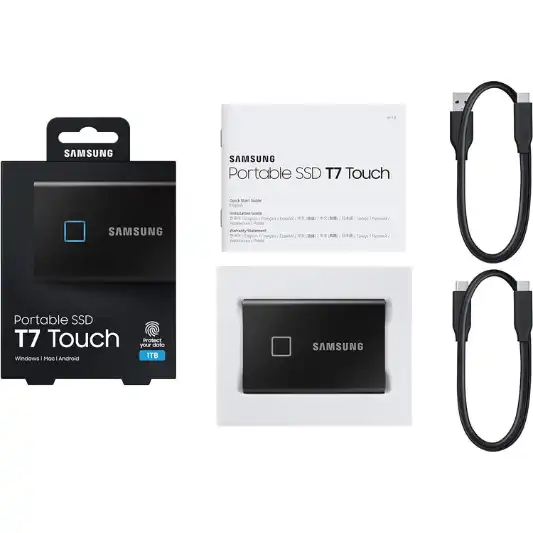
The T7 Touch is designed to be highly versatile, offering compatibility with a wide range of devices. Whether you’re using a PC, Mac, Android device, or gaming console, you can easily connect and start using the SSD without any hassle. The included USB Type-C to C and USB Type-C to A cables further enhance its compatibility, allowing it to work with both modern and legacy devices.
Thermal Management
Samsung has incorporated its Dynamic Thermal Guard technology into the T7 Touch to ensure that it remains cool even during intensive use. This advanced thermal solution monitors and manages the temperature of the SSD, preventing overheating and maintaining optimal performance. This is particularly beneficial for users who need to transfer large files quickly or who plan to use the SSD for extended periods.
Portability
Weighing just 2 ounces and roughly the size of a credit card, the T7 Touch is incredibly portable. This makes it easy to carry around in your pocket, bag, or even a small compartment in your laptop case. The portability factor, combined with its robust performance and security features, makes it an ideal choice for professionals who need reliable storage on the go.
Pricing
While the T7 Touch is priced higher than some of its competitors, the premium features and exceptional performance it offers justify the investment. The added security of the fingerprint sensor, the impressive transfer speeds, and the robust build quality make it a worthwhile option for users who prioritize performance and reliability.
You Might Be Interested In
- Silicon Power SSD Review
- 12 Best External SSD Drive
- Sabrent Rocket Nano SSD Review
- Patriot PXD Portable SSD Review
- WD My Passport SSD Review
Highly Recommended – ⭐⭐⭐⭐⭐
If you’re in the market for a portable SSD that combines speed, security, and durability, the Samsung T7 Touch Portable SSD is an excellent choice. Whether you’re a professional, student, or gamer, this SSD offers the performance and reliability you need to handle your data storage and transfer tasks efficiently. Invest in the Samsung T7 Touch Portable SSD today and experience the next level of external storage.
Comparison with Similar Products
The Samsung T7 Touch Portable SSD stands out in the crowded market of portable SSDs due to its unique features such as fingerprint security, high-speed performance, and robust build quality. However, there are other competitive products available. Here’s a comparison of the Samsung T7 Touch with three similar products: the SanDisk Extreme Portable SSD, the WD My Passport SSD, and the Seagate Fast SSD.
Comparison Table
| Feature | Samsung T7 Touch Portable SSD | SanDisk Extreme Portable SSD | WD My Passport SSD | Seagate Fast SSD |
|---|---|---|---|---|
| Digital Storage Capacity | 500GB, 1TB, 2TB | 250GB, 500GB, 1TB, 2TB | 256GB, 512GB, 1TB, 2TB | 250GB, 500GB, 1TB, 2TB |
| Hard Disk Interface | USB 3.2 Gen 2 | USB 3.1 Gen 2 | USB 3.2 Gen 1 | USB 3.0 |
| Connectivity Technology | USB Type-C, USB Type-A | USB Type-C | USB Type-C | USB Type-C |
| Read Speed | Up to 1,050 MB/s | Up to 1,050 MB/s | Up to 1,050 MB/s | Up to 540 MB/s |
| Write Speed | Up to 1,000 MB/s | Up to 1,000 MB/s | Up to 1,000 MB/s | Up to 500 MB/s |
| Security | Fingerprint, Password Protection | Password Protection | Password Protection | None |
| Durability | Shock-resistant (up to 6 ft) | Water, dust, shock-resistant | Shock-resistant | Shock-resistant |
| Dimensions | 3.3 x 2.2 x 0.3 inches | 3.8 x 2.0 x 0.3 inches | 3.9 x 2.2 x 0.4 inches | 3.7 x 3.1 x 0.4 inches |
| Weight | 2 oz | 1.8 oz | 1.9 oz | 3.4 oz |
| Color Options | Black, Gray, Blue, Red | Black, Blue | Gray, Blue, Red | Black |
| Warranty | 3-year limited | 3-year limited | 5-year limited | 3-year limited |
| Price Range | $$ – $$$ | $$ – $$$ | $$ – $$$ | $ – $$ |
Detailed Comparison
Samsung T7 Touch Portable SSD
The Samsung T7 Touch Portable SSD is known for its high-speed performance, with read speeds up to 1,050 MB/s and write speeds up to 1,000 MB/s. Its standout feature is the fingerprint security, which adds an extra layer of protection to your data. The SSD is also shock-resistant, with a solid aluminum unibody construction that can withstand drops from up to 6 feet. It is compatible with a wide range of devices, including PCs, Macs, Android devices, and gaming consoles. The T7 Touch is available in capacities of 500GB, 1TB, and 2TB.
SanDisk Extreme Portable SSD
The SanDisk Extreme Portable SSD offers comparable read and write speeds of up to 1,050 MB/s and 1,000 MB/s, respectively. It features password protection but lacks the fingerprint security offered by the T7 Touch. The SanDisk SSD is water, dust, and shock-resistant, making it highly durable for outdoor use. It is available in capacities ranging from 250GB to 2TB. The compact and lightweight design makes it highly portable.
WD My Passport SSD
The WD My Passport SSD also provides high-speed performance, with read and write speeds up to 1,050 MB/s and 1,000 MB/s, respectively. It features password protection for data security but does not include a fingerprint sensor. The SSD is shock-resistant and has a sleek, modern design. It is available in capacities from 256GB to 2TB. The WD My Passport SSD stands out with a 5-year limited warranty, offering more extended protection compared to its competitors.
Seagate Fast SSD
The Seagate Fast SSD offers read speeds up to 540 MB/s and write speeds up to 500 MB/s, making it slower than the other SSDs in this comparison. It does not feature any additional security measures such as fingerprint or password protection. However, it is shock-resistant and comes with a compact design. The Seagate Fast SSD is available in capacities from 250GB to 2TB and is typically more affordable than the other options, making it a good choice for budget-conscious users.
FAQs
How do I set up the fingerprint security on the Samsung T7 Touch Portable SSD?
Setting up the fingerprint security on the Samsung T7 Touch Portable SSD is a simple and straightforward process. First, connect the SSD to your computer using the provided USB cable. The device comes with embedded software that should automatically prompt you to install it. If not, you can download the necessary software from Samsung’s official website.
Once the software is installed, open it, and you will see an option to set up fingerprint security.
Follow these steps:
- Launch the Software: Open the Samsung Portable SSD software on your computer. This software is compatible with Windows, macOS, and Android devices.
- Register Your Fingerprint: Navigate to the fingerprint registration section. The software will guide you through the process of registering your fingerprint. You will need to place your finger on the fingerprint sensor located on the SSD and lift it repeatedly to ensure that the device captures a complete and accurate fingerprint image.
- Set Up a Password: In addition to fingerprint recognition, you can set up a password as a backup security measure. This is useful if, for some reason, the fingerprint sensor does not recognize your fingerprint.
- Complete the Setup: Once your fingerprint and password are set, you can configure additional settings, such as enabling or disabling the fingerprint security or changing the registered fingerprints.
After completing these steps, your data on the T7 Touch will be secured. The next time you connect the SSD to a device, you will need to authenticate with your fingerprint to access the stored data. This security feature is particularly useful for safeguarding sensitive information from unauthorized access.
Can the Samsung T7 Touch Portable SSD be used with gaming consoles?
Yes, the Samsung T7 Touch Portable SSD is compatible with various gaming consoles, including the PlayStation 4, PlayStation 5, Xbox One, and Xbox Series X/S. Using an external SSD like the T7 Touch can significantly enhance your gaming experience by providing faster load times and additional storage space for games.
Here’s how you can use the T7 Touch with your gaming console:
- Connect the SSD to the Console: Use the provided USB cable to connect the T7 Touch to the USB port of your gaming console. Both USB Type-C and USB Type-A cables are included, so you can choose the one that matches your console’s ports.
- Format the SSD: When you first connect the T7 Touch to your console, you might need to format it to make it compatible with the console’s file system. Follow the on-screen instructions to complete the formatting process. Note that formatting will erase all data on the SSD, so ensure that you back up any important data before proceeding.
- Set Up as External Storage: After formatting, the console will recognize the T7 Touch as external storage. You can now move games and apps to the SSD. This is done through the console’s settings menu, where you can manage storage devices and transfer content.
- Enjoy Enhanced Performance: With the T7 Touch, you will experience faster load times and quicker access to games and apps stored on the SSD. This is particularly beneficial for larger games that require substantial data access.
Using the T7 Touch with your gaming console not only improves performance but also provides the flexibility to carry your game library with you wherever you go. This makes it easier to play your favorite games on different consoles without having to download or install them again.
What kind of warranty does the Samsung T7 Touch Portable SSD come with?
The Samsung T7 Touch Portable SSD comes with a 3-year limited warranty. This warranty covers manufacturing defects and issues related to normal use of the device.
Here are the key points of the warranty:
- Coverage: The 3-year limited warranty covers any defects in materials and workmanship under normal use. This includes any issues that arise from the manufacturing process or from normal wear and tear.
- Exclusions: The warranty does not cover damage caused by misuse, accidents, or unauthorized modifications. It also does not cover cosmetic damage, such as scratches or dents, that do not affect the performance of the SSD.
- Claim Process: If you encounter any issues with your T7 Touch, you can contact Samsung’s customer support to initiate a warranty claim. You will need to provide proof of purchase and details of the defect. Samsung may require you to return the defective SSD for inspection.
- Resolution: Depending on the nature of the defect, Samsung will either repair the SSD, replace it with a new or refurbished unit, or provide a refund. The decision will be made based on the specific circumstances of your warranty claim.
The warranty provides peace of mind, knowing that Samsung stands behind the quality and durability of their product. It is always a good idea to register your SSD on Samsung’s website after purchase to ensure that your warranty information is on file and to receive any updates or notifications related to your device.
Does the T7 Touch require additional software for use on different operating systems?
The Samsung T7 Touch Portable SSD comes with embedded software that facilitates easy setup and password protection on PC, Mac, and Android devices. Here’s what you need to know about using the SSD on different operating systems:
- Windows and macOS: The T7 Touch includes Samsung Portable SSD software that is compatible with both Windows and macOS. This software is used to manage security settings, including fingerprint and password protection, and to update the firmware. While the SSD is plug-and-play for basic file transfers, using the software unlocks additional features and ensures optimal performance.
- Installation: When you first connect the SSD to your computer, the embedded software should prompt you to install it. If not, you can download it from Samsung’s website. Follow the on-screen instructions to complete the installation.
- Firmware Updates: Keeping the firmware up to date is crucial for maintaining performance and security. The software will notify you when updates are available and guide you through the installation process.
- Android Devices: For Android devices, Samsung offers a mobile app that can be downloaded from the Google Play Store. This app allows you to manage security settings and perform firmware updates directly from your smartphone or tablet.
- Compatibility: The T7 Touch is compatible with Android devices running version 5.1 (Lollipop) and higher. You will need an OTG (On-The-Go) adapter if your Android device does not have a USB Type-C port.
- Functionality: The mobile app provides a user-friendly interface for setting up fingerprint security and managing your files. You can also use the app to check the health and status of your SSD.
- Other Operating Systems: For Linux and other operating systems, the T7 Touch can be used as a standard external storage device without the need for additional software. However, the security features (fingerprint and password protection) and firmware updates are not supported on these platforms.
Using the provided software ensures that you can take full advantage of the T7 Touch’s advanced features and maintain optimal performance across different devices and operating systems.
How does the T7 Touch handle large file transfers and sustained use?
The Samsung T7 Touch Portable SSD is designed to handle large file transfers and sustained use with ease, thanks to its advanced technology and robust build.
Here’s a detailed look at how it performs under such conditions:
- High-Speed Transfers: The T7 Touch leverages the USB 3.2 Gen 2 interface and PCIe NVMe technology to deliver read and write speeds of up to 1,050 MB/s and 1,000 MB/s, respectively. This makes transferring large files, such as 4K videos, high-resolution photos, and extensive databases, incredibly fast and efficient.
- Sequential Transfers: The high sequential read/write speeds ensure that large files are transferred quickly, minimizing the time spent waiting for data to move between devices.
- Random Access: The SSD also excels in random access performance, which is crucial for tasks that involve reading and writing many small files, such as software development and multimedia editing.
- Thermal Management: Samsung has incorporated Dynamic Thermal Guard technology into the T7 Touch to manage heat during intensive operations. This technology monitors the temperature of the SSD and adjusts performance to prevent overheating.
- Heat Dissipation: The solid aluminum unibody construction aids in heat dissipation, ensuring that the SSD remains cool even during prolonged use.
- Performance Consistency: The thermal management system maintains consistent performance, preventing throttling that can occur when an SSD overheats. This is particularly important for users who need reliable performance for extended periods.
- Durability and Reliability: The T7 Touch’s durable construction and shock-resistant design make it well-suited for heavy use. It can withstand drops from up to 6 feet, protecting your data from physical damage.
- Longevity: The absence of moving parts, unlike traditional hard drives, reduces the risk of mechanical failure. This enhances the longevity and reliability of the SSD, making it a dependable choice for professionals and gamers.
- Error Correction: Advanced error correction technologies further enhance data integrity, ensuring that your files remain safe and intact during transfers.
- Sustained Performance: Even under sustained use, such as when transferring large amounts of data continuously or using the SSD for intensive applications, the T7 Touch maintains high performance levels.
- Consistency: Users report consistent transfer speeds and reliability, making the T7 Touch suitable for demanding tasks like video editing, gaming, and running virtual machines.
- Reliability: The SSD’s robust firmware and hardware design ensure that it can handle the rigors of sustained use without degradation in performance.
Overall, the Samsung T7 Touch Portable SSD excels in handling large file transfers and sustained use, making it an ideal choice for users who require high performance and reliability in a portable storage solution.
