


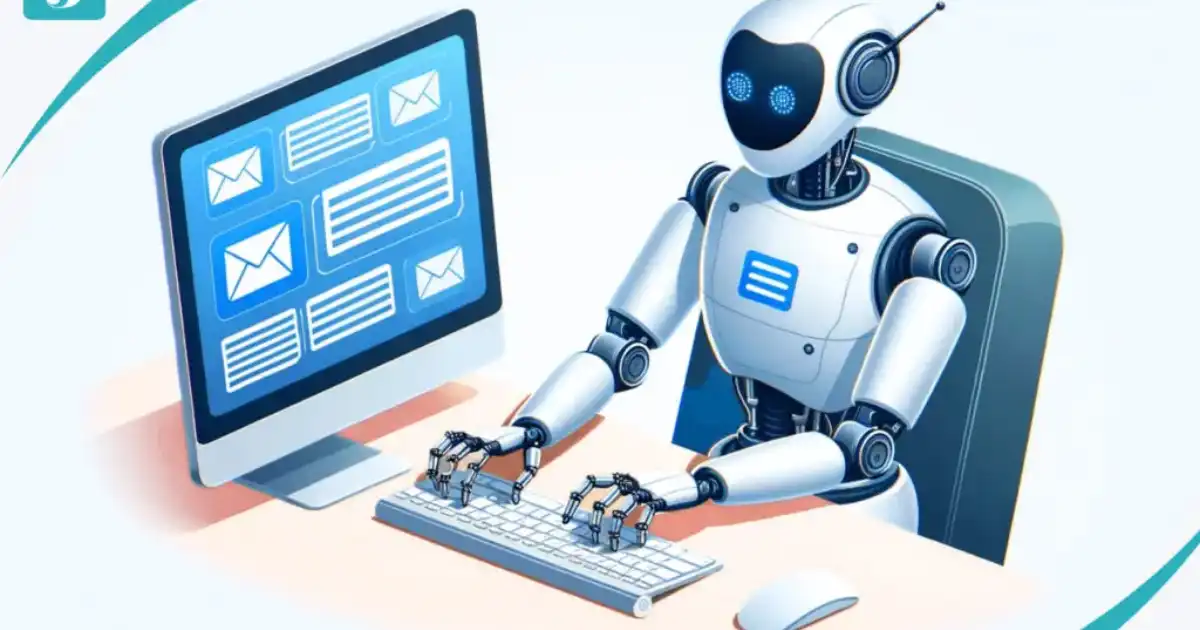
In today’s fast-paced digital world, managing emails efficiently is crucial. Every professional receives dozens, if not hundreds, of emails daily. Responding to all of them in a timely manner can be exhausting. This is where an ai email reply generator comes in. How To Reply To Emails With Ai?
With AI-powered tools, you can draft intelligent responses, save time, and improve communication. This guide will explain everything you need to know about using AI to reply to emails effectively.
AI Email Reply Tools
AI email tools are designed to automate and streamline the process of replying to emails. Unlike traditional email clients, AI-powered solutions can analyze the context of the message, generate appropriate responses, and even suggest follow-up actions. Tools like AI email drafting platforms, intelligent email reply tools, and AI communication tools are transforming the way we manage emails.
AI email reply tools use machine learning algorithms to understand the content and tone of emails. They can draft professional responses, maintain a consistent tone, and ensure important messages are never ignored. These tools are not just about convenience—they also enhance productivity and accuracy in business communication.
Benefits of Using AI to Reply to Emails
Using an ai email reply generator offers multiple benefits for individuals and businesses:
-
Time-saving
AI tools can reply to multiple emails in seconds, freeing up time for other important tasks.
-
Consistency
AI ensures your responses are professional and consistent, maintaining your brand voice.
-
Accuracy
Advanced AI analyzes email content to provide relevant and precise responses.
-
Prioritization
Some tools can prioritize emails based on importance or urgency, helping you focus on critical messages first.
-
Reduced stress
Automation reduces the mental load of handling large volumes of emails, allowing you to stay productive.
How AI Email Drafting Works
AI email drafting works by understanding the email’s content and context.
Here’s a simple breakdown:
-
Input Analysis
The AI scans the incoming email for key information, tone, and urgency.
-
Content Generation
It drafts a response based on your preferred tone and communication style.
-
Customization
You can edit, approve, or tweak the response before sending it.
-
Learning Over Time
AI tools learn from your choices to provide better suggestions in the future.
With intelligent email reply tools, you no longer have to worry about missing important details or sending poorly worded emails.
Choosing the Right AI-Powered Email Management Tool
Not all AI tools are created equal. When selecting an AI-powered email management system, consider the following factors:
-
Integration
Ensure the tool integrates with your existing email platform (Gmail, Outlook, etc.).
-
Customization
Look for features that allow you to personalize AI responses according to your tone and style.
-
Security
Data privacy is critical. Choose AI tools with robust encryption and security features.
-
Learning Capability
A good AI tool learns from your previous emails to improve suggestions over time.
-
Support and Updates
Ensure the tool is backed by active support and regular updates to adapt to changing email trends.
Step-by-Step Guide to Using an AI Email Reply Generator
Here’s a practical approach to replying to emails with AI:
Step 1: Choose Your Tool
Select an ai email reply generator or an email automation software that fits your needs. Some popular AI email drafting tools offer free trials, so you can test them before committing.
Step 2: Connect Your Email Account
Integrate your email account with the AI tool. This allows the AI to access your inbox and draft replies efficiently.
Step 3: Set Preferences
Customize AI settings to match your preferred tone, response style, and email frequency. Decide whether the AI should automatically send responses or provide suggestions for you to approve.
Step 4: Start Drafting
Once configured, the AI will analyze incoming emails and suggest responses. Review the drafts and make any necessary edits to ensure accuracy and personalization.
Step 5: Monitor Performance
Track the performance of AI-generated replies. Adjust settings if needed to improve the quality of responses over time.
Tips for Writing Effective AI Email Responses
Using AI doesn’t mean losing the human touch. Here are some tips to enhance AI-generated emails:
-
Be clear and concise
Ensure the AI understands the context to generate precise replies.
-
Maintain your tone
Set a consistent tone for your brand or personal communication.
-
Review before sending
Always proofread AI suggestions to prevent errors or miscommunication.
-
Use AI for repetitive tasks
Let AI handle routine emails, while you focus on complex conversations.
-
Personalize when needed
Even automated emails benefit from a personal touch, like using the recipient’s name.
Common Use Cases for AI Email Reply Generators
AI-powered email tools can be applied in many scenarios:
-
Customer Support
Automate responses to common queries for faster service.
-
Sales Outreach
Send personalized follow-ups to prospects without spending hours drafting emails.
-
Internal Communication
Streamline workplace emails and reduce delays in team responses.
-
Marketing Campaigns
Draft consistent messages for newsletters, announcements, or promotions.
-
Daily Email Management
Automate routine replies and reduce inbox clutter.
Challenges of Using AI in Email Replies
While AI email reply tools are powerful, they come with challenges:
-
Over-reliance
Blindly trusting AI may lead to impersonal responses.
-
Context Misinterpretation
AI may occasionally misinterpret complex queries.
-
Privacy Concerns
Ensure the AI tool adheres to strict privacy and data protection standards.
-
Customization Limitations
Some tools may have limited customization, restricting your tone or style options.
Understanding these limitations ensures AI enhances productivity without compromising quality.
Future of AI in Email Communication
The future of AI email management looks promising. Advances in natural language processing (NLP) and machine learning are making AI tools more accurate and human-like.
Soon, AI will be capable of understanding emotions, context, and even humor in emails. This evolution will transform communication, making email interactions faster, smarter, and more efficient.
You Might Be Interested In
- Why Does Ai Cloud Networking Matter?
- Best 5 Low-cost Ai Labs Changing The Research Game
- Pii In Prompts: Detection, Redaction, And Retention Policies
- What Ai Can Do For Task Priority?
- What Is Ai Data Centre Infrastructure?
- Can I Learn Ai In 3 Months?
- How Is Ai Used In Military Strategy Planning?
- What Is Network Access Control In Cybersecurity?
- Ai Email Assistants: Can They Really Save You Hours Every Week?
- Llm Cost Optimization: Caching, Batching, And Prompt Trimming That Actually Works
Conclusion
AI email reply generators are changing the way we handle emails. They save time, improve consistency, and streamline communication.
By integrating AI email drafting, intelligent email reply tools, and AI-powered email management solutions, professionals can focus on more critical tasks without being bogged down by email overload. While AI isn’t perfect, using it intelligently can significantly enhance productivity and communication efficiency.
By following the step-by-step guide, tips, and best practices mentioned above, anyone can harness AI for smarter email management and better work-life balance.
FAQs about Reply To Emails With Ai
Is it safe to use AI email reply generators?
Using AI email reply generators is generally safe, especially when you choose well-established platforms with strong security protocols. These tools are designed with encryption and secure authentication systems to ensure your email content and personal information remain private.
Trusted AI platforms do not retain unnecessary email data, meaning your sensitive information is typically processed only to generate the suggested replies.
However, safety also depends on how you use the AI. Sharing highly confidential or sensitive information without understanding the platform’s privacy policies can be risky. Always ensure the tool complies with data protection regulations like GDPR or equivalent local laws.
By using a secure AI system and avoiding unverified platforms, you can safely leverage AI to handle your emails efficiently without worrying about data breaches.
Moreover, most AI tools offer customization options that allow you to control what data is stored or processed.
This transparency not only improves safety but also gives you confidence that your emails are being handled responsibly. Users who regularly monitor their AI settings tend to experience a smoother and safer email management process.
Can AI handle complex email queries?
AI email reply generators excel at handling routine and moderately complex emails, such as appointment confirmations, order updates, or basic customer inquiries. They analyze keywords, context, and tone to create responses that are both relevant and professional.
For many professionals, this is a huge time-saver, allowing them to focus on higher-level tasks instead of spending hours drafting repetitive messages.
However, when it comes to highly nuanced emails—like those requiring emotional intelligence, negotiation, or intricate problem-solving—AI may struggle.
It can misinterpret subtleties, humor, or complex instructions, leading to responses that may be partially accurate but lacking in context. In such cases, human intervention is essential to ensure that the message is appropriate, empathetic, and precise.
The key is to use AI as a supportive tool rather than a replacement. You can let AI handle the bulk of routine communication while reserving human judgment for emails that require deeper understanding.
Over time, AI tools also learn from your edits and choices, gradually improving their ability to handle moderately complex queries, though human oversight remains critical for sensitive situations.
Will AI replace human email communication?
AI is not designed to replace human email communication; rather, it enhances it. By automating repetitive responses and suggesting quick drafts, AI allows professionals to handle larger volumes of emails efficiently.
For routine tasks such as confirmations, reminders, and follow-ups, AI can significantly reduce workload while maintaining a professional tone.
However, certain aspects of communication, like conveying empathy, negotiating deals, or responding to ambiguous questions, still require a human touch. AI lacks the emotional intelligence and critical thinking necessary to fully understand complex interpersonal dynamics.
Therefore, human oversight ensures that communication remains personalized, thoughtful, and aligned with your brand or personal voice.
In the long run, AI will become an indispensable assistant, taking care of routine email management while leaving humans to focus on meaningful and high-value interactions.
Rather than replacing humans, AI serves as a productivity tool that amplifies our ability to communicate effectively without getting overwhelmed by the volume of emails.
Can AI learn my writing style?
Yes, many modern AI email tools are designed to learn and adapt to your writing style. By analyzing your past emails, the AI identifies patterns in tone, sentence structure, and vocabulary, which allows it to generate replies that feel natural and consistent with your personal or brand voice.
This level of personalization is particularly helpful for professionals who want to maintain a consistent style across multiple communications.
The learning process improves over time. Each time you edit or approve a suggested email, the AI refines its understanding of your preferences. It gradually becomes capable of drafting messages that require minimal changes, making the email drafting process faster and smoother. This adaptability ensures that even AI-generated responses feel human and not robotic.
Additionally, AI tools often allow customization beyond just style. You can set formal or casual tones, include signature phrases, and adjust the length of emails, giving you full control over how your AI communicates.
When used effectively, this learning capability makes AI an intelligent assistant capable of reflecting your unique writing style consistently across all your email interactions.
Which is better: automatic AI replies or manual review?
The most effective approach is a combination of automatic AI replies and manual review. Automatic AI replies are ideal for routine and low-stakes emails, allowing you to handle large volumes quickly and without repetitive effort.
For example, confirming appointments, sending newsletters, or acknowledging receipt of emails can often be handled entirely by AI.
However, for critical or sensitive emails, manual review is essential. Reviewing AI-generated drafts ensures accuracy, maintains the right tone, and adds a human touch that AI cannot fully replicate.
By reviewing AI suggestions, you can catch errors, adjust context, and personalize responses, which increases the overall quality of communication and prevents potential misunderstandings.
Ultimately, the best strategy is to leverage AI for efficiency while maintaining control over important communications. This approach combines speed, accuracy, and personalization, allowing professionals to stay productive without sacrificing quality.
Over time, AI also becomes smarter as it learns from your edits, reducing the workload while still keeping you in control of critical correspondence.
