


Most businesses do not struggle because they lack effort. They struggle because too much effort is spent in the wrong places.
In real operational environments, I have seen the same pattern repeat itself. Teams hire more people to handle repetitive work instead of fixing the system that creates the workload in the first place. Emails are answered manually even when the response is always the same.
Data is copied from one system to another because those systems were never connected properly. Reports are built by hand every week even though nothing meaningful changes in the structure of the data.
At a small scale, this feels manageable. A few extra hours here and there do not look dangerous. But as a business grows, these inefficiencies compound quietly. Suddenly, entire teams are spending their day doing work that adds very little real value.
This is where AI automation workflows started to matter in a practical sense, not as a buzzword but as a real operational shift. The goal is not just to “save time” in a vague way. The real value comes from removing unnecessary human steps from repetitive decision cycles while still keeping control where human judgment actually matters.
What makes this topic important today is that most companies are already sitting on tools that could automate 30 to 60 percent of their routine work. The problem is not availability. The problem is understanding how these systems actually function in real environments, where they help, and where they quietly create new problems if designed poorly.
That is what we will break down in a grounded, practical way.
What Are AI Automation Workflows?
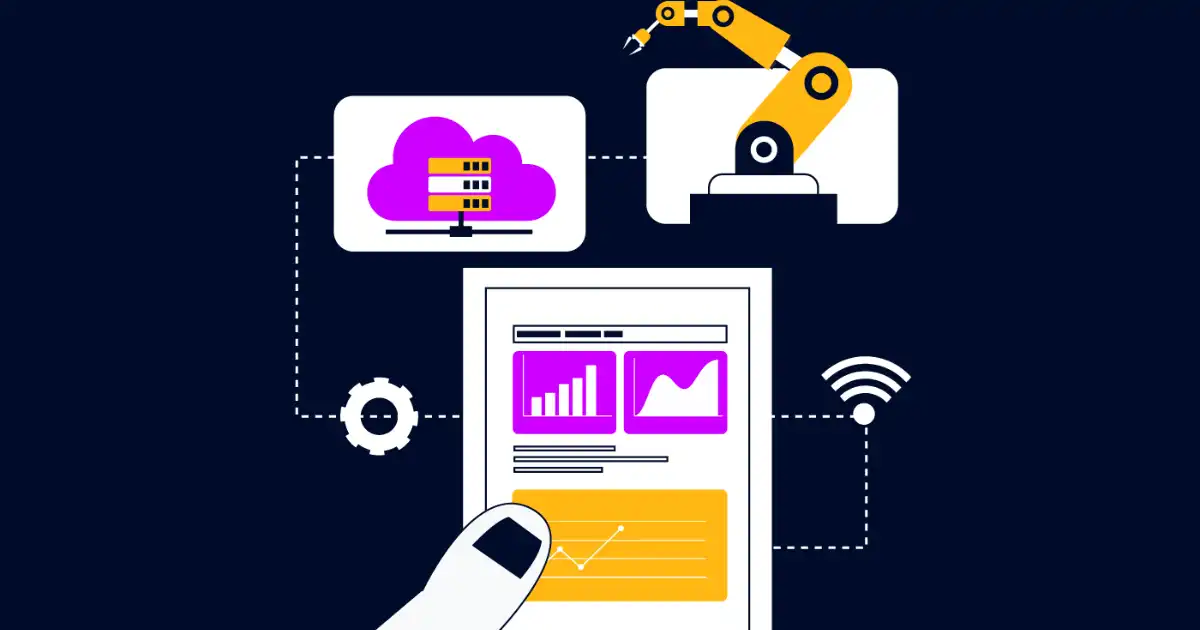
An AI automation workflow is simply a structured system where multiple steps in a business process are connected together, and at least one of those steps uses artificial intelligence to make a decision, generate output, or route information.
In plain terms, it is a chain of actions that runs without constant human involvement. But unlike traditional automation, it is not limited to rigid if-this-then-that rules.
Traditional automation works like a fixed script. If an email contains a keyword, move it to a folder. If a form is submitted, send a confirmation message. It is predictable, but also very limited. It breaks the moment something unexpected happens.
AI automation workflows introduce a decision layer that can interpret meaning, not just match patterns. For example, instead of just detecting a keyword in a support ticket, an AI system can understand the intent behind the message and decide whether it is urgent, billing-related, or technical.
This is where most misunderstandings happen. People assume AI automation means fully autonomous systems replacing humans. In reality, most production systems are hybrid. Humans still define rules, handle exceptions, and review outputs in critical cases. AI handles the repetitive interpretation work that used to slow everything down.
Another common misunderstanding is that AI workflows are single tools. They are not. They are systems made up of multiple components working together. The AI model is only one part. The real value comes from how data flows through the system and how decisions are executed downstream.
In practice, AI automation workflows are less about replacing jobs and more about restructuring how work moves through an organization.
How AI Automation Workflows Work
In real systems, AI automation workflows follow a predictable structure. Once you understand this structure, you start seeing it everywhere, from customer support systems to financial approvals.
Data intake
Everything starts with input. This could be an email, a form submission, a chat message, a transaction, or a system event.
In many companies, this step is already messy. Data comes from multiple sources, often inconsistent, and without standard formatting. The first job of any workflow system is to normalize this input so it can be processed reliably.
AI decision layer
This is where interpretation happens. The AI model evaluates the input and extracts meaning.
For example:
- Is this customer complaint urgent?
- What category does this request belong to?
- Does this transaction look suspicious?
- What is the most appropriate response?
In practice, this is often a mix of NLP models, classification systems, or large language models accessed through APIs.
What I have noticed in real deployments is that this layer is powerful but fragile. It performs well when inputs are clean and predictable. It struggles when data is inconsistent or outside the patterns it has seen before.
Execution layer
Once a decision is made, something has to happen. This is the execution layer.
It might:
- Send a response email
- Create a ticket in a system
- Trigger a payment approval
- Update a CRM record
- Notify a human operator
This is usually handled through APIs or automation tools like Zapier or UiPath.
Feedback loop
This is the part most systems get wrong or ignore completely.
A good workflow learns from outcomes. If the AI misclassified something, that correction should be fed back into the system. If a human overrides a decision, that signal should improve future performance.
Without feedback loops, AI automation becomes static and slowly degrades over time.
In real environments, the difference between a useful system and a frustrating one often comes down to how well this loop is implemented.
Core Components of AI Automation Systems
AI automation workflows are built from multiple interconnected components, and each plays a specific role in how information moves through the system.
Machine learning models are usually the core intelligence layer. These models classify data, predict outcomes, or generate text depending on the use case. In practice, they are not magical decision-makers. They are pattern recognition systems that perform well when the environment is consistent.
Natural language processing systems are critical when workflows involve human communication. Emails, chats, and documents need to be understood before any action can be taken. NLP is what allows systems to read intent instead of just scanning keywords.
APIs are the communication bridges. Almost every modern workflow depends on APIs to move data between tools. Without APIs, automation would be isolated and fragmented.
RPA tools, or robotic process automation, handle repetitive interface-based tasks. These are especially useful when legacy systems do not have proper APIs. In real companies, RPA is often the glue that connects old systems to new AI layers.
Data pipelines are responsible for moving and cleaning data before it reaches the AI layer. If this part is poorly designed, everything else becomes unreliable. Dirty data produces unreliable decisions.
Orchestration tools coordinate the entire workflow. They decide what runs, when it runs, and how failures are handled. Tools like Make or Power Automate often sit in this layer.
The important thing to understand is that none of these components work in isolation. The real system is the interaction between them. Most failures I have seen in automation projects come from weak integration, not weak AI models.
How AI Automation Improves Efficiency
Efficiency improvements from AI automation are real, but they are often misunderstood in marketing conversations.
The most obvious gain is time reduction. Tasks that used to take minutes or hours per item can now happen in seconds. For example, classifying customer support tickets manually is slow and inconsistent. An AI system can do this instantly and route tickets to the right team without delay.
But the deeper gain is not just speed. It is consistency.
Humans get tired, distracted, and inconsistent over time. Two employees handling the same task might produce different outcomes. AI systems, when properly trained, apply the same logic every time. This reduces variability in operational processes.
Error reduction is another major factor. In finance workflows, for instance, manual data entry often leads to small mistakes that become expensive later. Automated systems reduce these errors significantly, although they do not eliminate them entirely.
Scalability is where AI workflows start to show their real value. A human team can only handle so many tasks per day. An AI-driven system can handle thousands of similar tasks without linear cost increases. This is why companies often adopt automation when they start hitting operational bottlenecks.
Decision speed also improves. Instead of waiting for a human to review and respond, decisions can be made in real time. This is especially important in areas like fraud detection or customer support triaging.
However, it is important to be honest about limitations. Not all efficiency claims are real. Many companies automate tasks that were already cheap to perform manually, which results in little actual business value. I have seen systems built to save seconds per task while ignoring bigger inefficiencies elsewhere.
The real efficiency comes when automation targets high-volume, repetitive, decision-heavy processes. For example, in e-commerce, AI can automatically handle order routing, refund approvals within set limits, and customer query categorization. In marketing, it can segment audiences and generate basic campaign variations. In finance, it can flag anomalies and prepare reconciliation reports.
When done correctly, AI automation does not just make work faster. It changes the structure of work itself by removing unnecessary decision points from human workflows.
Real-World Use Cases
In e-commerce, AI automation workflows are often used in order processing and customer service. When a customer places an order, the system automatically checks inventory, assigns warehouse location, updates the CRM, and sends confirmation emails. On the surface, this looks simple, but behind the scenes, multiple systems are coordinating in real time.
In healthcare, workflows help with appointment scheduling, patient triage, and document processing. For example, AI can analyze patient messages and prioritize urgent cases for human review. However, in practice, these systems are always paired with strict human oversight due to the sensitivity of decisions.
In finance, AI automation is heavily used in fraud detection and transaction monitoring. Systems scan patterns across millions of transactions and flag anomalies. Humans then review only the flagged cases instead of every transaction. This is one of the clearest examples of efficiency improvement at scale.
Marketing teams use automation for campaign management and content personalization. AI systems segment audiences based on behavior and automatically trigger targeted email sequences or ads. The efficiency gain comes from removing manual segmentation work, which used to take days.
In software engineering, AI workflows assist in CI/CD pipelines, bug triaging, and incident response. For instance, when a system fails, automation can detect the issue, create an incident ticket, and notify the right engineer immediately.
Customer support is one of the most common applications. Incoming messages are categorized, prioritized, and either answered automatically or routed to the correct human agent. In many companies, this reduces response time significantly, but only when the AI classification is accurate.
What stands out in real-world usage is that the most effective systems are not fully automated. They are layered systems where AI handles interpretation and humans handle exceptions.
Key Business Benefits
Businesses that implement AI automation workflows correctly usually experience a few consistent outcomes.
The first is operational efficiency. Teams spend less time on repetitive tasks and more time on decision-making and strategic work.
The second is cost optimization. While initial setup costs can be high, long-term operational costs often decrease because fewer manual hours are required to handle the same workload.
The third is improved service consistency. Customers receive more uniform responses, and internal processes become more predictable.
There is also a hidden benefit that is often overlooked. It is visibility. When workflows are automated, every step becomes trackable. This gives businesses better insight into where delays or failures are happening.
However, these benefits only appear when the system is designed around real operational needs, not just as a technology experiment.
Challenges and Limitations
AI automation is not a universal solution, and in practice, it introduces its own set of problems.
Integration complexity is one of the biggest challenges. Most businesses already use multiple legacy systems that do not easily connect with modern tools.
Data quality is another major issue. AI systems are only as good as the data they receive. Poor or inconsistent data leads to unreliable outputs.
There is also a cost versus return mismatch in some cases. Companies sometimes automate low-value tasks that do not justify the implementation effort.
Over-automation is another risk. Not every process should be automated. Some decisions still require human judgment, especially in sensitive or ambiguous situations.
Maintenance is often underestimated. AI workflows are not set-and-forget systems. They require monitoring, updates, and continuous adjustment as business conditions change.
One common mistake I have seen is businesses assuming the AI layer will fix broken processes. In reality, automation often exposes process flaws more clearly than before.
Tools Used in AI Automation Workflows
Several tools are commonly used to build AI automation systems, each serving a different role.
Zapier is widely used for simple workflow automation between web applications. It is easy to set up and works well for straightforward use cases.
Make (formerly Integromat) offers more complex workflow logic and is often used when businesses need branching conditions and multi-step flows.
UiPath is a leading RPA tool used for automating desktop-level tasks, especially in enterprises with legacy systems.
Power Automate, from Microsoft, integrates deeply with Microsoft ecosystems and is commonly used in corporate environments.
Cloud platforms like AWS and Google Cloud provide the infrastructure for hosting AI models, managing data pipelines, and scaling workflows.
OpenAI API is frequently used for natural language tasks such as text classification, summarization, and content generation within workflows.
In real deployments, these tools are rarely used alone. They are combined to create a full system where each tool handles a specific layer of the workflow.
How to Implement AI Automation Workflows
Implementing AI automation requires a structured approach, not just tool selection.
The first step is identifying processes that are repetitive, high-volume, and rule-based. These are the best candidates for automation.
Next, you map the workflow in detail. This includes inputs, decision points, and outputs. In my experience, most businesses skip this step and jump straight into tools, which leads to confusion later.
After mapping, you select tools based on system requirements. Simple workflows might use Zapier, while complex enterprise systems might require UiPath or custom API integrations.
The AI layer is then introduced where interpretation or decision-making is needed. This could involve classification models or language-based AI systems.
Once built, the system must be tested with real data. This is where many issues appear that were not visible during design.
After deployment, monitoring becomes critical. You need to track errors, delays, and incorrect decisions. Without monitoring, systems degrade silently.
Finally, continuous improvement is necessary. Workflows should evolve based on performance data and business changes.
Future of AI Automation Workflows
The future of AI automation is moving toward more autonomous systems, but not in the fully independent sense many people imagine.
We are seeing the rise of AI agents that can handle multi-step tasks with minimal human input. These agents still operate within boundaries, but they are more flexible than traditional workflows.
Hyper-automation is also becoming more common, where multiple automation systems are layered together across departments.
The most realistic future is not full replacement of humans but closer collaboration between humans and AI systems. Humans will increasingly focus on oversight, exception handling, and strategic decisions.
Autonomous workflows will expand, but they will remain constrained by business rules, compliance requirements, and data limitations.
You Might Be Interested In
- What Is The Difference Between LLM and ML?
- Ai For Personal Task Management: Todoist, Motion And Beyond
- What Are Epochs In Machine Learning?
- What Are Performance Metrics In Ai?
- How Is Ai Used In Healthcare Diagnosis Systems?
Conclusion
AI automation workflows improve efficiency by removing repetitive work from human hands and replacing it with structured, intelligent systems that can process information faster and more consistently. The real value is not just speed, but the ability to scale operations without increasing complexity at the same rate.
In practice, the most successful implementations are not the most complex ones. They are the ones that carefully target real bottlenecks in business processes and integrate AI in a way that supports human decision-making rather than trying to eliminate it entirely.
The key takeaway is simple. AI automation makes sense when the process is repetitive, high-volume, and predictable enough to benefit from structured decision-making. It does not make sense when the work requires deep context, ambiguity, or nuanced human judgment that cannot be reliably modeled.
FAQs
What are AI automation workflows?
AI automation workflows are structured systems where multiple steps in a business process are connected, and at least one step uses AI to make decisions or process information. In real-world setups, this usually means data comes in from one source, gets interpreted by an AI model, and then triggers an action like sending a response, updating a system, or routing a task to the right person.
What makes them different from traditional automation is the ability to handle unstructured inputs like emails, chat messages, or documents. Instead of relying only on fixed rules, they can interpret intent and context. However, they still depend heavily on clean data, proper integration, and human oversight to function reliably in production environments.
How do AI automation workflows improve efficiency?
AI automation workflows improve efficiency mainly by reducing the time spent on repetitive tasks and improving consistency in how work is handled. In practice, they allow businesses to process large volumes of tasks like customer queries, data entry, or report generation without requiring proportional increases in staff.
They also reduce operational errors that usually happen in manual processes, especially in high-pressure environments. However, the efficiency gains are not automatic. If the workflow is poorly designed or applied to the wrong process, it can add complexity instead of removing it. The real improvement happens when automation is applied to repetitive, predictable, and high-volume tasks.
Where are AI automation workflows used in real businesses?
AI automation workflows are used across many industries, especially in areas where tasks repeat frequently and decisions follow patterns. In e-commerce, they manage order processing, inventory updates, and customer support routing. In finance, they help detect fraud, process transactions, and generate compliance reports.
In healthcare, they assist in patient scheduling and triage of incoming requests, while in marketing they handle audience segmentation and campaign automation. In software teams, they are used for monitoring systems, creating incident alerts, and managing deployment pipelines. In most real environments, these workflows do not fully replace humans but instead reduce the workload by handling structured, repetitive parts of the process.
What tools are used to build AI automation workflows?
AI automation workflows are typically built using a combination of integration tools, AI services, and cloud infrastructure. Tools like Zapier and Make are commonly used for connecting different applications and building simple to moderate workflows without heavy coding. UiPath is used in enterprise environments where tasks involve legacy systems and desktop automation.
On the AI side, APIs like OpenAI are used for language understanding, classification, and content generation tasks. Cloud platforms like AWS and Google Cloud provide the infrastructure for hosting models and managing data pipelines. In real implementations, these tools are not used in isolation but are combined to create a layered system where each tool handles a specific part of the workflow.
What are the main challenges of AI automation workflows?
One of the biggest challenges in AI automation workflows is integration with existing systems. Many businesses still rely on outdated or disconnected tools, which makes it difficult to build smooth end-to-end automation. Data quality is another major issue because AI systems can only perform well when the input data is accurate and consistent.
There is also the problem of over-automation, where companies try to automate processes that actually require human judgment, leading to poor outcomes. Maintenance is often underestimated as well, since workflows need continuous monitoring and adjustment to stay reliable. In real-world environments, the success of AI automation depends less on the technology itself and more on how well it is implemented and maintained over time.
