


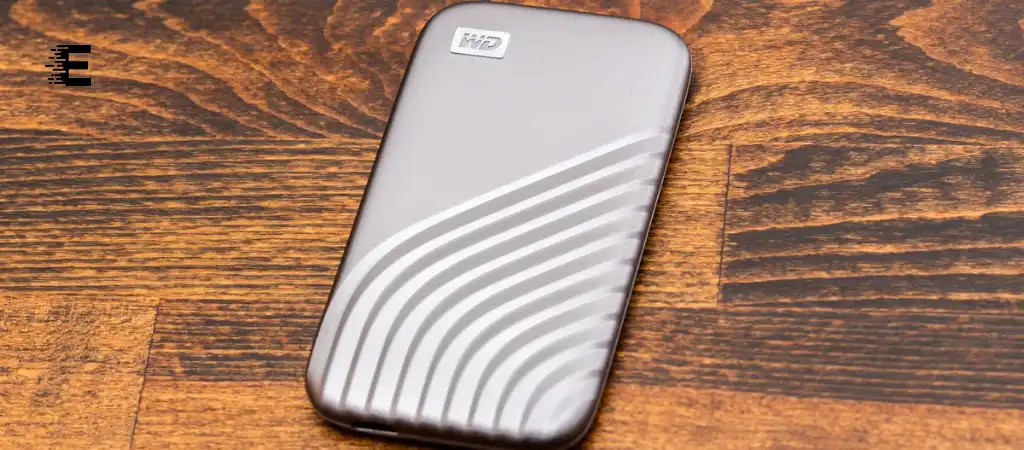
In today’s digital age, data storage solutions are crucial for both individuals and businesses. Among the many options available, the WD Passport series by Western Digital stands out as a popular choice for portable external storage. These devices are known for their compact design, ease of use, and significant storage capacity. However, one question that often arises among users is, “What is the life expectancy of a WD Passport?”
Understanding the lifespan of a WD Passport is essential for making informed decisions about data storage and backup strategies.
In this comprehensive guide, we will delve into the various factors that influence the life expectancy of a WD Passport, including its build quality, usage patterns, environmental factors, and more. By the end of this article, you will have a clear understanding of what to expect from your WD Passport and how to maximize its lifespan, making it one of the best external SSD drives on the market.
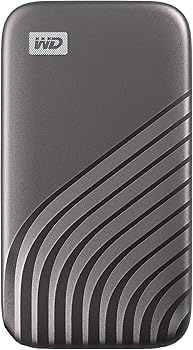
WD Passport
The WD Passport is a series of portable external hard drives produced by Western Digital, a leading manufacturer of data storage devices. These drives are designed for users who need a reliable and portable solution for storing and backing up their data. WD Passports come in various capacities, ranging from 500GB to several terabytes, making them suitable for a wide range of needs, from storing documents and photos to housing large media files and software backups.
Key Features
-
Portability
The WD Passport is compact and lightweight, making it easy to carry around in a bag or pocket.
-
Plug-and-Play
It offers a simple plug-and-play interface, usually via USB, that works seamlessly with most operating systems.
-
Password Protection
Some models come with built-in password protection and hardware encryption, providing an added layer of security.
-
Software Integration
Many WD Passport drives include backup software that simplifies the process of data backup and restoration.
Factors Affecting the Life Expectancy of a WD Passport
Build Quality
The life expectancy of a WD Passport is heavily influenced by its build quality. Western Digital is known for producing high-quality storage devices, and the WD Passport series is no exception. The drives are constructed with durable materials that can withstand everyday wear and tear. However, like any electronic device, they are not immune to physical damage. Dropping the drive or exposing it to harsh conditions can significantly shorten its lifespan.
Internal Components
The internal components of a WD Passport, including the hard disk platter and read/write heads, are precision-engineered to deliver reliable performance. Over time, these components can wear out, especially if the drive is frequently used for intensive tasks such as video editing or running applications directly from the drive. The more a drive is used, the more wear and tear it will experience, which can impact its longevity.
Usage Patterns
How a WD Passport is used plays a crucial role in determining its life expectancy. Drives that are used regularly for large file transfers or are left running for extended periods are more likely to experience wear and tear. On the other hand, a drive that is used infrequently and only for light tasks may last longer.
Read/Write Cycles
One of the key factors affecting the lifespan of any hard drive is the number of read/write cycles it undergoes. Each time data is written to or read from the drive, the internal components are subjected to mechanical stress. Over time, this can lead to wear and degradation of the drive’s components, ultimately shortening its lifespan.
Power Cycles
The number of power cycles, or the number of times the drive is powered on and off, can also affect its life expectancy. Frequent power cycling can put additional strain on the drive’s components, particularly the motor and read/write heads.
Environmental Factors
Environmental conditions can have a significant impact on the life expectancy of a WD Passport. Factors such as temperature, humidity, and exposure to dust and moisture can all affect the drive’s performance and longevity.
Temperature
Extreme temperatures, whether hot or cold, can damage the internal components of a WD Passport. Operating the drive in a temperature-controlled environment is crucial for maintaining its longevity. Western Digital typically recommends an operating temperature range of 5°C to 35°C (41°F to 95°F) for its drives.
Humidity
High humidity levels can lead to condensation inside the drive, which can cause short circuits or corrosion of the internal components. It is important to store and operate the WD Passport in a dry environment to prevent moisture-related damage.
Dust and Debris
Dust and debris can accumulate inside the drive over time, potentially leading to mechanical failures. Keeping the drive in a clean environment and avoiding exposure to dust and dirt can help extend its lifespan.
Firmware and Software Updates
Keeping the WD Passport’s firmware and software up to date is essential for ensuring its longevity. Firmware updates often include bug fixes and performance improvements that can help prevent issues that might otherwise shorten the drive’s life. Similarly, using the latest backup software can help optimize the drive’s performance and reduce wear and tear.
Firmware
Western Digital periodically releases firmware updates for its drives. These updates can address known issues, improve compatibility with newer operating systems, and enhance overall performance. It is recommended to regularly check for and install any available firmware updates for your WD Passport.
Software
In addition to firmware, the software that comes with the WD Passport, such as WD Backup, should also be kept up to date. Updated software can offer better performance, new features, and improved security, all of which can contribute to a longer lifespan for your drive.
Handling and Physical Protection
Proper handling and physical protection are key to maximizing the life expectancy of a WD Passport. Physical shocks, such as drops or impacts, can cause immediate and irreversible damage to the drive’s internal components.
Protective Cases
Using a protective case for your WD Passport can help shield it from physical damage. Cases designed specifically for portable hard drives often include shock-absorbing materials that can protect the drive from drops and impacts.
Safe Storage
When not in use, the WD Passport should be stored in a safe and secure location. Avoid placing heavy objects on top of the drive, and keep it away from potential sources of damage, such as liquids or sharp objects.
How Long Can You Expect a WD Passport to Last?
Average Lifespan
On average, a WD Passport can last anywhere from 3 to 5 years under normal usage conditions. However, with proper care and maintenance, some users have reported their drives lasting well beyond this range. It’s important to note that the actual lifespan of a WD Passport can vary significantly depending on the factors discussed earlier.
User Experiences and Reports
Many users have shared their experiences with WD Passport drives online, with some reporting that their drives have lasted for over a decade, while others have encountered failures within a few years. These varying experiences highlight the importance of factors such as usage patterns, environmental conditions, and handling in determining the lifespan of a WD Passport.
Tips to Extend the Life Expectancy of a WD Passport
Regular Backups
One of the best ways to protect your data and extend the life of your WD Passport is to perform regular backups. By keeping multiple copies of your data in different locations, you can reduce the strain on your WD Passport and ensure that your data is safe in case of drive failure.
Avoid Overloading the Drive
Keeping your WD Passport drive from becoming too full can help maintain its performance and extend its lifespan. A drive that is nearly full may experience slower read/write speeds and increased wear on its internal components.
Proper Ejection
Always safely eject your WD Passport before disconnecting it from your computer. Failing to do so can lead to data corruption and may cause damage to the drive’s internal components.
Keep It Cool
Avoid exposing your WD Passport to extreme temperatures, and try to operate it in a well-ventilated area. If the drive becomes too hot, consider giving it a break to cool down before continuing to use it.
Use a UPS (Uninterruptible Power Supply)
Using a UPS can protect your WD Passport from power surges and sudden power outages, which can cause data loss or damage to the drive. A UPS provides a steady power supply and can prevent abrupt power cuts that may harm the drive.
You Might Be Interested In
- What Does a Graphics Card Do In a Computer?
- How Do I Compare Graphics Cards?
- What is SSD in a Laptop?
- Which Type Of DDR Ram Have Non-ecc And Ecc Types?
- What Type Of Processor Is a GPU?
Conclusion
The life expectancy of a WD Passport is influenced by various factors, including build quality, usage patterns, environmental conditions, and maintenance practices. On average, you can expect a WD Passport to last between 3 to 5 years, but with proper care, it may last even longer. To maximize the lifespan of your WD Passport, it is important to handle it carefully, keep it updated, and follow best practices for storage and usage.
While no electronic device lasts forever, understanding the factors that affect the life expectancy of a WD Passport can help you make informed decisions about your data storage needs and ensure that your important files are protected for years to come.
FAQs about What Is The Life Expectancy Of A WD Passport?
How long can I expect my WD Passport to last?
The average life expectancy of a WD Passport is between 3 to 5 years under normal usage conditions. However, with proper care, such as avoiding physical shocks, keeping the device in a temperature-controlled environment, and regularly updating firmware and software, some users have reported their WD Passport drives lasting well beyond this range, sometimes up to 10 years or more.
It’s important to note that the actual lifespan can vary based on factors like how frequently the drive is used, the nature of the tasks it’s used for, and how well it’s maintained.
What factors can shorten the life expectancy of my WD Passport?
Several factors can contribute to a shortened life expectancy of your WD Passport:
- Physical Damage: Dropping the drive or exposing it to physical shocks can cause immediate damage to its internal components.
- Overuse: Constant, heavy usage, such as frequent large file transfers or using the drive for running applications, can lead to wear and tear over time.
- Environmental Conditions: Operating the drive in extreme temperatures, high humidity, or dusty environments can cause the internal components to deteriorate faster.
- Power Issues: Frequent power cycling or sudden power outages can strain the drive’s motor and read/write heads, leading to early failure.
- Lack of Maintenance: Failing to update the drive’s firmware and software can leave it vulnerable to performance issues and bugs that could affect its longevity.
How can I extend the life of my WD Passport?
To extend the life of your WD Passport, consider the following tips:
- Regular Backups: Perform regular backups to reduce the stress on your WD Passport and ensure that your data is safe in case of drive failure.
- Avoid Overloading: Keep the drive from becoming too full, as nearly full drives can experience slower performance and increased wear.
- Safe Ejection: Always safely eject the drive before disconnecting it from your computer to prevent data corruption and potential damage.
- Keep It Cool: Operate the drive in a well-ventilated area and avoid exposing it to extreme temperatures. Allow the drive to cool down if it gets too hot.
- Use a UPS: Using an Uninterruptible Power Supply (UPS) can protect your WD Passport from power surges and outages, preventing potential damage to the drive.
What should I do if my WD Passport starts showing signs of failure?
If your WD Passport starts showing signs of failure, such as unusual noises, slow performance, or frequent disconnections, take the following steps:
- Back Up Data Immediately: If you notice any signs of potential failure, back up your data immediately to another storage device to prevent data loss.
- Run Diagnostics: Use Western Digital’s diagnostic tools to check the health of your drive. These tools can help identify potential issues and may offer solutions to fix minor problems.
- Avoid Further Use: If the drive shows serious signs of failure, such as clicking noises or frequent crashes, avoid using it until you can determine the extent of the issue. Continuing to use a failing drive can result in permanent data loss.
- Consider Professional Data Recovery: If the drive fails completely and you cannot access your data, consider using a professional data recovery service. These services specialize in recovering data from damaged or failed drives but can be expensive.
- Replace the Drive: If the drive is out of warranty and shows signs of imminent failure, it may be time to replace it with a new one to ensure the safety of your data.
How do environmental conditions affect the life expectancy of my WD Passport?
Environmental conditions play a significant role in the life expectancy of your WD Passport.
- Temperature: Extreme heat or cold can cause the internal components of the drive to expand or contract, leading to potential damage. Operating the drive within the recommended temperature range (5°C to 35°C or 41°F to 95°F) helps ensure its longevity.
- Humidity: High humidity can lead to condensation inside the drive, which can cause short circuits or corrosion of the internal components. Operating the drive in a dry environment is crucial to prevent moisture-related damage.
- Dust and Debris: Dust and debris can accumulate inside the drive over time, potentially causing mechanical failures. Keeping the drive in a clean environment and protecting it from dust can help maintain its performance and extend its lifespan.
- Vibration: Continuous exposure to vibrations can also affect the drive’s mechanical parts, leading to a shortened lifespan. It’s best to use the drive on stable, vibration-free surfaces.
