


In recent years, portable solid-state drives (SSDs) have become increasingly popular due to their speed, reliability, and compact size. They have revolutionized how we store and transfer data, offering significant advantages over traditional hard disk drives (HDDs).
However, despite their numerous benefits, the Best External SSD Drive also comes with certain disadvantages that potential users should consider before making a purchase. This comprehensive guide will explore the disadvantages of portable SSDs in detail, helping you make an informed decision.
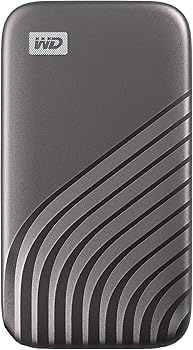
Portable SSDs
A portable solid-state drive (SSD) is a type of storage device that uses integrated circuits to store data persistently. Unlike traditional hard disk drives (HDDs), which use spinning disks to read and write data, SSDs have no moving parts. This fundamental difference gives SSDs several advantages, including faster data access and increased durability. Portable SSDs take this technology and package it in a small, external form factor, making them ideal for on-the-go storage.
The Evolution of Storage Devices
Storage devices have evolved significantly over the years. From floppy disks and CDs to HDDs and now SSDs, each generation has brought improvements in storage capacity, speed, and reliability. Portable SSDs represent the latest leap forward, offering unmatched performance in a compact and convenient package. However, with these advancements come certain drawbacks that users need to be aware of.
Common Disadvantages of Portable SSDs
Cost
One of the most significant disadvantages of portable SSDs is their cost. Compared to traditional HDDs, SSDs are considerably more expensive per gigabyte of storage. This price gap can be attributed to the advanced technology and components used in SSDs, such as NAND flash memory. For users who require large amounts of storage, the cost of a high-capacity portable SSD can be prohibitive.
While prices have been gradually decreasing, portable SSDs remain a premium product. For instance, a 1TB portable SSD may cost several times more than a 1TB HDD, making it less accessible for budget-conscious consumers. This higher cost can be a significant drawback for users who prioritize storage capacity over speed.
Limited Storage Capacity
Although SSD technology is advancing rapidly, portable SSDs still generally offer lower storage capacities compared to HDDs. While HDDs can easily provide several terabytes of storage at an affordable price, SSDs are typically limited to smaller capacities unless you’re willing to pay a premium. This limitation can be particularly problematic for users who need to store large amounts of data, such as high-definition videos, extensive photo libraries, or large software applications.
For those who require vast amounts of storage, the limited capacity of portable SSDs can be a major disadvantage. It may force users to either invest in multiple SSDs, increasing the overall cost, or to settle for a less efficient storage solution.
Data Recovery Challenges
Another significant disadvantage of portable SSDs is the difficulty of data recovery. Unlike HDDs, where data recovery services can often retrieve information from a damaged drive, SSDs present unique challenges. The lack of moving parts in SSDs, while beneficial for durability, makes data recovery more complex and expensive. If an SSD fails, the chances of recovering data can be slim, especially if the failure is related to the memory chips.
This challenge is exacerbated by the fact that when an SSD fails, it often does so without warning. HDDs might give signs of impending failure, such as strange noises or slower performance, allowing users to back up their data. SSDs, on the other hand, can fail suddenly, leading to the potential loss of all stored data.
Limited Lifespan
While SSDs are generally more durable than HDDs due to the absence of moving parts, they are not immune to wear and tear. One of the key disadvantages of portable SSDs is their limited lifespan, which is primarily determined by the number of write cycles the memory cells can endure. Each time data is written to the SSD, the memory cells degrade slightly. Over time, this can lead to the cells becoming unusable, reducing the overall capacity of the drive.
The limited lifespan of SSDs is particularly concerning for users who perform frequent write operations, such as video editing, database management, or software development. Once the memory cells reach their maximum write cycles, the SSD will no longer function reliably, necessitating a replacement.
Vulnerability to Physical Damage
While portable SSDs are more resistant to physical damage than HDDs, they are not invincible. The compact design of portable SSDs makes them susceptible to damage from drops, extreme temperatures, and water exposure. Although many portable SSDs are designed with rugged features, such as shock resistance and water resistance, these protections have their limits.
For instance, a severe drop can still damage the internal components of an SSD, leading to data loss or complete drive failure. Similarly, exposure to extreme temperatures or moisture can compromise the drive’s functionality. Users who require a truly rugged storage solution may find these vulnerabilities to be a significant disadvantage.
Compatibility Issues
Compatibility is another potential drawback of portable SSDs. While most modern computers and devices support SSDs, older systems may not be fully compatible. For example, some older operating systems may not recognize the full capacity of a high-end SSD or may require specific drivers to function properly. Additionally, certain SSDs may use newer interfaces, such as USB-C or Thunderbolt, which are not available on older devices.
This compatibility issue can be frustrating for users who own multiple devices of varying ages. They may need to purchase additional adapters or upgrade their systems to fully utilize the SSD’s capabilities, adding to the overall cost and complexity.
Overheating Risks
Overheating is a concern for any electronic device, and portable SSDs are no exception. While SSDs generally produce less heat than HDDs, they can still overheat under certain conditions, particularly during intensive data transfer operations. Excessive heat can lead to throttling, where the SSD reduces its performance to prevent damage, or in extreme cases, complete drive failure.
This risk is particularly relevant for users who frequently transfer large files or use the SSD in environments with high ambient temperatures. Overheating can reduce the lifespan of the SSD and potentially lead to data loss, making it a significant disadvantage for those who rely on their portable SSD for critical tasks.
Security Concerns
Security is another area where portable SSDs have disadvantages. While many SSDs offer encryption features to protect data, these features can sometimes be difficult to configure and manage. Additionally, if an SSD is lost or stolen, the data it contains can be vulnerable to unauthorized access, especially if encryption was not enabled.
Moreover, some SSDs use proprietary encryption methods that may not be compatible with all devices or operating systems. This can create challenges when trying to access encrypted data on different devices, adding an extra layer of complexity for users who prioritize data security.
Data Loss Due to Power Failure
Portable SSDs are not immune to the risk of data loss due to power failures. Although SSDs are generally more resilient to power interruptions than HDDs, sudden power loss can still result in data corruption or loss. This is particularly true for SSDs that use write caching, where data is temporarily stored in a cache before being written to the drive. If power is lost before the data is fully written, it may be lost permanently.
This risk is a significant disadvantage for users who rely on their portable SSDs for critical data storage, such as business documents, client files, or important personal records. Ensuring that the SSD is always safely ejected and avoiding power interruptions during data transfer is essential to mitigate this risk.
Niche Disadvantages of Portable SSDs
Wear Leveling Concerns
Wear leveling is a technique used in SSDs to distribute write and erase cycles evenly across the memory cells, extending the drive’s lifespan. However, not all SSDs implement wear leveling equally well, and some may be more prone to uneven wear. This can lead to certain cells wearing out faster than others, reducing the overall lifespan of the drive and increasing the risk of data loss.
For users who perform frequent write operations or use their SSDs for intensive tasks, the quality of wear leveling can be a critical factor. Poor wear leveling can significantly shorten the lifespan of the SSD, making it a disadvantage for those who rely on their drive for heavy workloads.
Firmware Vulnerabilities
Firmware is the software that controls the operation of the SSD, and like any software, it can have vulnerabilities. If the firmware of a portable SSD is compromised, it can lead to various issues, including data corruption, performance degradation, or even complete drive failure. Firmware updates are necessary to fix bugs and improve performance, but they can also introduce new problems if not properly tested.
For users who depend on their SSD for important data, the risk of firmware-related issues can be a significant disadvantage. It requires staying vigilant about firmware updates and being cautious about applying new versions without proper backup.
Impact on Battery Life
While portable SSDs are generally more energy-efficient than HDDs, they can still have an impact on the battery life of laptops and other portable devices. The power draw of an SSD, particularly during intensive data transfer operations, can reduce the overall battery life of the device. This can be a disadvantage for users who need to maximize battery life, such as travelers or professionals working in remote locations.
The impact on battery life is particularly noticeable with high-performance SSDs that offer faster data transfer speeds. These drives may consume more power, leading to a shorter battery runtime and potentially interrupting important work.
Limited Write Cycles
One of the inherent disadvantages of portable SSDs is the limited number of write cycles that each memory cell can endure. This limitation is due to the nature of NAND flash memory, which degrades slightly with each write operation. Once the cells reach their maximum write cycles, they become unreliable, and the SSD’s capacity is effectively reduced.
For users who perform frequent write operations, such as video editors, database managers, or software developers, the limited write cycles can be a significant drawback. It may necessitate more frequent drive replacements, adding to the overall cost of ownership.
Higher Probability of Data Corruption
Data corruption is a concern for any storage device, but SSDs are particularly susceptible due to their reliance on complex memory management techniques. Factors such as sudden power loss, firmware bugs, or issues with wear leveling can all contribute to the risk of data corruption on a portable SSD.
For users who store critical data on their SSDs, this risk is a significant disadvantage. It underscores the importance of regular backups and careful management of the drive to minimize the potential for data loss.
Comparison with Traditional HDDs
Durability
While portable SSDs are generally more durable than HDDs due to the absence of moving parts, they are not without their vulnerabilities. As mentioned earlier, SSDs can still suffer damage from drops, extreme temperatures, or moisture exposure. In contrast, some HDDs are designed with rugged features that can withstand harsh conditions, making them a more durable option in certain scenarios.
For users who require a storage device that can endure rough handling, the relative fragility of portable SSDs can be a disadvantage compared to traditional HDDs.
Cost Efficiency
When it comes to cost efficiency, traditional HDDs have a clear advantage over SSDs. HDDs offer a much lower cost per gigabyte, making them the preferred choice for users who need large amounts of storage at an affordable price. While SSD prices have been decreasing, they are still more expensive than HDDs, especially at higher capacities.
For budget-conscious consumers or those who need to store large amounts of data, the higher cost of portable SSDs is a significant disadvantage.
Storage Capacity
As mentioned earlier, SSDs generally offer lower storage capacities compared to HDDs, particularly at an affordable price point. While SSDs are available in larger capacities, they come at a premium cost, making them less accessible for users who need extensive storage.
For users who prioritize storage capacity over speed, the limited capacity of portable SSDs is a major disadvantage. HDDs can provide several terabytes of storage at a fraction of the cost, making them a more practical choice for storing large files.
You Might Be Interested In
- How Many Cores Does a GPU Have?
- What Is a Sandisk Extreme Portable SSD Used For?
- How To Become a Machine Learning Engineer?
- Is 1TB SSD Good for Gaming?
- How To Get Into Machine Learning?
Conclusion
Portable SSDs offer many advantages, including speed, reliability, and portability. However, they are not without their disadvantages. The high cost, limited storage capacity, challenges with data recovery, limited lifespan, vulnerability to physical damage, compatibility issues, and risks of overheating are all significant drawbacks that users should consider. Additionally, niche disadvantages such as wear leveling concerns, firmware vulnerabilities, impact on battery life, limited write cycles, and the higher probability of data corruption further complicate the decision.
When compared to traditional HDDs, portable SSDs may fall short in areas like durability, cost efficiency, and storage capacity. Therefore, potential buyers need to weigh these disadvantages against the benefits to determine whether a portable SSD is the right choice for their needs.
FAQs about What Are The Disadvantages Of Portable Ssd?
What are the primary disadvantages of portable SSDs compared to traditional HDDs?
Portable SSDs, while offering superior speed and portability, have several disadvantages compared to traditional HDDs. One of the primary disadvantages is cost; SSDs are significantly more expensive per gigabyte of storage than HDDs.
This makes them less accessible for users who need large storage capacities at an affordable price. Additionally, SSDs have a limited lifespan due to the finite number of write cycles each memory cell can endure. This limitation can be particularly problematic for users who frequently write and erase data.
Another significant drawback is the difficulty in data recovery. Unlike HDDs, where data recovery services can often retrieve information from a damaged drive, SSDs present unique challenges, and recovering data can be more complex and expensive. Moreover, SSDs tend to have smaller storage capacities unless users are willing to pay a premium, making them less suitable for those who need to store vast amounts of data.
Why is data recovery more challenging with portable SSDs?
Data recovery from portable SSDs is more challenging than from traditional HDDs due to the way data is stored and managed in SSDs. SSDs use NAND flash memory to store data, which is managed by complex algorithms and firmware that control wear leveling, error correction, and garbage collection. When an SSD fails, it often does so without warning, making it difficult to predict and prepare for. The lack of moving parts means that traditional data recovery methods used for HDDs, such as reading data from damaged platters, are not applicable to SSDs.
Furthermore, if the memory chips or the controller on the SSD fail, it can be nearly impossible to recover the data without specialized and often expensive equipment. In some cases, data can be completely unrecoverable if the drive experiences a catastrophic failure, making regular backups essential for users who rely on SSDs for critical data storage.
How does the limited lifespan of portable SSDs affect long-term data storage?
The limited lifespan of portable SSDs is a significant consideration for long-term data storage. SSDs have a finite number of write cycles, meaning that each memory cell can only be written to a certain number of times before it becomes unreliable.
This wear and tear are due to the physical characteristics of NAND flash memory, which degrades slightly with each write operation. Over time, as more cells reach their maximum write cycles, the SSD’s capacity can decrease, and the risk of data loss increases.
For users who perform frequent write operations, such as those involved in video editing, software development, or database management, the SSD’s lifespan can be shorter, necessitating more frequent replacements. This can lead to increased costs and the potential loss of data if the SSD fails unexpectedly. Therefore, while SSDs are suitable for fast access and frequent data transfer, they may not be the best choice for archiving or long-term storage of important data.
What are the security concerns associated with portable SSDs?
Security concerns with portable SSDs primarily revolve around data protection and encryption. While many SSDs offer built-in encryption features, these can sometimes be difficult to configure and manage, especially for users who are not familiar with the technology. Additionally, if an SSD is lost or stolen, the data it contains could be vulnerable to unauthorized access if encryption was not properly enabled or if the encryption method used is not secure.
Another concern is the use of proprietary encryption methods by some SSD manufacturers. These methods may not be compatible with all devices or operating systems, creating challenges when trying to access encrypted data on different devices. This can lead to situations where users are unable to retrieve their data if they switch to a new device or if the SSD’s firmware is updated in a way that affects encryption.
How do overheating and power failures affect the performance of portable SSDs?
Overheating and power failures can have significant effects on the performance and reliability of portable SSDs. While SSDs generally produce less heat than HDDs, they can still overheat, especially during intensive data transfer operations. Excessive heat can cause the SSD to throttle its performance to prevent damage, leading to slower data transfer speeds. In extreme cases, overheating can cause permanent damage to the drive, resulting in data loss or complete failure.
Power failures are another risk for SSDs, particularly during write operations. SSDs often use write caching, where data is temporarily stored in a cache before being written to the drive. If a power failure occurs before the data is fully written, it may be lost permanently, leading to data corruption. This risk is particularly concerning for users who rely on their SSDs for storing critical data, making it essential to ensure proper power management and to avoid power interruptions during data transfer.
