


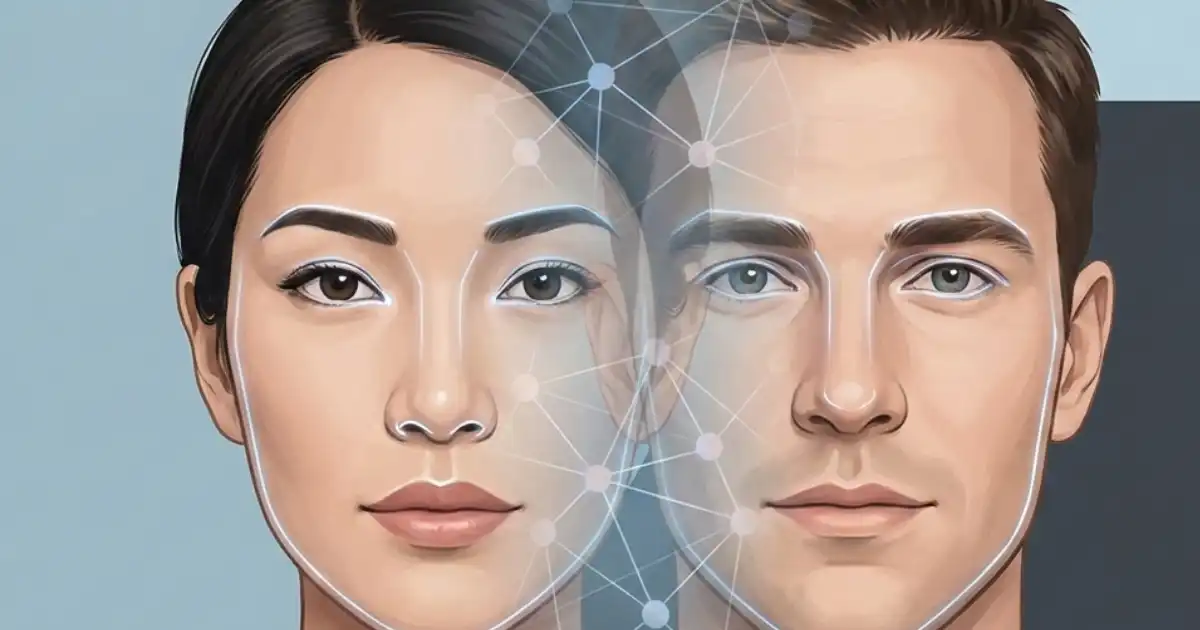
AI face swap sounds simple on the surface: take one face, put it on another person’s body, done. In reality, it’s a carefully balanced mix of computer vision, deep learning, hardware muscle, and surprisingly fussy input conditions. What Are Ai Face Swap Technical Requirements?
I’ve worked with face swap systems in different setups from local GPU rigs to cloud pipelines and I can tell you this: most problems people face aren’t “AI isn’t good enough.” They’re technical requirement problems. Wrong hardware. Bad lighting. Misaligned faces. Unrealistic expectations.
Understanding the technical requirements isn’t optional. It’s the difference between a convincing result and something that looks like a haunted wax statue.
So let’s break this down properly how it works, why it works that way, and what you actually need to make it work well.
How AI Face Swap Works
People throw around terms like GANs and neural networks, but let’s translate that into what’s actually happening.
Face Detection
Before anything fancy happens, the system has to find a face.
This is usually done with a CNN-based face detector (Convolutional Neural Network). It scans the image or video frame and says, “There’s a face here.”
If detection fails or is slightly off maybe because of heavy shadows, side angles, or motion blur everything downstream gets worse.
In my experience, poor detection is responsible for at least 30% of bad swaps.
Face Alignment
Once detected, the face is mapped using facial landmarks eyes, nose tip, mouth corners, jawline.
Alignment normalizes the face. It rotates and scales it so the neural network sees consistent geometry.
If alignment is off:
-
The swapped face looks stretched
-
Eyes drift slightly
-
Mouth movement looks uncanny
This is where cheap apps often cut corners.
Feature Extraction
Now we get into deep learning.
The model encodes the source face into a latent representation basically a compressed mathematical summary of identity features.
Think of it as:
-
Bone structure
-
Eye spacing
-
Skin texture tendencies
-
Expression mechanics
Modern systems use:
-
CNN-based encoders
-
GAN-based generators
-
Sometimes diffusion models for higher realism
GANs (Generative Adversarial Networks) were dominant for years because they produce sharp, photorealistic textures. Diffusion models are starting to close that gap with better stability and fewer artifacts.
But here’s the truth: the architecture matters less than the training quality and input consistency.
Face Generation
The decoder or generator reconstructs the face in the target orientation and lighting.
If lighting conditions differ too much between source and target:
-
Skin tones mismatch
-
Highlights look fake
-
Shadows break realism
Models don’t “understand” lighting the way humans do. They approximate it statistically.
Blending & Post-Processing
This is where many people underestimate the technical requirement.
The generated face is composited back into the original frame using:
-
Masking
-
Color correction
-
Edge blending
-
Sometimes motion stabilization (for video)
If blending is lazy, the result screams “deepfake.”
Good blending is half the realism.
Core Technical Requirements
Hardware
Let’s be blunt: GPU matters. A lot.
For high-quality face swaps:
-
NVIDIA GPU with CUDA support (RTX 3060 or better recommended)
-
8GB VRAM minimum for serious work
-
16GB+ system RAM
-
SSD storage (or you’ll suffer during video processing)
Because:
-
Neural networks are massively parallel.
-
Video face swaps require processing thousands of frames.
-
VRAM determines how large your models and batch sizes can be.
I’ve seen people try to train on 4GB VRAM. It technically runs. It also takes forever and crashes constantly.
CPU-only setups? Possible, but painfully slow. Fine for testing. Not practical for production.
Software & Frameworks
Most serious face swap systems are built on:
-
PyTorch
-
TensorFlow
-
OpenCV (for image processing)
-
Dlib or MediaPipe (for face landmarks)
Popular tools wrap these frameworks into easier interfaces, but underneath, it’s deep learning plus computer vision.
If you’re building from scratch:
-
PyTorch is generally more flexible for experimentation.
-
TensorFlow is fine but less popular now for research-style tinkering.
Input Data Quality
This is the most ignored requirement.
You need:
-
Clear frontal or semi-frontal faces
-
Consistent lighting
-
Multiple angles if training
-
High resolution (ideally 512px+ face region)
Low-res images create:
-
Blurry outputs
-
Warped skin texture
-
Strange eye artifacts
In my experience, garbage input produces garbage output even with great hardware.
Performance & Output Considerations
Real-Time vs Batch Processing
Real-time face swap (like live webcam overlays) requires:
-
Optimized lightweight models
-
Smaller resolution frames
-
Strong GPU
-
Low-latency pipeline
Quality drops compared to offline processing.
Batch processing (pre-rendered video) allows:
-
Higher resolution
-
Better blending
-
More stable identity retention
If quality matters, batch is better.
Lighting & Expression Matching
This is where beginners get frustrated.
If:
-
Source face is smiling brightly
-
Target face is neutral in dim lighting
The swap struggles.
Models don’t perfectly disentangle:
-
Identity
-
Expression
-
Lighting
They mix together.
Better results happen when:
-
Expression styles are similar
-
Lighting temperature matches
-
Head pose angles align
Video-Specific Challenges
Video adds:
-
Temporal consistency issues
-
Flickering
-
Frame-to-frame identity drift
Even if single frames look good, small inconsistencies create uncanny motion.
This requires:
-
Temporal smoothing
-
Landmark stabilization
-
Sometimes optical flow correction
Common Limitations & Pitfalls
Let me be honest about what goes wrong.
Side Profiles
Extreme angles break most consumer-level models.
The model wasn’t trained on enough profile data, so it guesses.
Results:
-
Flattened face
-
Eye distortions
-
Jawline weirdness
Glasses & Facial Hair
- Glasses create reflection confusion.
- Beards change perceived face geometry.
If the source and target don’t match in these features, swaps look wrong.
Skin Tone Mismatch
Even advanced models struggle when:
-
Source skin tone is very light
-
Target lighting is very dark (or vice versa)
Blending fails at edges.
Overtraining
If you train too long on limited data:
-
The model memorizes angles
-
It performs poorly on new poses
It looks great in training previews.
Then breaks in real scenes.
I’ve seen this trap too many times.
Ethical & Legal Requirements
Let’s be practical.
Consent
If you’re using someone’s face:
-
You need permission.
-
Period.
Using someone’s likeness without consent can lead to:
-
Civil lawsuits
-
Platform bans
-
Reputation damage
Copyright
If you swap faces into copyrighted movies or commercial content, you’re entering copyright territory.
Even if it’s “just for fun,” distribution matters.
Deepfake Laws
Different countries treat synthetic media differently.
Some regions regulate:
-
Political deepfakes
-
Non-consensual explicit deepfakes
-
Identity fraud use
If you’re working commercially, consult legal advice.
I always tell clients: technical capability doesn’t equal legal safety.
Practical Tips for Users & Developers
Here’s what actually improves results:
-
Match lighting temperature between source and target.
-
Use 200+ diverse training images per identity.
-
Avoid extreme head angles if possible.
-
Pre-clean your dataset (remove blurry images).
-
Use color correction before blending.
-
Don’t rely solely on default masks adjust manually if needed.
-
For video, stabilize faces before swapping.
-
Test small batches before full render.
Small workflow tweaks make huge differences.
Summary & Future Trends
AI face swap works because deep learning can encode identity patterns and reconstruct them in new contexts.
But it’s fragile.
It depends heavily on:
-
Hardware strength
-
Lighting consistency
-
Post-processing skill
Future trends are moving toward:
-
Diffusion-based identity control
-
Better disentanglement of lighting and expression
-
Stronger temporal coherence for video
-
Real-time high-res swapping
But even as models improve, fundamentals will still matter:
- Good input.
- Good hardware.
- Smart processing.
You Might Be Interested In
- Who Is Better Alexa Or Siri Or Google?
- What Is AI Pair Programming? Pros and Cons for Developers
- What Are Benefits Of Ai Personalization?
- Ai Email Assistants: Can They Really Save You Hours Every Week?
- What Is A Vector Database? Simple Guide
Conclusion
AI face swap isn’t magic it’s a careful mix of engineering, data preparation, and good hardware. The models themselves can produce astonishingly realistic results, but only if the technical requirements are respected. Poor input images, mismatched lighting, weak GPUs, or sloppy blending are almost always what makes a swap look fake. In my experience, attention to detail in hardware setup, image quality, and workflow often matters more than the choice of software or model architecture.
At the end of the day, understanding the “why” behind each step from face detection to post-processing is what separates believable swaps from the uncanny valley. Realism is achieved by respecting the limitations of the technology, preparing quality inputs, and carefully managing output and blending. Ethical considerations like consent and copyright are equally crucial, because technical skill without responsibility can quickly become a legal or moral problem.
FAQs about What Are Ai Face Swap Technical Requirements?
What hardware is needed for high-quality AI face swaps?
For high-quality AI face swaps, the GPU is the single most important piece of hardware. I’ve seen setups with mid-range NVIDIA GPUs struggle with high-resolution video because the VRAM simply can’t hold the model and image data at the same time. For realistic results, an RTX 3060 or higher with at least 8GB of VRAM is a solid baseline, while 10–12GB VRAM cards let you push higher resolutions and batch sizes without crashes.
Your CPU and system RAM also matter; 16GB RAM or more helps with processing multiple frames and keeping the pipeline smooth, and an SSD is basically required because traditional hard drives choke when reading large video files frame by frame. I’ve had projects grind to a halt on slower storage, which nobody warned me about until I ran a full movie-length swap.
It’s worth noting that the GPU determines how fast your model can train or render. Using a CPU-only setup is technically possible, but I would only recommend it for testing or tiny projects. Expect render times to be painfully long, sometimes several times slower than a GPU setup. In practice, high-quality results depend more on solid hardware than fancy software tricks the better your GPU, the less you have to compromise on resolution, lighting, and blending.
Can I run AI face swap software on a laptop?
Yes, you can, but there are limitations. If your laptop has a dedicated NVIDIA GPU even a lower-end RTX 3050 or 3060 you can run moderate-quality swaps and small video clips.
Integrated graphics on most laptops, however, simply aren’t up to the task, and attempting to run full-resolution video swaps will likely crash the system or take hours for a few seconds of footage. Even on a decent GPU laptop, thermal throttling can slow things down, so you may need to throttle batch sizes or reduce image resolution to avoid overheating.
For lightweight experimentation, laptops are fine, especially if you want to swap a handful of images or short clips. But for anything longer or more detailed, you quickly reach the point where a desktop with a beefier GPU and more RAM is just far more practical.
In my experience, people who try to “do it all on a laptop” often end up frustrated with constant crashes and slow rendering, which wastes more time than investing in a proper rig.
Which software frameworks are commonly used?
Most AI face swap software relies on a combination of deep learning frameworks and computer vision libraries. PyTorch is extremely popular because it’s flexible and lets developers experiment with model architectures, while TensorFlow also works but is less commonly used for research-style projects now.
OpenCV is almost always involved for basic image processing tasks like resizing, face alignment, and color adjustments, and landmark detection typically uses Dlib or MediaPipe to locate eyes, nose, and mouth. Even apps that claim to be “one-click” swaps are just wrapping these core frameworks in a user-friendly interface.
Understanding the underlying frameworks is useful because it explains why some swaps fail or behave differently across tools. For example, PyTorch-based models often have better support for modern GAN architectures, which can produce sharper textures and more realistic lighting. Knowing which framework your software uses also helps you debug problems when output looks unnatural, because you can trace whether the issue is with the neural network, the preprocessing of images, or the post-processing blending.
Do I need high-resolution images for face swapping?
Yes, high-resolution images make a dramatic difference. Most consumer and open-source face swap models perform best when the input face occupies at least 512 pixels in width. Lower-resolution images produce blurry textures, misaligned features, and uncanny artifacts around eyes or mouths.
I’ve tried training models on low-res sources, and no matter how good your GPU or software is, the output looks smudged or distorted it’s basically impossible to salvage.
But resolution alone isn’t everything. Clarity, consistent lighting, and minimal motion blur are equally critical. A high-resolution photo that’s poorly lit or heavily shadowed will produce worse results than a medium-resolution, well-lit image.
In practice, I always start by curating my source images: removing blurry shots, standardizing lighting where possible, and ensuring multiple angles for better model training. This attention to detail at the input stage saves far more headaches than any tweaking in post-processing.
Are AI face swaps legal?
AI face swaps can be legal, but it depends heavily on context. Using your own images or having explicit consent from others is generally safe. Problems arise when you use someone else’s likeness without permission, especially for commercial purposes or distribution. There are also copyright issues if you swap faces into movies, TV clips, or other protected media even if it’s “just for fun,” platforms and legal systems treat that differently depending on where you live.
Additionally, many regions have specific deepfake laws that regulate political content, explicit material, or identity fraud. I’ve seen situations where people thought a harmless meme was fine, only to run into takedown notices or legal complaints.
The bottom line: just because you can swap faces doesn’t mean you should post or distribute it. Always think about consent, copyright, and local laws before sharing results, and if in doubt, consult legal advice.
