


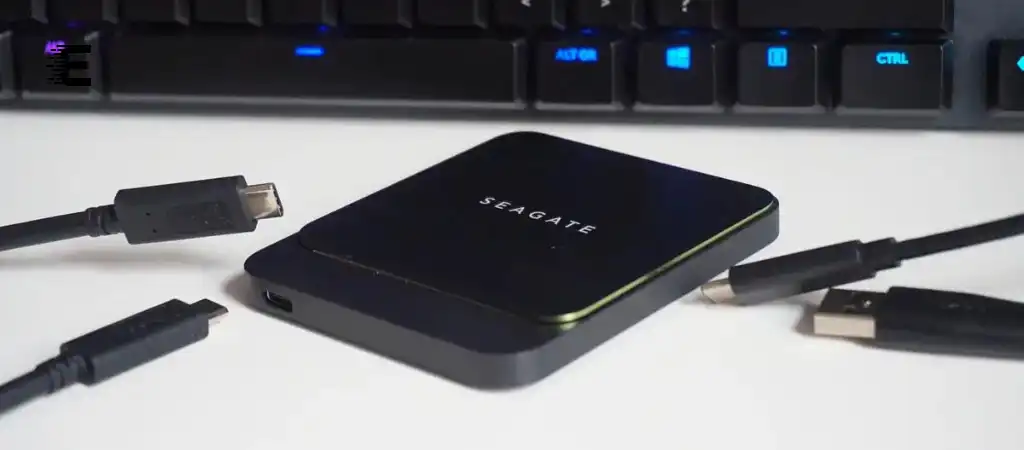
When it comes to choosing the right storage solution for your computer, the name “Seagate BarraCuda” often pops up in discussions. But what exactly is a Seagate BarraCuda? Is Seagate Barracuda SSD Or HDD? The answer is that Seagate BarraCuda encompasses both SSDs (Solid State Drives) and HDDs (Hard Disk Drives), offering users a wide range of storage options based on their specific needs.
In this comprehensive guide, we will delve into the differences between Seagate BarraCuda SSDs and HDDs, exploring their features, performance, and suitability for various use cases, helping you determine the Best External SSD Drive for your needs.
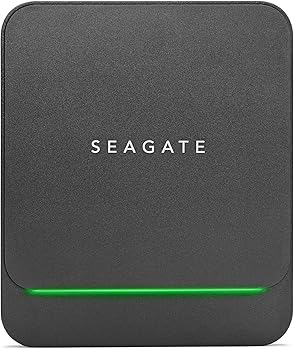
Seagate BarraCuda
Seagate, a leading name in the storage industry, has a long history of producing reliable and high-performance storage solutions. The BarraCuda line is one of Seagate’s most popular and versatile product families, known for offering both SSDs and HDDs. This versatility makes the Seagate BarraCuda series a go-to choice for a wide range of users, from casual PC users to gaming enthusiasts and professionals needing large storage capacities.
SSD vs. HDD
Before diving into the specifics of Seagate BarraCuda SSDs and HDDs, it’s essential to understand the fundamental differences between SSDs and HDDs.
What is an SSD?
A Solid State Drive (SSD) is a type of storage device that uses flash memory to store data. Unlike traditional hard drives, SSDs have no moving parts, which means they are faster, more reliable, and more durable. SSDs are known for their quick boot times, fast file transfers, and overall enhanced system responsiveness.
What is an HDD?
A Hard Disk Drive (HDD) is a traditional storage device that uses spinning magnetic disks to store data. Data is read and written by a read/write head that moves over the spinning disks. HDDs have been the standard in storage for decades, offering large storage capacities at a lower cost compared to SSDs. However, they are slower and less durable due to their mechanical parts.
Seagate BarraCuda HDDs
Seagate BarraCuda HDDs have been a staple in the storage market for years, providing a blend of performance, reliability, and affordability. They are designed to cater to a wide range of users, from everyday consumers to professionals who need vast amounts of storage.
Overview of Seagate BarraCuda HDD Models
Seagate offers various BarraCuda HDD models, each tailored to different needs.
The main models include:
-
BarraCuda 3.5-inch
This model is designed for desktops, offering storage capacities ranging from 500GB to 8TB. It’s ideal for users who need large storage at an affordable price.
-
BarraCuda 2.5-inch
This smaller form factor is designed for laptops and external enclosures. Capacities range from 500GB to 5TB, making it a versatile option for portable storage.
-
BarraCuda Pro
This high-performance version of the BarraCuda HDD offers capacities up to 14TB, with higher speeds and reliability features. It’s aimed at professionals who need a robust storage solution.
Performance Characteristics
BarraCuda HDDs are known for their consistent performance, offering speeds of up to 7200 RPM (revolutions per minute) in some models. This makes them suitable for tasks such as storing large files, running applications, and even gaming, although they are not as fast as SSDs.
The large storage capacities available in BarraCuda HDDs make them perfect for users who need to store vast amounts of data, such as multimedia files, games, and backups. However, the mechanical nature of HDDs means they are more susceptible to physical damage and slower in terms of data access compared to SSDs.
Common Use Cases
-
General Computing
For users who need a reliable and affordable storage solution for everyday tasks such as browsing, document editing, and media consumption, BarraCuda HDDs are an excellent choice.
-
Gaming
While SSDs are preferred for gaming due to their speed, BarraCuda HDDs offer a cost-effective solution for storing large game libraries.
-
Data Storage and Backup
The high capacity of BarraCuda HDDs makes them ideal for storing large amounts of data, including photos, videos, and backups.
Seagate BarraCuda SSDs
In response to the growing demand for faster and more durable storage solutions, Seagate expanded its BarraCuda line to include SSDs. BarraCuda SSDs are designed to deliver superior performance, especially in tasks that require high-speed data access.
Overview of Seagate BarraCuda SSD Models
Seagate BarraCuda SSDs come in various form factors and capacities, offering flexibility for different user needs:
-
BarraCuda 2.5-inch SSD
Available in capacities ranging from 250GB to 2TB, this SSD is designed for desktops and laptops. It uses the SATA interface, which offers compatibility with a wide range of devices.
-
BarraCuda 510 M.2 NVMe SSD
This model is designed for users who need ultra-fast performance. It uses the NVMe interface, offering speeds up to 3400 MB/s. Capacities range from 256GB to 2TB.
-
BarraCuda Q5 M.2 NVMe SSD
A more budget-friendly NVMe option, the Q5 offers decent performance with capacities ranging from 500GB to 2TB.
Performance Characteristics
BarraCuda SSDs are significantly faster than their HDD counterparts, with data transfer speeds that can reach up to 3400 MB/s in NVMe models. This makes them ideal for tasks that require rapid data access, such as booting up the operating system, launching applications, and transferring large files.
The lack of moving parts in SSDs also means they are more durable and less prone to failure due to physical shocks or drops. Additionally, SSDs consume less power, making them a better choice for laptops and portable devices where battery life is a concern.
Common Use Cases
-
Operating System Drive
BarraCuda SSDs are perfect for use as the primary drive for the operating system, ensuring quick boot times and fast system responsiveness.
-
Gaming
For gamers who demand the fastest load times and smooth performance, BarraCuda SSDs offer a significant advantage over HDDs.
-
Content Creation
Professionals working with large files, such as video editors and graphic designers, will benefit from the high-speed data access provided by BarraCuda SSDs.
Seagate BarraCuda SSD or HDD: Which Should You Choose?
Choosing between a Seagate BarraCuda SSD or HDD depends on several factors, including your budget, storage needs, and performance requirements.
Here’s a breakdown of the key considerations:
Price vs. Performance
SSDs are generally more expensive per gigabyte than HDDs, but they offer superior performance. If your primary concern is speed, particularly for tasks like gaming, video editing, or running applications, a Seagate BarraCuda SSD is the better choice. However, if you need a large amount of storage at a lower cost, a Seagate BarraCuda HDD may be more suitable.
Storage Capacity
HDDs offer much larger storage capacities at a lower price compared to SSDs. If you need to store vast amounts of data, such as a large media library or backups, a Seagate BarraCuda HDD is the more practical option. SSDs, while available in capacities up to 2TB, can become quite expensive at higher storage levels.
Durability and Reliability
SSDs are more durable than HDDs due to the lack of moving parts. They are less susceptible to damage from physical shock, making them a better choice for portable devices. HDDs, while reliable, are more prone to failure due to their mechanical components. For critical data storage, an SSD provides greater peace of mind.
Power Consumption
SSDs consume less power than HDDs, which is an important consideration for laptops and other portable devices. Reduced power consumption translates to longer battery life, making SSDs the preferred option for mobile computing.
You Might Be Interested In
- How Many Cores Does a GPU Have?
- What Are The 5 Functions Of A CPU?
- What Are Features In Machine Learning?
- What Is Arithmetic Logic Unit In Computer?
- How Many Processors Are On A GPU?
Conclusion
In summary, the Seagate BarraCuda series offers both SSDs and HDDs, catering to different user needs. Whether you choose a Seagate BarraCuda SSD or HDD depends on your specific requirements. For users who prioritize speed, durability, and power efficiency, the Seagate BarraCuda SSD is the clear winner. On the other hand, if you need a large storage capacity at a lower cost, the Seagate BarraCuda HDD remains a solid choice.
Both options carry the reliability and quality that Seagate is known for, so you can rest assured that you’re making a good investment, whether you opt for an SSD or an HDD. Ultimately, your decision should be guided by your storage needs, budget, and the specific tasks you intend to perform with your computer.
FAQs about Is Seagate Barracuda Ssd Or Hdd?
What are the primary differences between Seagate BarraCuda SSDs and HDDs?
The primary differences between Seagate BarraCuda SSDs and HDDs lie in their technology, performance, and use cases:
- Technology: Seagate BarraCuda SSDs use solid-state memory, meaning they have no moving parts, while Seagate BarraCuda HDDs use spinning magnetic disks and a read/write head to store and access data.
- Performance: Seagate BarraCuda SSDs are significantly faster than HDDs. They offer rapid data access and transfer speeds, making them ideal for tasks that require quick file operations, like booting up an operating system, gaming, or video editing. HDDs, on the other hand, offer slower data access due to their mechanical nature.
- Use Cases: Seagate BarraCuda SSDs are well-suited for users who prioritize speed, durability, and energy efficiency, such as gamers and professionals working with large files. Seagate BarraCuda HDDs are better for users needing large storage capacities at a lower cost, such as for media libraries, backups, or general data storage.
How do I decide whether to choose a Seagate BarraCuda SSD or HDD for my computer?
Choosing between a Seagate BarraCuda SSD or HDD depends on your specific needs:
- Performance Needs: If you require fast system responsiveness, quick boot times, and rapid data access, a Seagate BarraCuda SSD is the best choice. This is particularly important for tasks like gaming, video editing, or running resource-intensive applications.
- Storage Capacity: If you need a large amount of storage at an affordable price, a Seagate BarraCuda HDD is more suitable. HDDs offer much larger capacities (up to 14TB) compared to SSDs, making them ideal for storing extensive media libraries, backups, or large collections of files.
- Budget: SSDs are more expensive per gigabyte than HDDs. If you are on a budget and need extensive storage, an HDD may be the better option. Conversely, if performance is your top priority and you can afford the higher cost, an SSD will offer a noticeable speed advantage.
- Durability and Portability: For laptops or portable devices, an SSD is preferable due to its durability (no moving parts) and lower power consumption, which extends battery life.
Can I use both a Seagate BarraCuda SSD and HDD in the same system?
Yes, you can use both a Seagate BarraCuda SSD and HDD in the same system. This is a common configuration known as a hybrid setup, which allows you to take advantage of the strengths of both types of storage:
- SSD for Operating System and Applications: In a hybrid setup, the SSD is typically used as the primary drive (boot drive) where the operating system, applications, and games are installed. This setup ensures fast boot times and quick access to frequently used files and programs.
- HDD for Storage: The HDD is used as a secondary drive for storing large files, such as media libraries, backups, or less frequently accessed data. This setup provides ample storage space at a lower cost while maintaining high system performance for daily tasks.
This hybrid approach is cost-effective and maximizes both performance and storage capacity.
How does the power consumption of Seagate BarraCuda SSDs compare to HDDs?
Seagate BarraCuda SSDs consume less power compared to HDDs. This difference in power consumption is mainly due to the absence of mechanical parts in SSDs.
Here’s how it impacts your system:
- Battery Life: In laptops and portable devices, using an SSD can lead to longer battery life. Since SSDs draw less power, they are more energy-efficient, which is particularly beneficial for mobile computing.
- Heat Generation: SSDs also generate less heat compared to HDDs. Lower power consumption and heat output can contribute to a quieter and cooler system, reducing the need for additional cooling solutions.
- Overall Efficiency: The lower power requirements of SSDs make them ideal for modern energy-efficient systems, especially where power usage is a concern, such as in laptops, ultrabooks, and small form-factor PCs.
What kind of warranty and reliability can I expect from Seagate BarraCuda SSDs and HDDs?
Seagate BarraCuda SSDs and HDDs are known for their reliability, and both come with warranties that reflect Seagate’s confidence in their durability:
- Seagate BarraCuda HDDs: Typically, Seagate BarraCuda HDDs come with a 2 to 5-year limited warranty, depending on the model. The Pro models, designed for more demanding use, offer longer warranties (up to 5 years). These drives are engineered to be reliable and are backed by Seagate’s long-standing reputation in the storage industry.
- Seagate BarraCuda SSDs: Seagate BarraCuda SSDs generally come with a 3 to 5-year limited warranty, depending on the specific model. SSDs tend to have a longer lifespan due to the absence of mechanical parts, reducing the risk of physical wear and tear.
- Reliability: Both SSDs and HDDs in the BarraCuda series are built to last. SSDs, with no moving parts, are inherently more durable and less prone to damage from physical shock. HDDs, while more susceptible to mechanical failure, are still highly reliable, particularly for users who need large storage capacity.
