


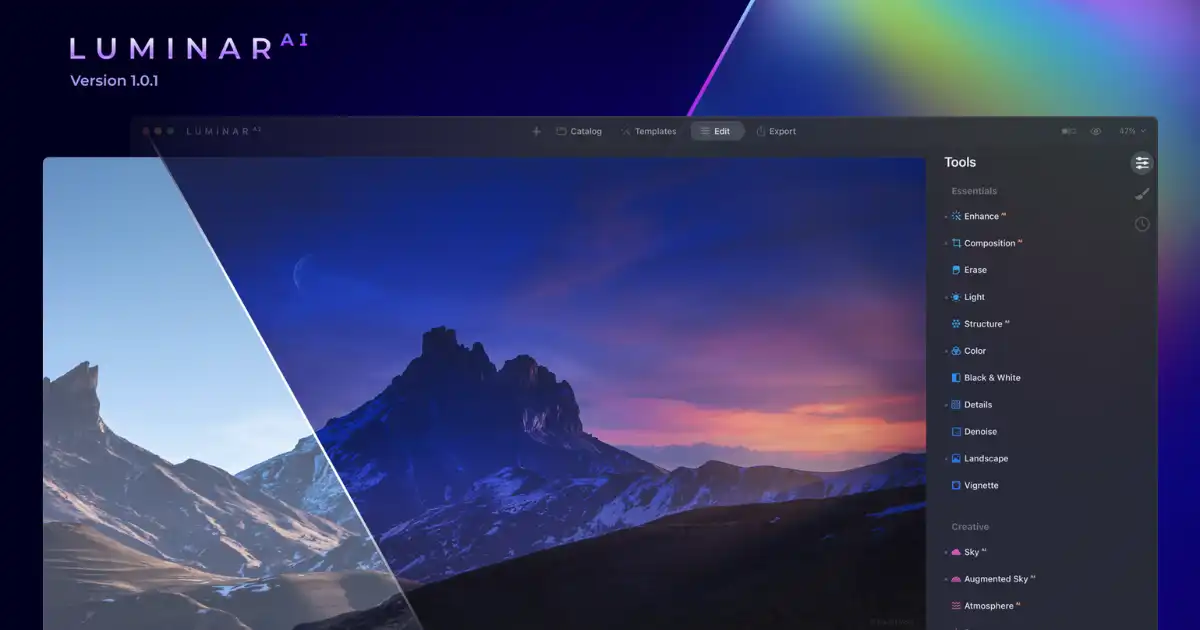
Imagine capturing a breathtaking landscape, only to find that the sky is overcast and dull. Or perhaps you’ve snapped a portrait, but the lighting isn’t quite flattering. What if you could transform these images effortlessly, enhancing their beauty in mere clicks? Enter Luminar AI, a groundbreaking photo editing software that harnesses the power of artificial intelligence to elevate your photography.
Whether you’re a seasoned photographer or a casual enthusiast, Luminar AI promises to revolutionize your editing workflow. But does it live up to the hype? In this comprehensive guide, we’ll delve into its features, performance, pros and cons, and help you decide if it’s the right tool for you.
What Is Luminar AI?
Developed by Skylum, Luminar AI is an AI-powered photo editing software designed to simplify the editing process. Unlike traditional editing tools that require manual adjustments, Luminar AI automates complex tasks, allowing users to enhance their photos with minimal effort.
Key Features
-
AI Sky Replacement
Instantly replace dull or overcast skies with vibrant, realistic alternatives.
-
Portrait Enhancer
Automatically retouch portraits, adjusting skin tones, eyes, and facial features.
-
Structure AI
Enhances details in images without affecting skin tones, ideal for landscapes and architecture.
-
Composition AI
Suggests optimal cropping and alignment to improve image composition.
-
Atmosphere AI
Adds realistic fog, mist, or haze to create mood and depth.
Performance and Usability
Speed and Efficiency
One of Luminar AI’s standout features is its speed. Thanks to AI optimization, tasks that traditionally took minutes can now be completed in seconds. This efficiency is particularly beneficial for photographers working with large batches of images.
User-Friendly Interface
The software boasts an intuitive interface, making it accessible to both beginners and professionals. With its clean layout and easy-to-navigate tools, users can quickly familiarize themselves with the editing process.
Compatibility
Luminar AI is compatible with both Windows and macOS platforms. Additionally, it can function as a standalone application or as a plugin for Adobe Lightroom and Photoshop, offering flexibility to users within different ecosystems.
Pros and Cons
Pros
-
Time-Saving Automation
AI-driven features automate tedious tasks, allowing photographers to focus on creativity.
-
High-Quality Results
The software delivers professional-grade edits, enhancing photo quality significantly.
-
Regular Updates
Skylum provides consistent updates, introducing new features and improving existing ones.
-
Affordability
Compared to other professional editing software, Luminar AI offers a cost-effective solution.
Cons
-
Limited Advanced Editing Tools
While AI features are robust, some advanced manual editing tools are limited.
-
Learning Curve
New users might require some time to fully grasp all features and functionalities.
-
Occasional Performance Hiccups
Some users have reported minor bugs and performance issues, though these are typically addressed in updates.
Real-World Applications
Landscape Photography
For landscape photographers, Luminar AI’s AI Sky Replacement and Structure AI tools are invaluable. They can transform a flat, overcast sky into a vibrant sunset and bring out intricate details in mountainous terrains, all with minimal manual input.
Portrait Photography
Portrait photographers can benefit from the Portrait Enhancer tool, which automatically adjusts skin tones, sharpens eyes, and subtly retouches facial features, ensuring a natural yet polished look.
Event Photography
Event photographers can use Luminar AI to quickly process large volumes of images, applying consistent edits across batches, saving time during post-production.
Comparison with Other Editing Software
| Feature | Luminar AI | Adobe Lightroom | Photoshop |
|---|---|---|---|
| AI Sky Replacement | Yes | No | No |
| Batch Processing | Yes | Yes | Yes |
| Portrait Retouching | Yes | Limited | Advanced |
| Cost | Affordable | Subscription | Subscription |
While Adobe Lightroom and Photoshop offer advanced editing tools, Luminar AI’s unique AI-driven features provide a distinct advantage in specific scenarios, especially for users seeking efficiency and automation.
You Might Be Interested In
- How Does A Software Automation Platform Streamline Tasks?
- How To Auto-take Meeting Notes With Ai?
- How Do Vector Search Algorithms Improve Data Retrieval?
- How Does Deepfake Detection Ai Identify Fake Content?
- How To Identify Supervised Learning?
- What Are The Daily Tasks Of Managed It Services?
- How To Add Watermark In Luminar Ai?
- Future Of Ai In 5 Years: Realistic Directions
- Who Made Sophia The Robot?
- How Does Virtual Server Hosting Support Websites?
Conclusion
In conclusion, Luminar AI emerges as a groundbreaking tool in the world of photo editing, particularly for photographers and content creators looking to enhance their images with minimal effort. Its innovative use of artificial intelligence sets it apart from traditional editing software, providing users with an intuitive and efficient way to transform ordinary photos into visually stunning works of art. Tools like AI Sky Replacement, Portrait Enhancer, and Structure AI not only save time but also allow users to achieve results that often rival professional manual editing. This combination of speed, precision, and creativity makes it an attractive option for both beginners and experienced photographers.
What truly makes Luminar AI remarkable is its ability to balance automation with artistic control. While the software simplifies complex tasks, it still offers flexibility for users who want to apply personal touches to their photos.
For instance, the AI Sky tool doesn’t just swap skies automatically; it allows users to fine-tune the replacement, adjust lighting, and even blend reflections seamlessly, ensuring the final image looks natural and professional. Moreover, the software’s consistent updates show Skylum’s commitment to improving functionality and addressing user feedback, which helps maintain its relevance in a rapidly evolving digital photography landscape.
FAQs about Luminar Ai
Do professional photographers use Luminar AI?
Yes, many professional photographers use Luminar AI, especially those who want to save time on editing without sacrificing quality. Luminar AI is designed to make complex photo editing easier by using artificial intelligence to automatically improve things like color, lighting, and detail. Professionals often use it for tasks such as enhancing landscapes, retouching portraits, or creating creative effects quickly. While some photographers still prefer traditional software for certain advanced edits, Luminar AI is widely appreciated for its speed, efficiency, and smart editing tools. It can be a powerful addition to a professional workflow.
Is Luminar as good as Photoshop?
Luminar AI and Photoshop serve different purposes, so whether one is “as good” as the other depends on what you need. Photoshop is extremely powerful and can do almost anything, including very detailed edits, graphic design, and manipulation. Luminar AI, on the other hand, focuses mainly on photo enhancement and editing using AI tools, which makes it faster and easier for photographers who want great results without spending hours on complex adjustments. For everyday photography and creative enhancements, Luminar AI is excellent, but for intricate, professional-level design or heavy compositing, Photoshop is usually still preferred.
Is Luminar AI free?
No, Luminar AI is not free. It is a paid software, though they sometimes offer a free trial so you can test it before buying. The full version gives you access to all its AI tools and features, which are designed to make photo editing much faster and more intuitive. While there are some free alternatives for basic photo editing, Luminar AI stands out because of its AI-powered enhancements, which save a lot of time compared to manual editing.
Which is better, Luminar AI or Luminar Neo?
Luminar Neo is the newer version of Luminar AI, and it comes with some improved features and more flexibility. It has better AI tools, more advanced masking, and layer options, making it slightly more powerful for creative edits. Luminar AI is simpler and easier to use, which might be perfect for beginners or those who just want quick, effective results. Essentially, if you want the newest features and more control, Luminar Neo is better. But if you want simplicity and speed, Luminar AI is still a strong choice.
Which AI is fully free?
There are a few AI photo editors that are fully free, though they may not have all the advanced features of paid software like Luminar AI. Free options often include basic tools for enhancing photos, removing backgrounds, or adjusting colors. Some popular free AI-based tools include online editors and mobile apps that let you quickly improve photos without paying. While these free tools are great for beginners or casual use, professional photographers often choose paid options for more powerful and precise editing capabilities.
