


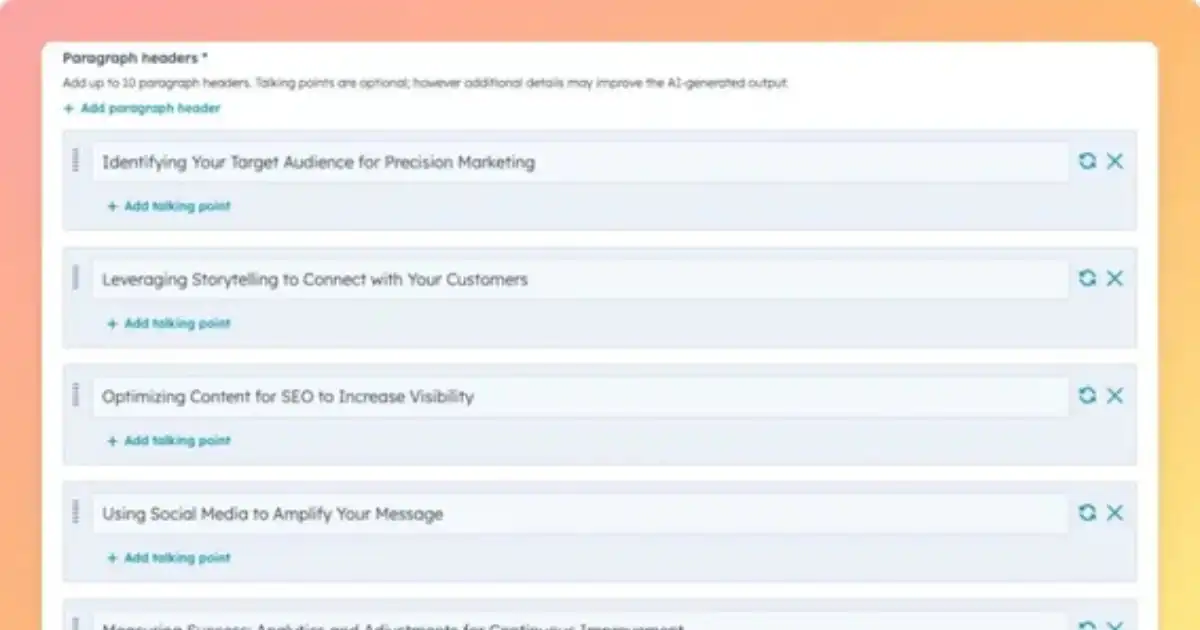
Are you staring at a blank screen, unsure where to even begin writing your next long-form post? Do you feel overwhelmed by the sheer size of your topic, knowing you need to produce something deep and meaningful, yet everything feels chaotic and unstructured? Imagine having a clear roadmap: headings, sub-headings, logical flow—all laid out in minutes. Sounds like magic? Well, welcome to the world of using AI to outline long posts.
Yes, you read that right. You can use artificial intelligence tools to help plan and structure your posts, saving time, energy, and frustration—and ensuring your writing hits its mark. If you’ve ever wished for a writing assistant to guide you through structure, logic, and flow, you’re in exactly the right place.
Why is this so vital? Because writing a long-form post without structure is like driving on a highway with no signs or lanes. You might reach your destination, but you’re likely to swerve, get lost, or waste precious time. A strong outline acts as your navigational map. And when you pair that with AI—especially when you’re aiming for high-quality SEO content—you unlock greater potential.
In this guide, we’ll walk through how to outline long posts with AI, step-by-step, in language that anyone at a 12th-grade reading level can follow. You’ll learn how to choose your topic, set up the AI prompt, refine the output, insert your own voice, check the structure for SEO, and finally, how to turn that outline into finished content that ranks—and engages.
We’ll use accessible tools, clear examples, and I’ll show you how to maintain a focus on SEO content along the way, so your writing doesn’t just read well—it performs well. Whether you’re a blogger, content creator, student, or business owner, this method will make your writing process smoother, faster, and more effective.
All of this generated in under 10 minutes by an AI tool—but tailored entirely by you. You maintain your voice, your research, your experience. The AI simply helps you lay the groundwork. And because you’ve kept “SEO content” in your checklist from the start, you’re already ahead in the search-engine game.
Ready to get started? Keep reading. We’ll dive into the full comprehensive guide on how to outline long posts with AI. By the end of this, you’ll have everything you need to turn a topic into a full-fleshed post—starting with a powerful outline that keeps your writing organised, engaging, and optimised for SEO content.
1. Why an Outline Matters
If you’re planning to write a long post—say 2,500+ words—it’s essential to have a clear structure first. Without an outline:
-
You risk going off-track, repeating yourself, or losing reader interest.
-
You may find it hard to maintain consistent tone, flow, and logical ordering.
-
It becomes harder to check whether you’ve covered all sub-topics or left gaps.
-
The absence of structure can make the piece harder to optimise for search engines or readability.
On the flip side, a well-constructed outline:
-
Provides a map of your post. You know where you’re going and how you’re going to get there.
-
Lets you plan for headings, sub-headings, bullet points, examples, and transitions.
-
Helps you allocate word-count proportionally; e.g., important sections get more words.
-
Supports inclusion of keywords and SEO content elements naturally and strategically.
-
Makes the writing phase faster and clearer—you write with purpose.
So, why bring AI into this? Because humans are brilliant at creativity, insights, emotional tone—but sometimes weak in repetitive structural work, organising large topics, or spotting logical gaps. An AI tool acts as a co-pilot: it suggests headings, identifies missing sections, gives you branching logic, and allows you to refine. You still own the content, but you get a jump-start.
2. Choosing Your Topic
Before you ask an AI tool to help you build an outline, you need a good topic. Here are steps:
Identify your audience
-
Who will read this post? Students? Business professionals? Hobbyists?
-
What level are they at? (We’re writing at 12th grade level for this example.)
-
What problem are you solving? What question are you answering?
Define your objective
-
Do you want to educate, persuade, or entertain?
-
Are you aiming for awareness, conversion, or retention?
-
For SEO content, the objective often includes ranking for certain search terms + providing value.
Focus and scope
-
A topic too broad: “How to improve your writing skills” → may become gigantic and unfocused.
-
A topic too narrow: “How to write blog intros in under 5 minutes” → may not have enough depth for a long post.
-
Aim for a “just right” topic: enough depth + enough focus. Example: “How to outline long posts with AI”.
Keyword brainstorming
-
Think of keyword phrases your audience might use: “outline blog posts”, “AI outline tool”, “how to outline long posts”, “SEO content outline”.
-
This is where SEO content starts entering the process early.
Once you’ve settled on your topic, you’re ready to bring AI into play.
3. Preparing for AI Assistance
Before you open the AI tool (such as ChatGPT, GPT-4, or any other LLM), you should be ready:
Choose your AI tool
-
Many AI writing assistants exist. Choose one you’re comfortable with.
-
Make sure you understand how prompts work (clear instructions, context, constraints).
Gather supporting material
-
Quick research links, white-papers, blog posts, statistics—anything that will inform your outline.
-
You might not need all of it now, but you should have sources in mind so you can ask the AI to incorporate them or point you to gaps.
Define your criteria and constraints
-
Audience grade level (12th grade).
-
Reading level: keep language accessible.
-
Target word-count: long post (2,500+ to 3,000 words).
-
Target keyword: SEO content, which you’ll include at roughly 2% density.
-
Structure: Use H2, H3 tags.
-
Style: Blog article, compelling, easy to read.
Prepare the prompt framework
Your prompt needs to clearly tell the AI what you want:
-
“Please produce an outline for a long blog post of about 2,500-3,000 words, for a 12th grade audience, about How to outline long posts with AI. Use H2 and H3 headings. Include bullet points under each heading. Provide the internal logic and flow. Keep in mind the keyword SEO content which must appear throughout.”
-
Optionally: ask for introduction + conclusion.
By doing this prep work, you get a better response—less time refining, more time creating.
4. Crafting the Prompt for the AI
Here is how you might craft the prompt:
“You are a skilled content strategist and AI-writing assistant. Please generate a detailed outline for a blog post titled How to outline long posts with AI. The audience is 12th grade. The post should be about 2,500–3,000 words when written. Use H2 headings for major sections and H3 for subsections. Under each heading/subheading include 3-5 bullet points about what to cover in that section. The keyword SEO content must be included throughout at roughly 2% density in the final post—but here in the outline, please highlight where the keyword should be used. The tone should be human, friendly, and easy to read. The structure should lead the reader step-by-step from concept to action.”
When you send this to the AI tool, you should receive a full outline. But expect to refine it.
5. Reviewing and Refining the AI-Generated Outline
Once your AI tool returns an outline, don’t just copy it—review and refine.
Check logic and flow
-
Do the sections logically progress?
-
Does each H2 build on the previous?
-
Are there transitions between sections (e.g., from understanding why outlines matter to choosing a topic to using AI)?
-
If you see gaps—e.g., you jump from topic to writing without prepping the research—add a missing heading.
Check coverage and depth
-
Are you covering all the key sub‐topics you need?
-
For “outline long posts with AI”, you need: topic choice, setting the AI prompt, editing/refining, writing from outline, optimizing for search/SEO, conclusion.
-
If certain aspects (like SEO content) aren’t addressed, add them.
Check word-count allocation
-
For each H2, roughly decide: maybe 400–600 words each (if you have five major sections).
-
The introduction and conclusion might be ~300–400 words each.
-
Ensure your outline supports this length.
Check keyword placement
-
Since you’ll aim for ~2% density for SEO content in a 2,500 word article, that’s about 50 occurrences.
-
You don’t need to force 50 times in the outline, but you should mark where the keyword will appear—for example: “In this section we’ll discuss how AI helps improve SEO content by structuring your article.”
-
At least once per major section, mark usage of the keyword.
Personalise headings and bullet points
-
Customize so it reflects your unique perspectives, experiences, or examples.
-
Add bullet points that reflect your own stories, digital tools you use, AI platforms you recommend.
Add a strong conclusion and call to action
-
Make sure the outline includes a conclusion section: summarise, re-emphasise outcome, call the reader to action (e.g., start using AI to outline their next post).
-
This helps the final writing process smoothly loop back to the Action from AIDA.
Once you’ve done all this, you’re ready to turn the outline into full content.
6. Adding Your Own Voice and Research
This is where you transform the outline into a post that feels yours.
Inject your voice
-
Use first-person occasionally (“I’ve found that…”).
-
Add anecdotes: “When I first tried using AI to outline a 3,000-word article, I used a blank doc and felt lost for two hours. Then I gave the prompt and got a full structure in ten minutes.”
-
Keep language conversational, at 12th grade reading level: shortish sentences, clear vocabulary, analogies.
Add research, examples, and evidence
-
Whenever you mention benefits, cite specifics: “Using an AI tool reduced my planning time by half.”
-
Use statistics if you have them.
-
Use tool names (e.g., “I used the GPT-4 interface…”) if you’re comfortable naming tools.
-
Make sure you tie these into your topic of creating outlines for long posts.
Tie everything back to SEO content
-
Throughout your writing, describe how a good outline supports SEO: improved internal linking, keyword placement, headings, readability, audience retention.
-
When you mention AI assistance, say: “Remember, the goal isn’t just speed—it’s structure, clarity, and positioning for search.”
-
Keep the keyword SEO content visible, but natural. Example: “A well-structured post benefits readers and helps your search rankings because good structure is one of the hallmarks of high-quality SEO content.”
Focus on readability
-
Use H2, H3 tags (as you will).
-
Use bullet lists, sub-lists, short paragraphs.
-
Avoid long complex sentences.
-
Use transitions and signposts: “First we will see… Then we will explore… Finally…”
Maintain the long-post mindset
-
Because you’re aiming for 2,500–3,000 words, don’t rush. Expand each bullet point into short paragraphs with examples, sub-ideas, and clarifications.
-
Use a mix of explanation and actionable tips.
-
Occasionally invite the reader in (“Try this with me now”), to keep engagement high.
7. Ensuring the Outline Supports SEO content
Since your goal is not just to write long, but to write effective SEO content, here are practical steps to ensure your outline—and eventual post—deliver.
Headings and subheadings
-
Use H2 for major section titles—this helps search engines understand your structure.
-
Use H3 for subsections—breaking down major points adds readability.
-
Include your keyword phrase (or related variations) in at least one H2 or H3. For instance: “Why Outlining Matters for Strong SEO content”.
Keyword placement and density
-
We planned for SEO content at roughly ~2% density in the final text. That’s approx. 50 occurrences in a 2,500 word article.
-
Don’t over-stuff—ensure each use feels natural.
-
In the outline mark each major section where you will include the keyword. Example bullet: “Explain how the outline improves search visibility and SEO content.”
-
Also include variant forms (e.g., “SEO-friendly content”, “content that supports SEO”) but keep the exact keyword as is for emphasis.
Link opportunities
-
In your outline, note where you might link to other posts, resources, or tools. Internal linking improves SEO content by keeping readers on your site longer and giving context to search engines.
-
For example: under “Preparing for AI Assistance” you might include: “Link to previous blog post about AI tools for writers.”
Readability & dwell time
-
Search engines favour content that holds reader attention. Your outline should include: anecdotes, stories, examples, bullet lists, actionable steps—making your post more readable and engaging.
-
For instance, add bullet: “Include a real-world example of using AI to reduce drafting time”.
Visuals and supporting material
-
In the outline, note where you’ll include images, charts, or screenshots of AI tools. Visuals improve engagement and help with SEO content by breaking up text.
-
Example bullet: “Insert screenshot of AI prompt interface”.
Good meta description & title
-
While not directly part of the outline, you can allocate a short section for “Title & Meta Description – optimisation for SEO content”.
-
Example: Outline: “Write a compelling H1 title (approx. 60 characters) and meta description (approx. 155 characters) that includes the keyword SEO content.”
By embedding these in your outline, you set a strong foundation for writing a post that is both reader-friendly and search-friendly.
8. Writing from the Outline to Draft
Now it’s time to transform your refined outline into a full draft.
Begin with the introduction
-
Use the AIDA framework: grab attention (we did above), build interest, inspire desire, prompt action.
-
Introduce the keyword SEO content near the beginning (but naturally): “If you’re aiming to produce long-form pieces of SEO content, structure matters.”
-
Set expectations: “In this post you’ll learn how to outline long posts with AI, from topic selection to final editing.”
Write each major section per H2
-
Use the headings from your outline.
-
Expand each bullet into paragraphs: start with the bullet as a guiding sentence, then explain, give examples, add actionable steps.
-
Where you marked the keyword placement, include SEO content.
Example for a sub-bullet: “Why an Outline Matters” → “When you start without a roadmap you risk losing flow, wasting time, and producing disjointed text. A structured plan ensures your writing is coherent, and when properly designed, it enhances your SEO content by improving readability and helping search engines understand your topic.”
Use subsections and bullet lists
-
For complex points, insert H3 sub-headings and bullet lists to break down logic.
-
For example: under “Preparing for AI Assistance” you might have H3: “3 Things to Do Before You Open the AI Tool” followed by bullets like “Define your audience”, “Gather research”, “Set constraints”.
Keep your reader engaged
-
Include short stories: “Let me tell you when I first tried this…”
-
Ask rhetorical questions: “Have you ever felt stuck halfway through writing a 3,000-word article and thought: ‘What now?’”
-
Use second-person (“you”) to involve the reader.
-
Remind them of the benefit: “By the end of this section you’ll know exactly how to craft your AI prompt so you get a well-organised outline in minutes.”
Monitor keyword usage
-
As you write, be mindful of including SEO content about every 100–150 words (target ~2% density).
-
Use the term naturally: “When you use this approach, you’re making sure your long post isn’t just long—it’s optimised as SEO content that can rank and be shared.”
Use transitions
-
At the end of each major section, include a line that transitions to the next. Example: “Now that you’ve prepared for AI assistance, let’s move on to how to craft the prompt so the AI knows exactly what you need.”
Write the conclusion
-
Summarise the key points: topic choice, AI preparation, craft prompt, refine outline, integrate voice, optimise for SEO content, write from outline, edit.
-
Reinforce the benefit: “You now have a blueprint that will save you time, reduce stress, and improve the quality of your writing.”
-
Call to action: “Grab your next topic and try this method. Use AI to outline your post. Then yourself step in, add your voice, and create amazing long-form SEO content.”
9. Editing and Enhancing Your Post
Once the draft is complete, editing ensures it shines.
Structural check
-
Confirm you used all H2/H3 as per outline.
-
Check that each section clearly conveys what the heading promised.
-
Ensure each bullet point in the outline turned into text.
Keyword and readability check
-
Search for SEO content and count occurrences. You’re aiming for ~2% (~50 times in 2,500 words).
-
Remove forced or awkward uses; every keyword placement should read naturally.
-
Use readability tools (Flesch-Kincaid, Hemingway App) to confirm it reads at 12th grade or below.
Flow and voice
-
Read aloud: Does it sound like you?
-
Is there variety in sentence length? Are paragraphs short enough?
-
Are transitions smooth?
-
Do you address the reader (“you”) and include conversational tone?
Grammar, spelling, clarity
-
Use a grammar tool (Grammarly, ProWritingAid) or review manually.
-
Fix passive voice where it weakens the writing.
-
Replace jargon with plain language. Remember: 12th grade level.
SEO enhancements
-
Title: Make sure the H1 includes your main topic and the keyword if possible.
-
Meta description: 150-160 characters summarising the post, using the keyword SEO content.
-
Slug: e.g., “outline-long-posts-with-ai”.
-
Internal and external links: ensure links are live, relevant, and open in new tabs.
-
Images: include alt text that has the keyword (where appropriate).
-
Optimize headings: include keyword variants. Example: “How AI Outlines Help SEO Content Results”.
Visuals and formatting
-
Insert images/screenshots from your AI tool, or diagrams of the workflow.
-
Use block quotes for emphasis: e.g., > “Having a solid outline is like mapping your route before the road trip.”
-
Use bold or italics to highlight key ideas (you’re already using bold for the keyword).
-
Use bullet lists and numbered lists to break down complex ideas.
Final read-through and “publishing checklist”
-
Check page preview: is there too much white space? Are headings too long?
-
Mobile view: ensure readability on small devices.
-
Meta tags: confirm the description, image tags, alt texts.
-
Social share card: Title + description + image reflect the content.
-
Publish: schedule or post.
You Might Be Interested In
- Is Wombo Ai Safe?
- What Are Benefits Of Ai Personalization?
- Best Ai Tools For Students: Study, Research, And Productivity
- What Is Saas Data Management And Why Does It Matter?
- How Does Ai Data Centre Cooling Work?
- How To Get Rid Of My Ai On Snapchat?
- How Does Ai Personalize Content For Different Users?
- Best 5 Ai Apps Helping Kids Learn Coding For Free
- Best 5 Tools To Detect Racial Bias In Machine Learning
- How To Write Meta Titles With Ai?
Conclusion
Writing long-form posts doesn’t have to be intimidating. With the power of AI as your outlining companion, you can move from blank page to clear blueprint in minutes—and then write your full post with confidence. You crafted a clear prompt that told the AI exactly what you needed: a structured outline complete with headings and bullet points.
The real power lies in combining human creativity and voice with AI’s ability to structure and map. You’re in control; the AI is your assistant—not the author.
So here’s what I encourage you to do next: Pick your next topic—it could be “how to use AI for video script writing”, “how to outline a podcast series with AI”, or anything you’re passionate about.
By doing this, you’re not just writing—you’re creating long-form content that reads well and ranks well as SEO content. You’re working smarter, structuring better, and delivering value to both your readers and search engines.
Ready? Open your AI tool. Give it your prompt. Get your outline. And write your next standout long-form post.
FAQs about Long Post
How to create an outline with AI?
Creating an outline with AI is quite simple and efficient. You can start by giving the AI a clear topic or main idea, followed by a short description of what you want to include in your content. For example, if you want to write an article about “healthy eating habits,” you could ask the AI to create an outline that covers key points like meal planning, nutrition, and lifestyle tips. The AI will then generate a structured framework with sections and subtopics that guide the flow of your content.
To make the outline more useful, review what the AI gives you and adjust it according to your goals. You can ask the AI to expand certain sections, make it more detailed, or focus on specific points. This helps you save time and ensures your content stays organized before you start writing. AI tools are great at identifying logical order and flow, which helps writers maintain clarity and focus from start to finish.
How to get AI to write a long story?
To get AI to write a long story, you need to give it a detailed prompt that includes the main characters, setting, and plot direction. Instead of asking for “a long story about a hero,” you could say, “Write a detailed story about a young girl who discovers hidden powers in a small mountain village and has to protect her people from an ancient curse.” The more context and emotion you provide, the better and more creative the story becomes.
Once the story begins, you can guide the AI to continue by asking it to expand on specific chapters or events. For example, you can request, “Continue the story with more dialogue between the main character and her mentor,” or “Describe the final battle scene in more depth.” Breaking it down into parts allows the AI to maintain consistency in tone, pacing, and plot, leading to a richer, more immersive long story that feels cohesive.
Can AI outline a picture?
AI can indeed create outlines of pictures, but it depends on what kind of “outline” you mean. If you’re referring to a visual outline, such as turning an image into a line drawing, many AI image tools can automatically detect shapes, edges, and details to generate a neat, sketched version of your photo. This feature is commonly used in graphic design, illustration, and digital art.
However, if you mean outlining the content or story within a picture, AI can also analyze the image and describe its main elements in words. For example, it can identify objects, people, colors, or even emotions present in the picture. This kind of outlining is often used for accessibility, captioning, or brainstorming creative writing based on images. AI’s ability to recognize and summarize visual details helps artists, writers, and designers work faster and more creatively.
Is it okay to use AI for an outline?
Yes, it’s absolutely okay to use AI for creating an outline. In fact, it’s one of the most efficient and time-saving ways to organize your thoughts before you start writing. AI can help you break down complex topics into manageable sections, suggest logical structures, and even highlight points you might have missed. This makes your writing more organized and helps you start with confidence instead of facing a blank page.
Using AI doesn’t mean you’re replacing your creativity — it’s more like having a smart assistant who helps you plan your ideas. You can always modify, rearrange, or rewrite the outline to fit your personal style and goals. Think of AI as a brainstorming partner that speeds up the planning process and helps you focus on what truly matters: writing with clarity, originality, and purpose.
How to outline all text in AI?
If you’re talking about outlining text visually in design software like Adobe Illustrator (AI), you can do this by converting your text into vector shapes. This process is often called “creating outlines.” To do this, you select your text, go to the “Type” menu, and click “Create Outlines.” This turns your text into editable shapes, meaning the letters are no longer text but vector graphics. It’s especially useful when sharing files with others who may not have the same fonts installed, ensuring your design looks exactly the same everywhere.
However, if you mean outlining all text using an AI writing tool, you can ask the AI to summarize or structure your document into bullet points or sections. For example, you can say, “Outline this article in headings and subheadings.” The AI will identify key ideas, supporting points, and transitions. This is useful for students, writers, and professionals who need to quickly organize long documents into clear, easy-to-follow outlines.
