


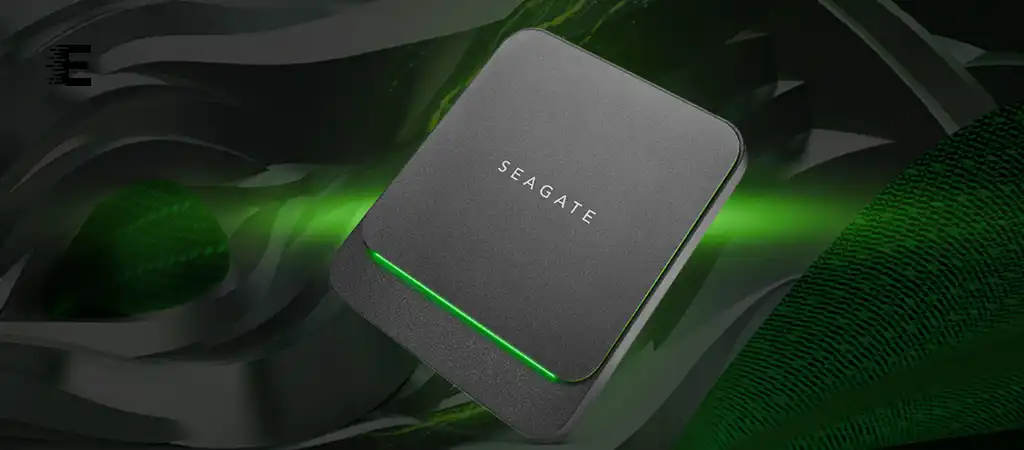
The Seagate BarraCuda is a name synonymous with reliability, performance, and versatility in the world of hard drives. Whether you’re a tech enthusiast, a gamer, a content creator, or just someone who needs a dependable storage solution, the Seagate BarraCuda series offers a range of options tailored to various needs. Is 1TB SSD Good for Gaming?
This comprehensive guide will delve into the specifics of what the Seagate BarraCuda, one of the best external SSD drives, is used for, exploring its features, benefits, and applications across different user profiles.
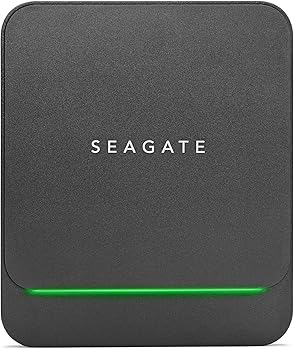
Seagate BarraCuda
Before we dive into the specific uses of the Seagate BarraCuda, it’s essential to understand what this hard drive series is all about. The Seagate BarraCuda series is a family of internal hard drives known for their reliability, performance, and storage capacity.
They come in various capacities, ranging from 500GB to 8TB, and are available in both 2.5-inch and 3.5-inch form factors, making them suitable for laptops, desktops, and even external enclosures.
Key Features of the Seagate BarraCuda
-
Versatility
The Seagate BarraCuda series is designed to cater to a wide range of users, from casual consumers to professionals. Its broad compatibility with different devices and operating systems makes it a go-to choice for many.
-
Performance
With spindle speeds of 5400 RPM and 7200 RPM, along with large cache sizes (up to 256MB), the BarraCuda series ensures quick data access and smooth performance, which is crucial for tasks like gaming, video editing, and large file transfers.
-
Capacity
One of the standout features of the Seagate BarraCuda is its large storage capacity. With models offering up to 8TB of space, users can store massive amounts of data, including games, videos, photos, and other large files.
-
Affordability
Despite its high performance and large storage capacities, the Seagate BarraCuda is known for being affordable, making it accessible to a wide range of users.
-
Reliability
Seagate has a long-standing reputation for producing reliable hard drives, and the BarraCuda series is no exception. With advanced features like Multi-Tier Caching Technology (MTC) and low power consumption, these drives are built to last.
What is the Seagate BarraCuda Used For?
Now that we have a clear understanding of what the Seagate BarraCuda is, let’s explore the various applications and scenarios where this hard drive series shines.
Gaming
The Need for Storage in Gaming
Gaming has evolved tremendously over the years, with modern games requiring more storage space than ever before. High-definition textures, expansive open worlds, and frequent updates mean that a single game can easily take up 50GB or more of space. For avid gamers, this can quickly add up, necessitating a storage solution that can keep up with their growing library.
How Seagate BarraCuda Fits the Bill
The Seagate BarraCuda is an excellent choice for gamers due to its large storage capacities and fast performance. With options going up to 8TB, gamers can store numerous AAA titles, indie games, and everything in between without worrying about running out of space. The 7200 RPM models, in particular, offer the speed needed to reduce load times, ensuring a smooth gaming experience.
Content Creation
The Demands of Content Creation
Content creators, whether they are videographers, photographers, or graphic designers, work with large files daily. High-resolution video footage, RAW image files, and complex project files can quickly eat up storage space. Moreover, the need for quick access to these files during editing makes performance equally important.
How Seagate BarraCuda Helps Content Creators
For content creators, the Seagate BarraCuda offers a perfect blend of storage capacity and speed. The large capacities allow creators to store extensive libraries of footage, photos, and other assets without needing to frequently offload files to external storage. The fast read/write speeds facilitate smooth playback and editing of high-resolution videos and large projects, making the workflow more efficient.
General Computing
Everyday Storage Needs
For the average computer user, storage needs might include documents, photos, music, videos, and software installations. While these files might not be as large as those handled by gamers or content creators, they still require a reliable storage solution that offers ample space and easy access.
Seagate BarraCuda for General Computing
The Seagate BarraCuda is well-suited for general computing needs. Its affordability makes it an attractive option for users looking to upgrade their existing storage or add additional space to their computer. Whether it’s for storing family photos, important documents, or a growing music library, the BarraCuda series provides a reliable and cost-effective solution.
Data Backup
Importance of Data Backup
Data loss can happen for various reasons, including hardware failure, accidental deletion, or malware attacks. Having a reliable backup solution is crucial for safeguarding important files, whether they are personal memories or critical business documents.
Seagate BarraCuda as a Backup Drive
The Seagate BarraCuda’s large capacities and reliability make it an ideal choice for use as a backup drive. Users can set up automated backups of their entire system or select files to the BarraCuda, ensuring that their data is safe and recoverable in case of any mishaps. Its compatibility with various backup software and external enclosures adds to its versatility as a backup solution.
Media Storage
Managing Media Libraries
With the rise of digital media, many users have accumulated vast libraries of movies, music, and TV shows. These media files can take up significant amounts of space, especially if they are stored in high-definition formats. Keeping all of this media accessible and organized requires a large and reliable storage solution.
Seagate BarraCuda for Media Storage
The Seagate BarraCuda is perfect for media storage, offering the capacity needed to store large media libraries without compromising on performance. Whether used in a media server setup, a home theater PC, or as part of a NAS (Network Attached Storage) system, the BarraCuda ensures that media files are always readily accessible. Its quiet operation is also a plus in home entertainment environments where noise can be distracting.
Small Business and Office Use
Storage Needs in Small Businesses
Small businesses often need to store various types of data, including client files, project documents, financial records, and more. Additionally, they may require shared storage solutions for collaborative work and data access across multiple workstations.
How Seagate BarraCuda Benefits Small Businesses
For small businesses, the Seagate BarraCuda provides a cost-effective storage solution that doesn’t compromise on performance or reliability. Its large capacities allow for the storage of significant amounts of data, while its durability ensures that critical business information is kept safe. When used in a RAID configuration, the BarraCuda can also offer enhanced data redundancy and performance, making it suitable for small-scale servers and shared storage environments.
External Storage and Enclosures
Need for External Storage
External storage is often needed when internal storage is insufficient or when data needs to be portable. Whether for transferring files between computers, creating backups, or expanding a device’s storage without opening it up, external hard drives offer flexibility and convenience.
Seagate BarraCuda in External Enclosures
The Seagate BarraCuda drives are frequently used in external enclosures to create portable storage solutions. Thanks to their durability and large capacities, these drives are perfect for users who need to transport large amounts of data or want to expand their device’s storage without installing an internal drive. When paired with a high-speed USB or Thunderbolt enclosure, the BarraCuda offers fast data transfer rates, making it ideal for video editors and other professionals on the go.
NAS (Network Attached Storage)
What is NAS?
NAS (Network Attached Storage) is a system that allows multiple users to store and access data over a network. It’s commonly used in home offices, small businesses, and even by tech-savvy individuals who want centralized storage for their digital content.
Seagate BarraCuda in NAS Systems
While Seagate has a dedicated line of NAS drives (IronWolf), the BarraCuda series is still popular in some NAS setups, especially for users who don’t need the advanced features of a dedicated NAS drive. The large capacities and reliability of the BarraCuda make it suitable for storing media, backups, and other data that needs to be accessed by multiple devices. However, it’s important to note that for more demanding NAS environments, especially those requiring 24/7 operation, a NAS-specific drive may be a better choice.
Virtual Machines and Development
Storage for Development Environments
Developers often use virtual machines (VMs) for testing software, running different operating systems, or simulating network environments. VMs can be storage-intensive, requiring large amounts of space for different operating systems, applications, and data.
Seagate BarraCuda for Virtualization
The Seagate BarraCuda is well-suited for use in development environments where virtual machines are in use. The large storage capacities allow developers to store multiple VMs on a single drive, while the fast performance ensures that these VMs run smoothly. This makes the BarraCuda a valuable tool for developers, testers, and IT professionals who need reliable storage for their virtual environments.
Photography and Videography
Storage Needs in Photography and Videography
Professional photographers and videographers generate massive amounts of data, especially when shooting in high-resolution formats like 4K or RAW. Managing, editing, and storing these files requires significant storage space and fast data access.
Seagate BarraCuda for Photographers and Videographers
For photographers and videographers, the Seagate BarraCuda offers an excellent storage solution. Its large capacities mean that users can store extensive collections of photos and videos without constantly needing to offload files. The drive’s performance is also a key advantage, allowing for the quick transfer of large files and smooth editing workflows.
You Might Be Interested In
- How Do CPUs Work?
- What Is Arithmetic Logic Unit In Computer?
- What Are The Disadvantages Of Portable SSD?
- What Does A Graphics Processing Unit Do?
- How Do I Compare Graphics Cards?
Conclusion
The Seagate BarraCuda is a versatile and reliable storage solution that caters to a wide range of users, from gamers and content creators to small businesses and general consumers. Its large storage capacities, fast performance, and affordability make it a go-to choice for various applications, whether it’s for gaming, content creation, data backup, or media storage. The BarraCuda series stands out as a dependable option that combines the best of both worlds: performance and value.
No matter what your storage needs are, the Seagate BarraCuda is likely to have a model that fits the bill. Its versatility across different use cases ensures that it remains a popular choice in the ever-evolving world of data storage.
FAQs About Is 1TB SSD good for gaming?
What types of devices are compatible with the Seagate BarraCuda hard drives?
The Seagate BarraCuda hard drives are designed to be versatile and compatible with a wide range of devices.
They are available in both 2.5-inch and 3.5-inch form factors:
- 2.5-inch Drives: These are typically used in laptops, ultrabooks, and external drive enclosures. Their smaller size allows them to fit into compact spaces, making them ideal for portable devices.
- 3.5-inch Drives: These drives are usually found in desktop computers, gaming consoles, and NAS (Network Attached Storage) systems. They offer larger storage capacities and are commonly used in desktop environments where space is less constrained.
Additionally, BarraCuda drives can be used in various external enclosures and docking stations, allowing for easy connectivity via USB, eSATA, or Thunderbolt interfaces. This makes them a flexible choice for expanding storage across different devices.
How does the Seagate BarraCuda perform compared to SSDs (Solid State Drives)?
The Seagate BarraCuda hard drives are HDDs (Hard Disk Drives), which use spinning platters and read/write heads to access data. While they provide substantial storage capacities and good performance for their price, they generally have slower data access speeds compared to SSDs (Solid State Drives), which use flash memory for storage.
Key differences include:
- Speed: SSDs offer significantly faster read and write speeds compared to HDDs. This means that SSDs can boot up operating systems, load applications, and transfer files much quicker than HDDs. The Seagate BarraCuda, with speeds up to 7200 RPM, provides competitive performance but not at the level of SSDs.
- Capacity: HDDs like the BarraCuda offer larger storage capacities at a lower cost per gigabyte compared to SSDs. If you need extensive storage without breaking the bank, the BarraCuda’s larger capacities (up to 8TB) make it a cost-effective choice.
- Durability: SSDs have no moving parts, making them more resistant to physical shock and vibration, whereas HDDs are more susceptible to damage from movement or drops. However, the BarraCuda is designed with reliability in mind and includes features to enhance durability.
In summary, while SSDs provide superior speed, the Seagate BarraCuda offers a balance of performance, capacity, and affordability suitable for various applications where extreme speed is not the primary concern.
Can the Seagate BarraCuda be used for RAID configurations?
Yes, the Seagate BarraCuda drives can be used in RAID (Redundant Array of Independent Disks) configurations. RAID setups are commonly used to enhance performance, redundancy, or both, depending on the RAID level chosen.
Common RAID Levels for BarraCuda Drives:
- RAID 0 (Striping): This configuration splits data evenly across two or more drives, increasing performance by allowing simultaneous read and write operations. However, RAID 0 offers no redundancy; if one drive fails, all data is lost.
- RAID 1 (Mirroring): RAID 1 duplicates data across two drives, providing redundancy. If one drive fails, the other contains a complete copy of the data, ensuring no data loss. RAID 1 can be beneficial for users who prioritize data safety.
- RAID 5 (Striping with Parity): RAID 5 requires at least three drives and offers a balance between performance, capacity, and redundancy. Data and parity (error-checking information) are distributed across all drives, providing fault tolerance in case one drive fails.
- RAID 10 (Combination of RAID 1 and RAID 0): RAID 10 requires a minimum of four drives and combines the benefits of RAID 0 and RAID 1. It provides both performance improvements and redundancy by mirroring data across pairs of striped drives.
When using BarraCuda drives in a RAID configuration, it is essential to configure the RAID setup through a RAID controller or RAID-capable motherboard to manage the array effectively. The choice of RAID level will depend on your specific needs for performance, capacity, and data redundancy.
How can I set up a Seagate BarraCuda drive as an external storage solution?
Setting up a Seagate BarraCuda drive as an external storage solution involves using an external drive enclosure or docking station.
Here’s a step-by-step guide to help you set it up:
- Choose the Right Enclosure: Select an external enclosure or docking station that matches the form factor of your BarraCuda drive (2.5-inch or 3.5-inch) and has the appropriate interface (USB, eSATA, Thunderbolt). Ensure the enclosure is compatible with the drive’s size and capacity.
- Install the Drive: Open the external enclosure according to the manufacturer’s instructions. Insert the Seagate BarraCuda drive into the enclosure, making sure it connects properly to the internal connectors. Secure the drive in place if the enclosure requires it.
- Close the Enclosure: Once the drive is securely installed, close the enclosure and connect it to your computer using the provided cable (e.g., USB or eSATA). If the enclosure has a power adapter, connect it to a power source as well.
- Format the Drive: When you first connect the external drive to your computer, it may need to be formatted. In Windows, you can format the drive using Disk Management by right-clicking on the drive and selecting “Format.” In macOS, use Disk Utility for formatting. Choose the file system that suits your needs (e.g., NTFS for Windows, HFS+ or APFS for macOS).
- Transfer Files: After formatting, the external drive is ready for use. You can now transfer files, set up backups, or use it for any other storage needs.
Setting up the Seagate BarraCuda as an external drive provides a portable and convenient storage solution, whether for additional backup, data transfer, or expanding your device’s storage capacity.
What should I do if my Seagate BarraCuda drive fails or shows signs of failure?
If your Seagate BarraCuda drive fails or shows signs of failure, such as unusual noises, slow performance, or frequent errors, it is crucial to act promptly to prevent data loss.
Here are steps to take:
- Back Up Data Immediately: If the drive is still accessible, try to back up your important files as soon as possible. Use data recovery software or copy files manually to another storage device to prevent further data loss.
- Check Connections: Ensure that the drive is properly connected to your computer or enclosure. Loose or faulty connections can sometimes cause issues that may seem like drive failure.
- Run Diagnostics: Seagate provides diagnostic tools like SeaTools that can help identify and troubleshoot problems with the drive. Download and run these tools to perform a health check on the drive and see if any issues are detected.
- Consult Support: If the drive is still under warranty, contact Seagate customer support for assistance. They may provide options for repair or replacement if the drive is defective.
- Consider Data Recovery Services: If the drive has failed completely and you need to recover important data, consider using professional data recovery services. These services can often retrieve data from damaged or failed drives, although they can be costly.
- Replace the Drive: If the drive is no longer functional and data recovery is not possible or necessary, replace the drive with a new one. Ensure that you follow proper procedures for data backup and storage to prevent future issues.
