


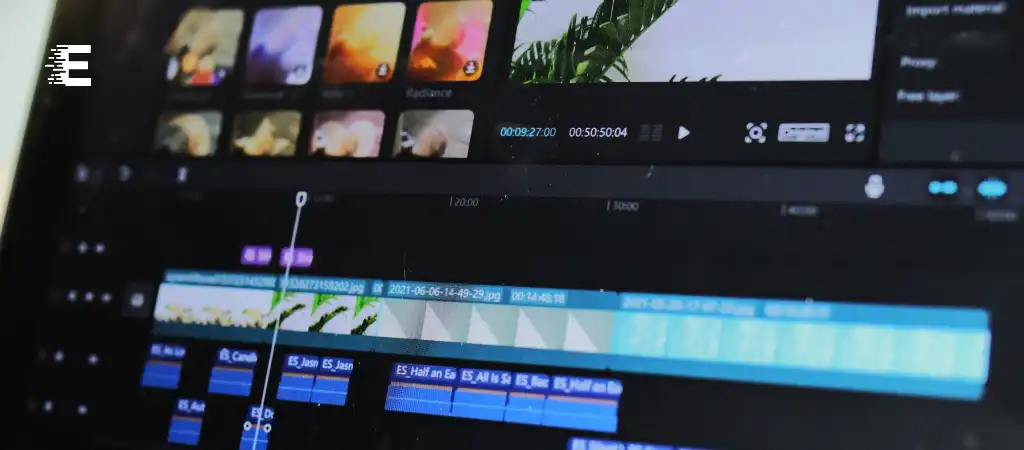
In the realm of video editing software, Filmora stands out as a popular choice for both beginners and professionals. Its intuitive interface, robust features, and affordability make it an attractive option for those looking to create high-quality videos without breaking the bank.
However, one common concern among users is the presence of watermarks on videos edited with the free version of Filmora. In this comprehensive guide, we’ll delve into whether it’s possible to use Filmora for free without watermarks, exploring various methods and alternatives to achieve watermark-free editing.
Understanding Filmora
Before diving into the methods of using Filmora without watermarks, it’s essential to understand the software itself. Filmora is a user-friendly video editing software developed by Wondershare. It offers a wide range of features and tools to help users create professional-looking videos with ease.
From basic editing functions like trimming and cutting to advanced effects and transitions, Filmora caters to the needs of both novice and experienced video editors.
Using Filmora for Free
Filmora is available in both free and paid versions. The free version allows users to access most of the software’s features but comes with limitations, such as watermarks on exported videos. This watermark serves as a promotional tool for Filmora, encouraging users to upgrade to the paid version for a seamless editing experience without any branding.
Methods to Use Filmora Without Watermark
While the free version of Filmora includes watermarks on exported videos, there are several methods to bypass this limitation and use the software without watermarks.
Let’s explore some of these methods:
-
Trial Version
One straightforward method to use Filmora without watermarks is by taking advantage of the software’s trial version. Filmora offers a free trial period during which users can access all features without any watermarks on their videos. However, this trial period is limited, typically ranging from a few days to a month, depending on the version of Filmora being used.
-
Purchasing a License
The most reliable way to use Filmora without watermarks is by purchasing a license for the software. Filmora offers various subscription plans, including monthly and annual options, with different pricing tiers based on the features and support provided. By purchasing a license, users can enjoy uninterrupted access to Filmora’s full suite of features, including watermark-free editing.
-
Educational Discounts
Students and educators may be eligible for educational discounts on Filmora subscriptions. By verifying their academic status, users can access discounted pricing on Filmora licenses, making it more affordable to use the software without watermarks for educational purposes.
-
Promotional Offers
From time to time, Filmora may run promotional offers or discounts on its software subscriptions. Keeping an eye out for such promotions can help users save money on purchasing a license for Filmora, making it more accessible for watermark-free editing.
-
Using Third-Party Tools
While not recommended, some users may explore third-party tools or cracks to bypass the watermark restriction on Filmora. However, it’s important to note that using such methods may violate copyright laws and terms of service agreements, potentially leading to legal consequences or security risks.
Alternatives to Filmora
In addition to exploring methods to use Filmora without watermarks, users may also consider alternative video editing software that offers similar features and functionality.
Some popular alternatives to Filmora include:
-
DaVinci Resolve
Known for its advanced editing capabilities and color grading tools, DaVinci Resolve is a powerful video editing software available for free with optional paid upgrades. It provides a comprehensive solution for professional video editing without watermarks.
-
Adobe Premiere Pro
As part of Adobe Creative Cloud, Premiere Pro is a leading video editing software used by professionals in the industry. While it requires a subscription, Premiere Pro offers unparalleled flexibility and integration with other Adobe products.
-
Final Cut Pro
Exclusive to macOS users, Final Cut Pro is a professional video editing software developed by Apple. It offers a range of features for advanced editing and post-production, making it a popular choice among filmmakers and content creators.
-
Shotcut
Shotcut is a free, open-source video editing software with a wide range of features and support for various formats. Despite being free, Shotcut does not impose watermarks on edited videos, making it a viable alternative to Filmora for budget-conscious users.
You Might Be Interested In
- How To Use A Web Browser?
- Which Antivirus Program Is 100% Effective?
- Which Is The No 1 Video Editing App For Youtube?
- What Are The Basics Of Software Development?
- Which Method Is Best For Software Development?
Conclusion
In conclusion, while the free version of Filmora includes watermarks on exported videos, there are several methods to use the software without watermarks. These methods include utilizing the trial version, purchasing a license, exploring educational discounts, taking advantage of promotional offers, or considering alternative video editing software.
By understanding the options available and choosing the most suitable approach based on individual needs and preferences, users can enjoy watermark-free editing with Filmora.
However, it’s essential to respect copyright laws and terms of service agreements when using any software to avoid legal consequences or security risks. Ultimately, whether opting for Filmora or its alternatives, users can unleash their creativity and bring their video editing visions to life without the distraction of watermarks.
FAQs
Can I remove watermarks from videos edited with the free version of Filmora?
Unfortunately, the free version of Filmora adds watermarks to exported videos as a promotional tool for the software. While it may be tempting to explore methods to remove these watermarks, it’s important to understand the limitations of the free version.
Users seeking watermark-free editing may consider options such as purchasing a license for Filmora, which grants access to the full suite of features without any branding. Additionally, utilizing the trial version of Filmora provides a temporary solution, allowing users to edit videos without watermarks for a limited time.
However, it’s essential to note that removing watermarks through unauthorized means, such as third-party tools or cracks, may infringe upon copyright laws and terms of service agreements, potentially leading to legal consequences or security risks.
Is it legal to use third-party tools or cracks to bypass the watermark restriction on Filmora?
While it may be tempting to explore alternative methods to remove watermarks from Filmora videos, it’s crucial to consider the legal implications of such actions. Using third-party tools or cracks to bypass watermark restrictions may violate copyright laws and terms of service agreements set forth by the software developer.
Engaging in unauthorized modifications or circumventions of software limitations not only undermines the integrity of the editing process but also exposes users to potential legal consequences. It’s important to respect the intellectual property rights of software developers and adhere to legal and ethical practices when editing videos.
Are there any discounts available for Filmora subscriptions?
Filmora periodically offers promotional discounts and educational pricing for its subscriptions, making it more accessible for users to upgrade to a licensed version without watermarks. Students, educators, and individuals who qualify for educational discounts may be eligible for reduced pricing on Filmora licenses, allowing them to enjoy watermark-free editing at a more affordable rate. Keeping an eye out for these promotional offers can help users save money while unlocking the full potential of Filmora’s features and capabilities.
What are the limitations of the trial version of Filmora?
The trial version of Filmora provides users with an opportunity to experience the full range of features offered by the software without watermarks on exported videos for a limited time. While the trial period allows users to explore Filmora’s editing capabilities and familiarize themselves with its interface, it eventually expires, requiring users to purchase a license to continue accessing the software without watermarks.
The duration of the trial period may vary depending on the version of Filmora being used, typically ranging from a few days to a month. During this time, users can take advantage of the trial to create and edit videos before making a decision to upgrade to a licensed version.
Can I use alternative video editing software that does not impose watermarks on edited videos?
Yes, several alternatives to Filmora offer watermark-free editing options, providing users with flexibility and choice in their editing software. DaVinci Resolve, Adobe Premiere Pro, Final Cut Pro, and Shotcut are among the popular alternatives that provide comprehensive video editing capabilities without the distraction of watermarks.
Each of these software options offers unique features and functionalities tailored to different editing needs and preferences. By exploring these alternatives, users can find a suitable solution that aligns with their specific requirements for watermark-free video editing.
