


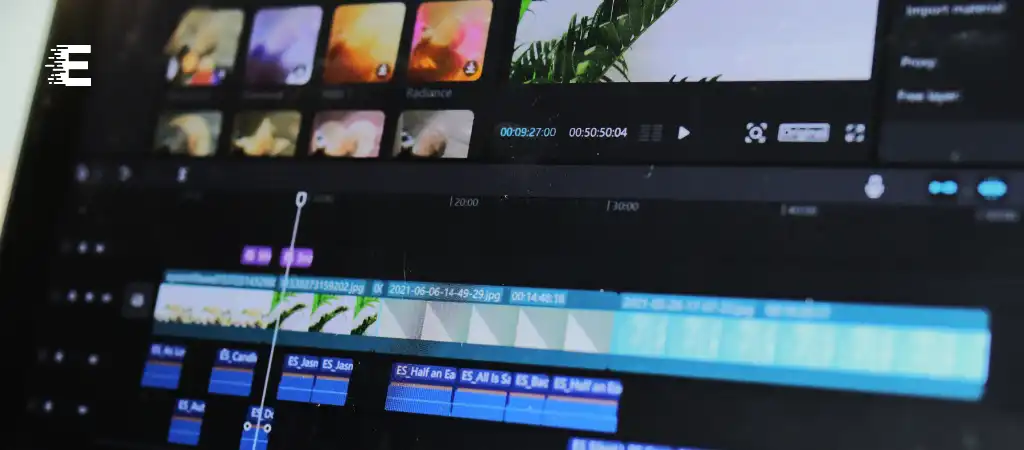
Creating engaging and professional content for YouTube requires high-quality video editing tools. With a plethora of options available, identifying the best “Video Editing App For YouTube” can be challenging.
In this comprehensive guide, we will delve into various video editing apps, evaluating their features, ease of use, and suitability for YouTube content creation. By the end of this guide, you will have a clear understanding of which app stands out as the No. 1 choice for YouTube video editing.
YouTube has become a dominant platform for content creators, offering opportunities to reach vast audiences. High-quality video editing is crucial for standing out in this competitive space. This guide will explore various aspects of video editing apps, ultimately identifying the best option for YouTube creators.
Criteria for Choosing the Best Video Editing App
When evaluating video editing apps for YouTube, several key factors should be considered:
-
Ease of Use
The app should be user-friendly, especially for beginners.
-
Features
Advanced editing tools, effects, transitions, and audio controls.
-
Export Options
Support for various formats and resolutions, including 4K.
-
Performance
Efficient rendering and smooth operation without crashes.
-
Cost
Value for money, considering both free and premium options.
-
Support and Community
Availability of tutorials, forums, and customer support.
Top Video Editing Apps for YouTube
1. Adobe Premiere Pro
Adobe Premiere Pro is a professional video editing software widely used by filmmakers, YouTubers, and video production companies. It offers a comprehensive set of tools that cater to both beginners and advanced users.
Features
- Timeline Editing: Advanced timeline editing with multiple tracks.
- Effects and Transitions: Extensive library of effects and transitions.
- Color Correction: Lumetri Color tools for precise color grading.
- Audio Editing: Integrated audio editing with Adobe Audition.
- Integration: Seamless integration with other Adobe Creative Cloud apps.
Pros
- Professional-grade tools and features.
- Regular updates and new features.
- Strong community and support.
Cons
- Steep learning curve for beginners.
- Subscription-based pricing can be expensive.
2. Final Cut Pro X
Final Cut Pro X, developed by Apple, is a powerful video editing app favored by many professional YouTubers and filmmakers. It is known for its performance and robust feature set.
Features
- Magnetic Timeline: Intuitive timeline for easy editing.
- Multicam Editing: Support for multi-camera editing.
- Advanced Color Grading: Comprehensive color grading tools.
- Optimized Performance: Utilizes Mac hardware for fast rendering.
- 360-degree Video Editing: Support for VR and 360-degree videos.
Pros
- Intuitive and user-friendly interface.
- Optimized for Mac, offering excellent performance.
- One-time purchase (no subscription).
Cons
- Mac-only software.
- High initial cost.
3. DaVinci Resolve
DaVinci Resolve by Blackmagic Design is a professional-grade video editing app that is unique for offering a free version with a robust set of features. It is renowned for its color correction capabilities.
Features
- Professional Editing Tools: Comprehensive set of editing tools.
- Color Correction: Industry-leading color grading features.
- Fusion VFX: Integrated visual effects and motion graphics.
- Fairlight Audio: Advanced audio editing and mixing.
- Collaboration: Supports collaborative workflows.
Pros
- Powerful free version with extensive features.
- Advanced color grading and audio tools.
- Regular updates and improvements.
Cons
- Steeper learning curve compared to other apps.
- Requires a powerful computer for optimal performance.
4. iMovie
iMovie is a free video editing app developed by Apple, ideal for beginners and casual YouTube content creators. It offers a straightforward interface and essential editing tools.
Features
- Simple Interface: Easy-to-use interface suitable for beginners.
- Templates and Themes: Pre-designed templates and themes.
- Basic Editing Tools: Essential tools for trimming, cutting, and adding effects.
- Integration: Seamless integration with other Apple products.
Pros
- Free to use.
- User-friendly and intuitive.
- Suitable for quick edits and simple projects.
Cons
- Limited advanced features.
- Mac-only software.
5. Filmora
Filmora by Wondershare is a popular video editing app known for its balance between simplicity and functionality. It is a great choice for YouTubers looking for a versatile and affordable solution.
Features
- Drag and Drop Interface: Easy-to-use drag and drop functionality.
- Effects and Transitions: Extensive library of effects and transitions.
- Text and Titles: Variety of customizable text and title templates.
- Audio Editing: Basic audio editing tools and effects.
- Green Screen: Support for chroma key (green screen).
Pros
- Affordable pricing with a free version available.
- User-friendly interface.
- Suitable for both beginners and intermediate users.
Cons
- Watermark on videos in the free version.
- Limited advanced features compared to professional software.
6. Shotcut
Shotcut is a free, open-source video editing app that offers a range of features suitable for YouTube content creators. It is a great option for those looking for a cost-effective solution without sacrificing functionality.
Features
- Cross-Platform: Available on Windows, Mac, and Linux.
- Wide Format Support: Supports a variety of video and audio formats.
- Timeline Editing: Basic timeline editing with multiple tracks.
- Filters and Effects: Collection of video and audio filters.
- Audio Tools: Integrated audio editing tools.
Pros
- Free and open-source.
- Cross-platform compatibility.
- Active community and regular updates.
Cons
- Interface can be less intuitive for beginners.
- Lacks some advanced features found in premium apps.
Comparison
User Experience
Adobe Premiere Pro and Final Cut Pro X offer professional-grade interfaces that can be overwhelming for beginners but provide a wealth of tools for experienced users. DaVinci Resolve strikes a balance, offering advanced tools with a steeper learning curve. iMovie and Filmora are more accessible for beginners, while Shotcut provides a functional interface with a moderate learning curve.
Performance and Stability
Final Cut Pro X is optimized for Mac hardware, offering exceptional performance and stability. Adobe Premiere Pro and DaVinci Resolve also perform well but require powerful computers. iMovie runs smoothly on most Mac devices, while Filmora and Shotcut offer decent performance on a range of hardware.
Feature Set
Adobe Premiere Pro and DaVinci Resolve lead with comprehensive feature sets, including advanced color grading, audio editing, and visual effects. Final Cut Pro X also offers a robust set of features, particularly for Mac users. iMovie and Filmora provide essential tools for casual editing, while Shotcut offers a good mix of basic and intermediate features.
Pricing
iMovie and Shotcut are free, making them attractive options for budget-conscious creators. DaVinci Resolve offers a powerful free version with a paid Studio version for advanced features. Filmora has a free version with a watermark and an affordable subscription. Adobe Premiere Pro and Final Cut Pro X are premium options, with Premiere Pro requiring a subscription and Final Cut Pro X available for a one-time purchase.
You Might Be Interested In
- Which Antivirus Program Is 100% Effective?
- What Is The Difference Between Virus and Antivirus?
- Is Firefox Faster Than Chrome?
- Can I Use Filmora For Free Without Watermark?
- How To Change Logitech Mouse Dpi?
Conclusion
After evaluating various video editing apps based on ease of use, features, performance, cost, and support, the No. 1 “Video Editing App For YouTube” is Adobe Premiere Pro.
Why Adobe Premiere Pro?
- Comprehensive Feature Set: Adobe Premiere Pro offers a wide range of advanced editing tools, effects, and transitions, making it suitable for both beginners and professionals.
- Integration: Seamless integration with other Adobe Creative Cloud apps enhances workflow efficiency.
- Regular Updates: Adobe continuously updates Premiere Pro, ensuring users have access to the latest features and improvements.
- Professional-Grade Tools: Trusted by industry professionals, Premiere Pro provides the tools needed to create high-quality, engaging YouTube content.
While Final Cut Pro X and DaVinci Resolve are also excellent choices, particularly for Mac users and those seeking powerful color grading tools, Adobe Premiere Pro stands out for its versatility, cross-platform availability, and robust support network.
Choosing the right “Video Editing App For YouTube” ultimately depends on your specific needs, budget, and level of expertise. Whether you’re a beginner looking for simplicity or a professional seeking advanced tools, there is a video editing app that fits your requirements.
In conclusion, Adobe Premiere Pro is the top choice for YouTube video editing, offering a perfect blend of power, features, and usability, making it the No. 1 Video Editing App For YouTube.
FAQs about Video Editing App for YouTube
Why is Adobe Premiere Pro considered the best video editing app for YouTube?
Adobe Premiere Pro is considered the best video editing app for YouTube due to its comprehensive feature set, professional-grade tools, and seamless integration with other Adobe Creative Cloud apps. It offers advanced editing capabilities, extensive effects, and transitions, along with regular updates, making it suitable for both beginners and experienced content creators. Its versatility and cross-platform availability also add to its appeal.
Can beginners effectively use Adobe Premiere Pro for YouTube video editing?
Yes, beginners can effectively use Adobe Premiere Pro for YouTube video editing. While it has a steep learning curve, Adobe provides extensive tutorials and resources to help new users get started. Additionally, the intuitive timeline and drag-and-drop functionality make basic editing tasks manageable for beginners. Over time, users can explore more advanced features as they become more comfortable with the software.
How does Adobe Premiere Pro compare to free video editing apps like iMovie and Shotcut?
Adobe Premiere Pro offers a much more extensive set of features compared to free video editing apps like iMovie and Shotcut. While iMovie and Shotcut are excellent for basic and intermediate editing tasks, Premiere Pro provides advanced tools for color grading, audio editing, and visual effects. This makes it a better choice for professional-level YouTube content creation. However, for those on a tight budget or just starting out, iMovie and Shotcut are excellent options.
What are the system requirements for running Adobe Premiere Pro efficiently?
To run Adobe Premiere Pro efficiently, a powerful computer is recommended. The minimum system requirements include a multi-core processor with 64-bit support, at least 8 GB of RAM (16 GB or more is recommended for HD media and 32 GB for 4K media), a compatible GPU for accelerated rendering, and a solid-state drive (SSD) for faster performance. The software is available for both Windows and Mac operating systems, but ensuring your system meets or exceeds these requirements will provide a smoother editing experience.
Is the subscription cost of Adobe Premiere Pro justified for YouTube content creators?
The subscription cost of Adobe Premiere Pro is justified for YouTube content creators who seek professional-grade tools and frequent updates. The software’s comprehensive features, including advanced color grading, audio mixing, and effects, enable creators to produce high-quality videos that stand out.
Additionally, the integration with other Adobe apps like After Effects and Photoshop enhances the overall workflow. While it may be a significant investment, the value it provides in terms of capabilities and support makes it worthwhile for serious YouTubers.
